Maximize Your Security with Enhanced Storage:
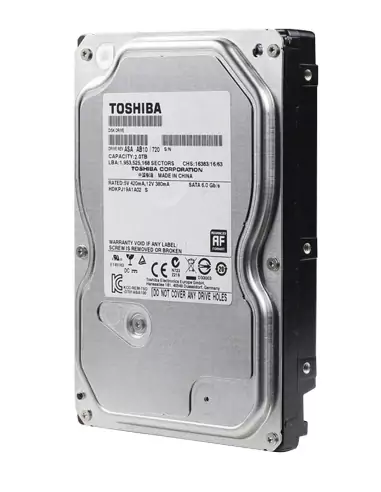
Upgrading to a 4TB Toshiba HDD means you're not just doubling your storage; you're investing in the peace of mind that comes with extended surveillance capabilities. This high-capacity hard drive is designed to handle the demands of 24/7 recording, ensuring that your Swann DVR/NVR system captures every critical moment without the risk of running out of space.
Why Choose the 4TB Toshiba Surveillance HDD?
• Optimized for Surveillance: This HDD is built to withstand the rigors of constant operation, making it an ideal choice for security systems.
• Increased Recording Duration: With 4TB at your disposal, you can store more high-definition footage for longer periods, reducing the need to frequently overwrite old files.
• Seamless Compatibility: Designed to work effortlessly with Swann systems, this HDD fits right into your existing setup.
Detailed Installation and Formatting Instructions:
• Preparation: Ensure your system is powered down and all cables are disconnected before beginning.
• Accessing the Unit: Carefully remove the necessary screws and gently slide off the cover to reveal the internal components.
• HDD Replacement:
- Unscrew the 4 HDD screws from the base of the unit, slide out the old drive.
- Replace with the new drive, ensure the drive fits neatly into the SATA socket. or for the 16Channel Recorder, unplug/plug the SATA and Power Cable.
- Tighten the 4x screws into the new HDD. DO not overtighten, and ensure you don't cross thread the screws.
• System Reassembly: Once the new HDD is installed, reattach the cover and ensure all screws are tightened.
• Drive Initialization: Power up your system and follow the on-screen prompts to format the new HDD, making it ready for use.
Advanced Tips for a Smooth Upgrade:
• Data Backup: Before replacing the HDD, consider backing up any important footage to avoid data loss.
• Cable Management: When reconnecting cables, ensure they are neatly organized to prevent damage and maintain airflow.
• Firmware Update: Check for any available firmware updates for your Swann system to ensure optimal performance with the new HDD.
Post-Upgrade Considerations:
Once your new HDD is installed and formatted, it's crucial to verify that your system is recording as expected. Monitor the storage capacity and adjust your recording settings if necessary to optimize the use of the new space.
Expert Support:
Our team of experts is on standby to provide personalized advice and support for your Swann system upgrade. Whether you need help choosing the right HDD or assistance with the installation process, we're here to help.
What's Included:
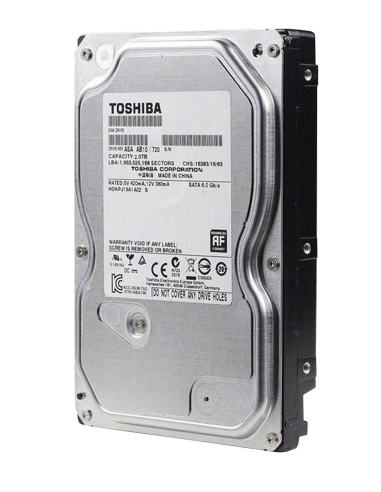
• Swann 4TB Toshiba 3.5" SATA Surveillance Hard Drive (OEM): A high-quality, reliable HDD that's ready to enhance your security system's performance.
By following these comprehensive steps and tips, you'll ensure that your Swann DVR/NVR system is equipped with robust storage capabilities, ready to capture and retain high-quality surveillance footage. For any additional queries or support, don't hesitate to reach out to our customer service team.