There are no more items in your cart
- New
In Stock - Ready to Ship
TP-Link Wireless Bridges & Access Points


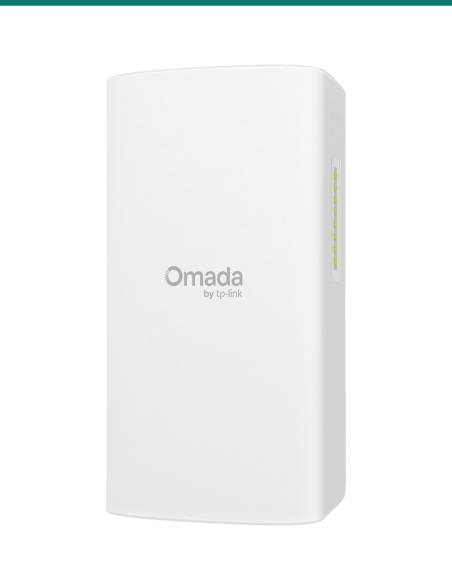
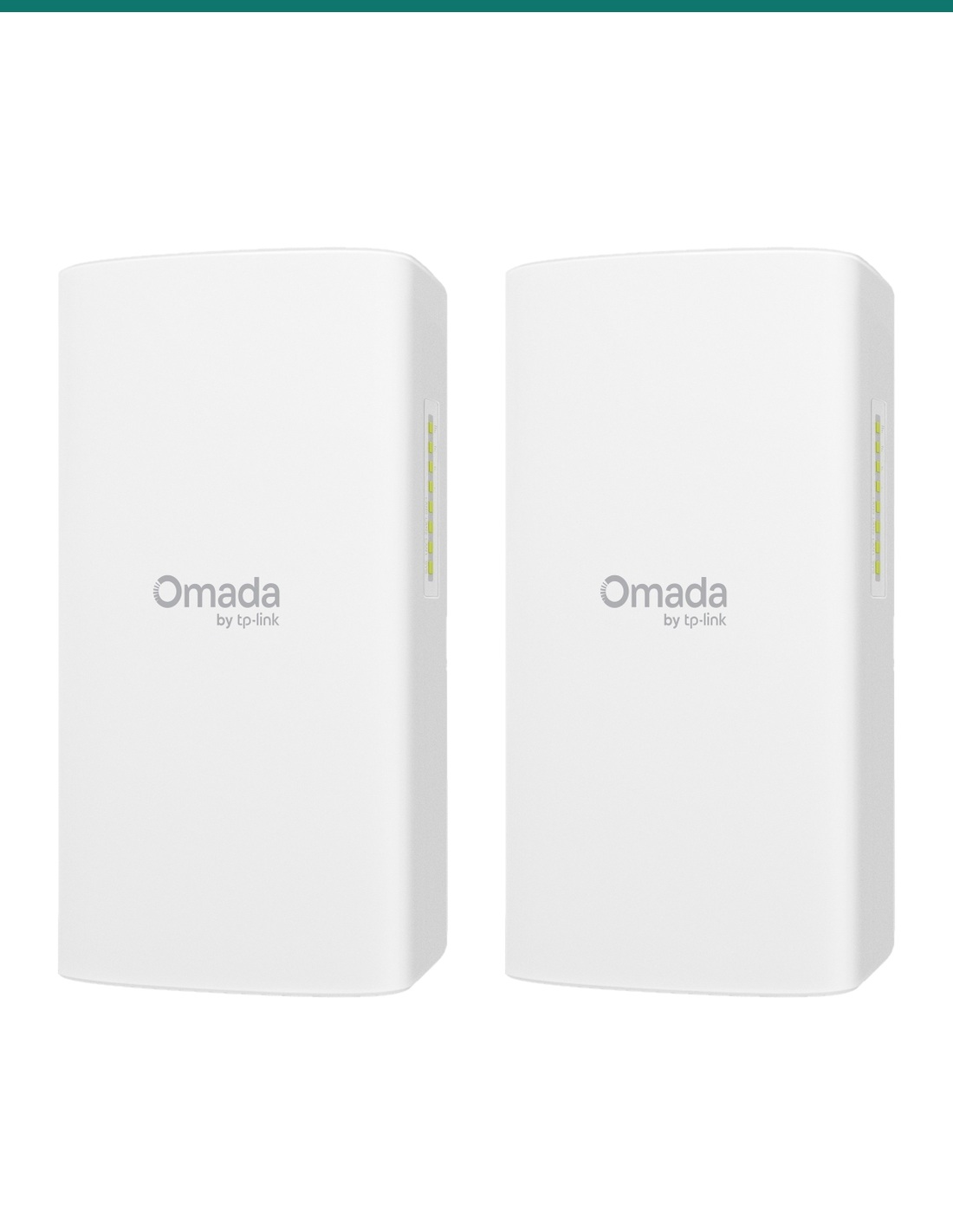
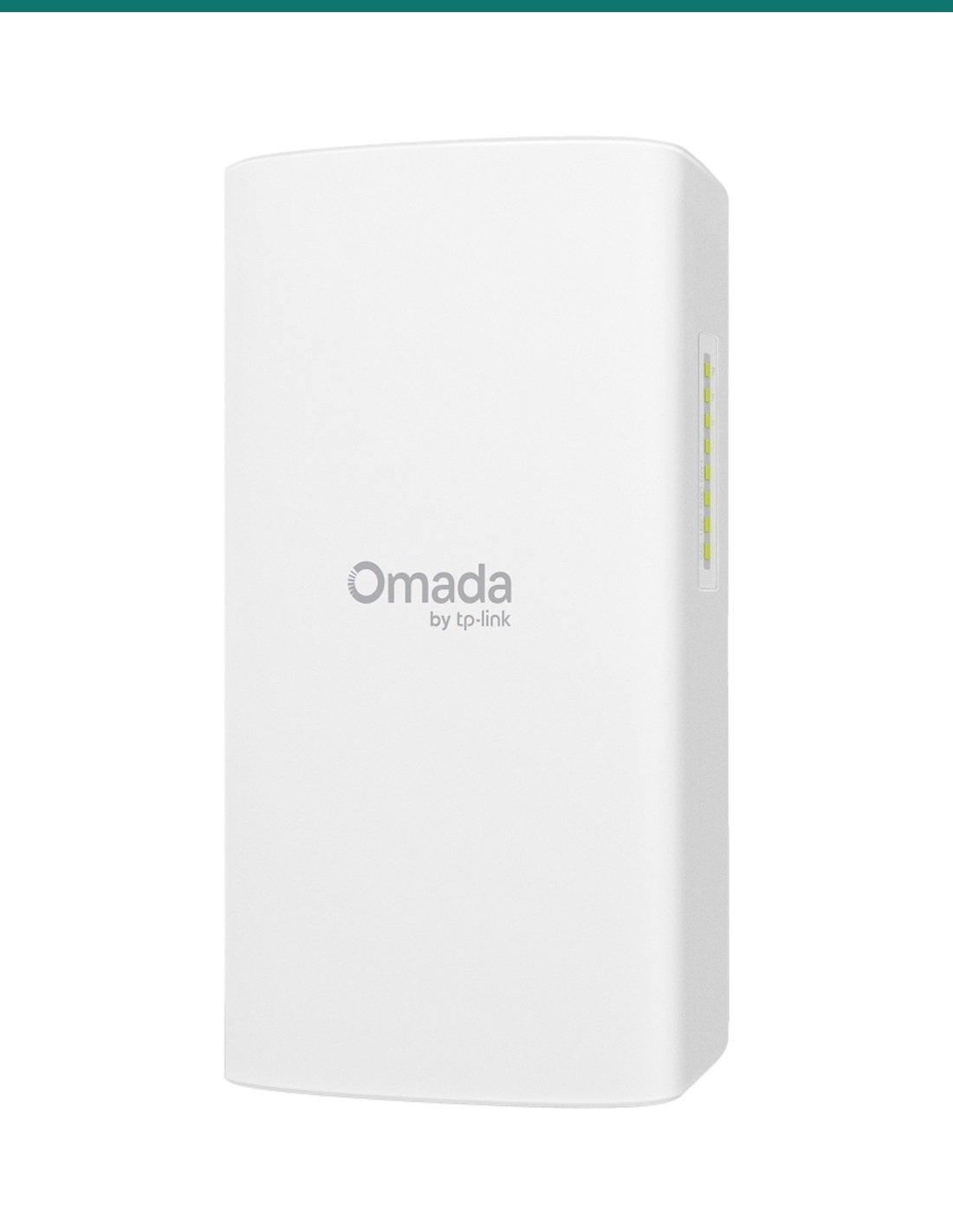
TP-Link Omada Flex Bridge 5 2-Pack: two 5 GHz outdoor wireless bridges for a complete link of up to 5 km, with PoE out to power cameras at the far end.
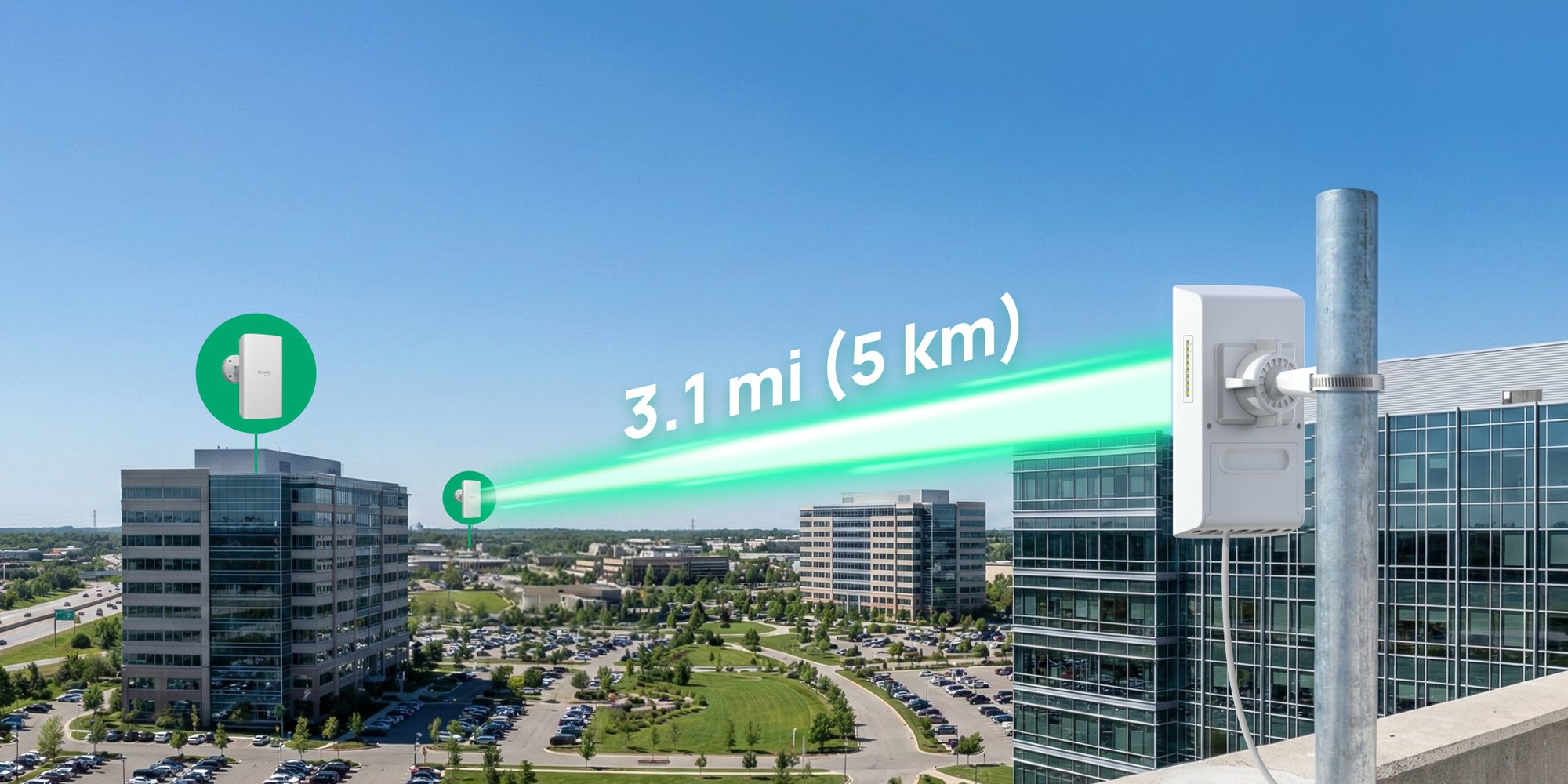
Two TP-Link Omada Flex Bridge 5 units: one for each end. Set the switches, mount them facing each other and the far building is on your network at up to 867 Mbps.
In one sentence: the Flex Bridge 5-2PK is two TP-Link Omada Flex Bridge 5 outdoor wireless bridges for a complete 5 GHz 867 Mbps point-to-point link of up to 5 km, each with two PoE out ports, DIP switch pairing and an IP66 housing.
Both ends of the link in one order.
Two Flex Bridge 5 units, each in its own TP-Link retail box. TP-Link sells the Flex Bridge 5 one at a time, so InFront Technologies packs two together for a complete link.
Two 17 dBi dual-polarised directional antennas inside the housing focus a 40° beam at the other end, carrying 2×2 802.11ac at up to 867 Mbps over as much as 5 km. Set one unit to Main AP and the other to Client AP with the role switch, give both the same DIP switch code, and they pair on their own, usually within two minutes.

PoE out
One PoE in port powers the bridge. The two PoE out ports deliver 10 W on one port or 5 W each when both are used, enough for IP cameras on the same pole. PoE out works when the bridge runs from the included 54V passive PoE adapter or an 802.3at switch.
Outdoors
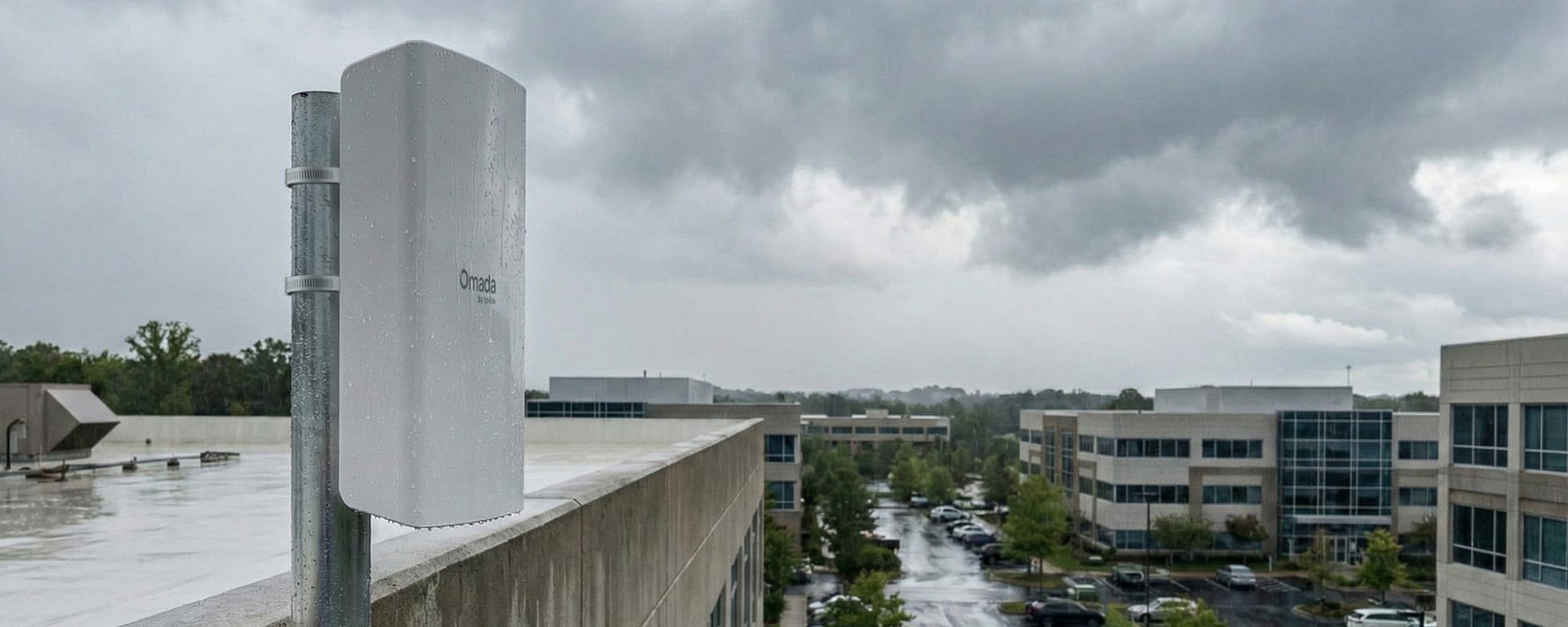
The sealed IP66 housing and 6 kV surge protection on the Ethernet ports suit rooftops, sheds and poles. It runs from −40 °C to 70 °C at 10 to 90% humidity, non-condensing. Earth the grounding terminal and use shielded cable for the best lightning protection.
Under the cover
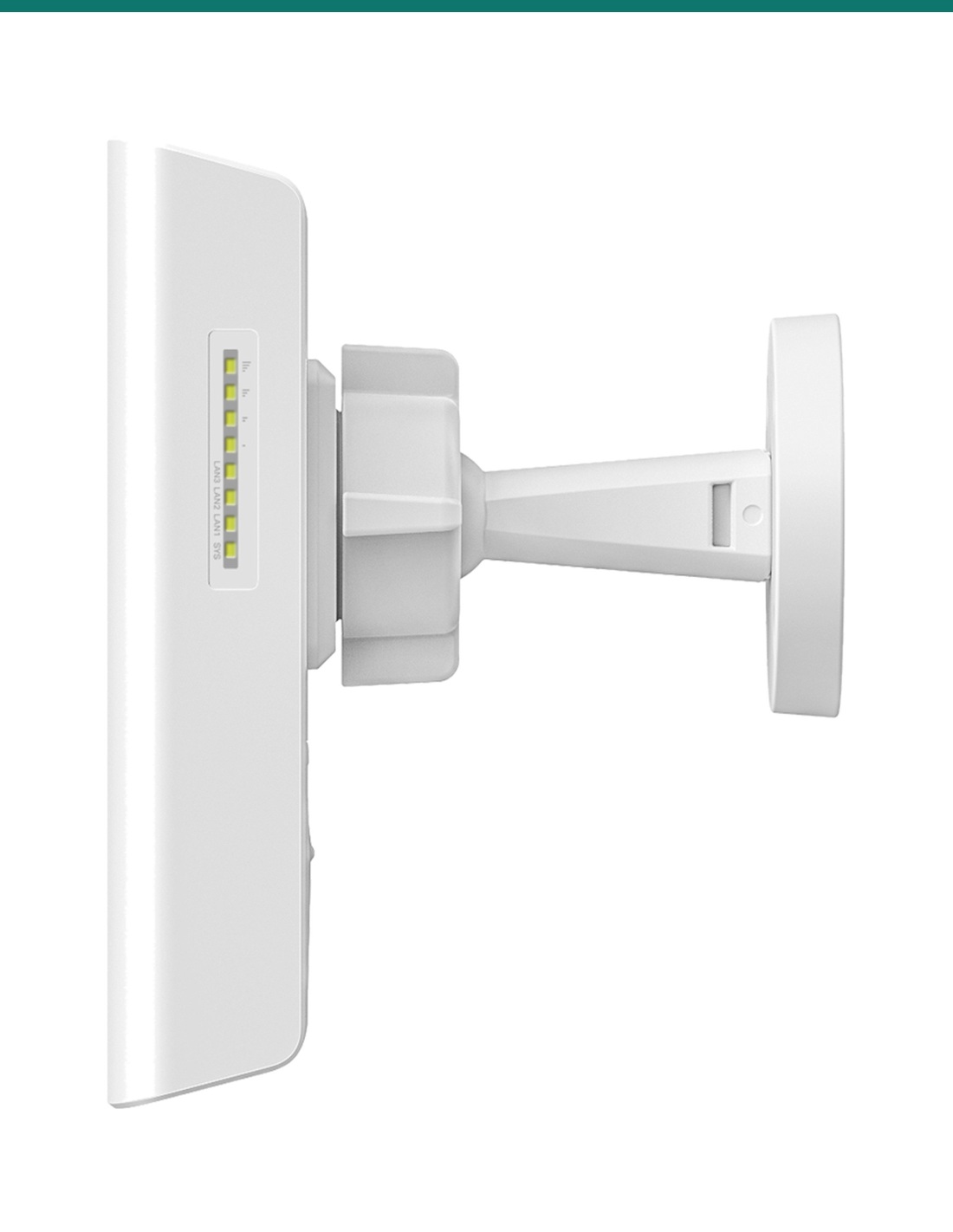
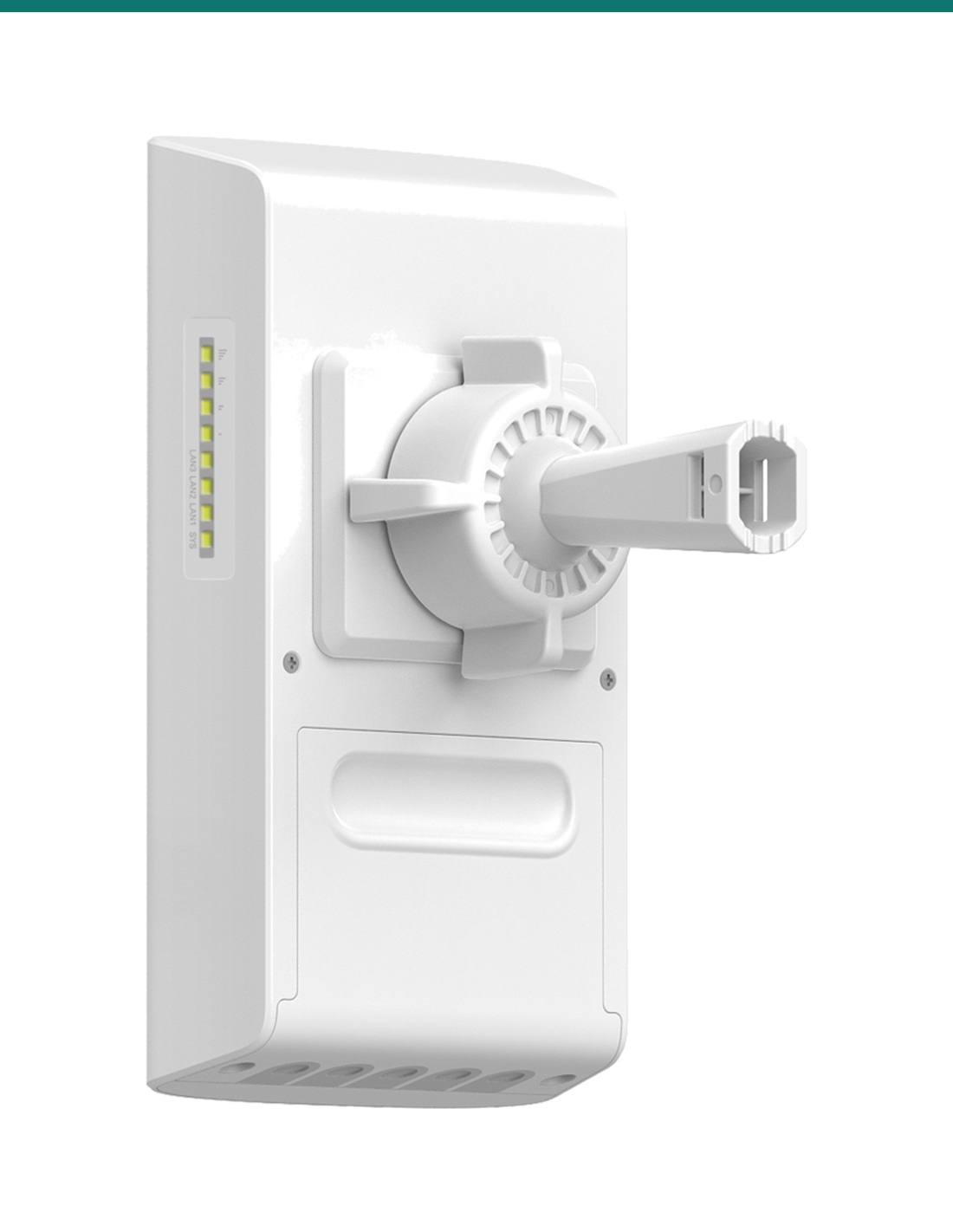
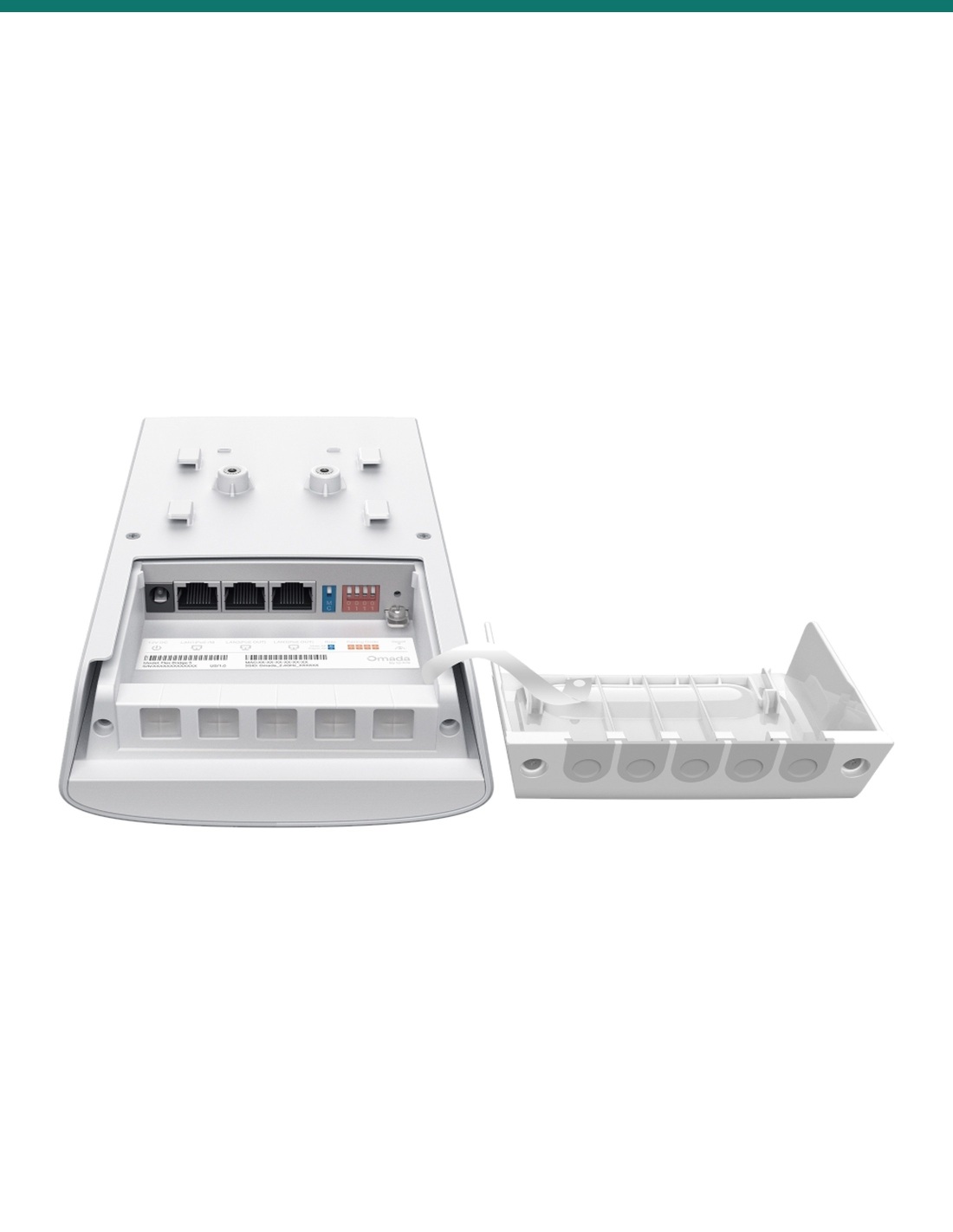
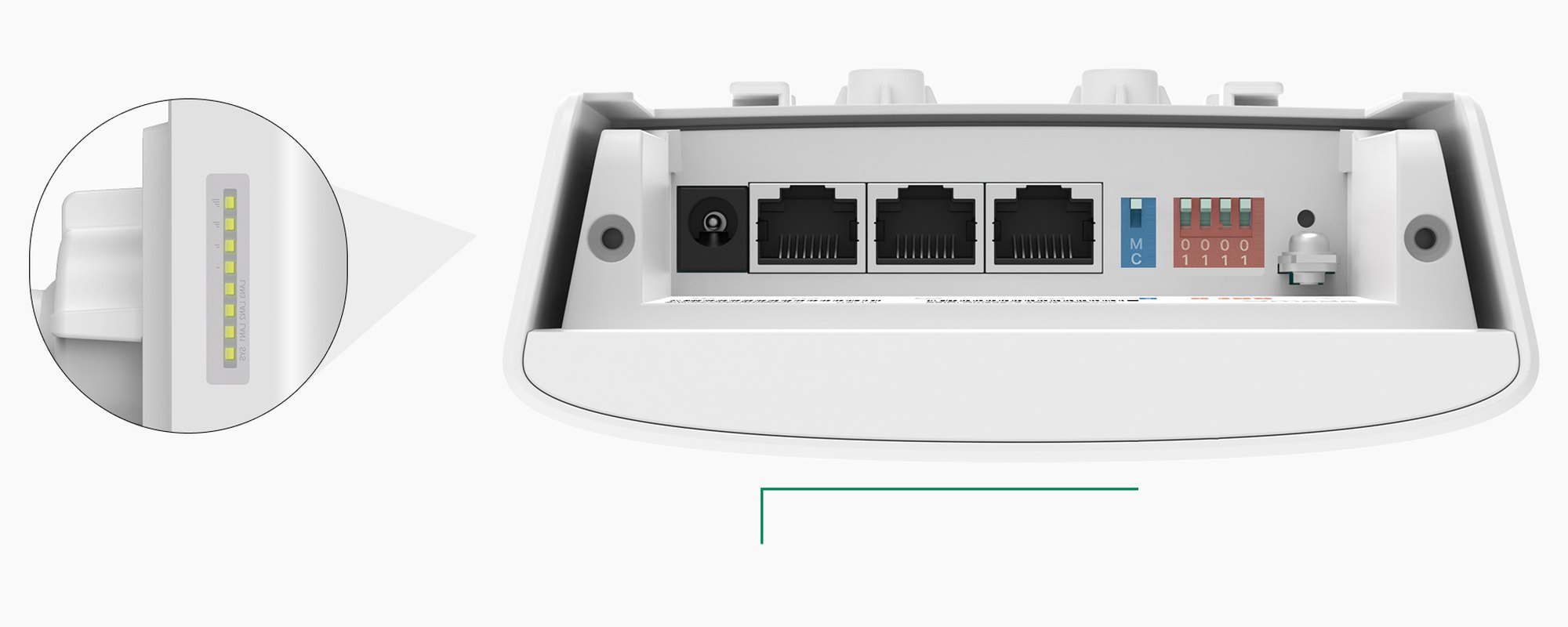
Under the waterproof sliding cover: 12V DC input, three Gigabit RJ45 ports (one PoE in, two PoE out), the role switch, a four-position pairing code switch, the reset button and the grounding terminal. Four signal LEDs on the side show alignment on the client end.
How it goes in
01
Set one bridge to M (Main AP) and the other to C (Client AP). Set the same four-digit pairing code on both DIP switches.
02
Fix each bridge to a wall or pole with the included kit and point them at each other. The ball joint makes fine adjustment easy.
03
Run outdoor Cat5e or Cat6 to the PoE in port, powered from the included 54V adapter indoors or an 802.3at PoE switch. 12V DC also works.
04
Watch the signal LEDs or the Omada app alignment screen while you fine-tune, run a speed test, then plug in the cameras or switch at the far end.
At a glance
Show specs
In this pack
2 × Flex Bridge 5, each with its own PoE adapter and mounting kit
Wireless
5 GHz IEEE 802.11a/n/ac, 2×2 MIMO, up to 867 Mbps
Range
Up to 5 km point-to-point
Multipoint
Up to 8 Flex Bridges per link; up to 32 when connected to a Sector Bridge 5 hub
Antennas
2 × 17 dBi internal dual-polarised directional; beam 40° horizontal, 18° vertical
Channel width
20, 40 or 80 MHz
Ports
3 × Gigabit RJ45: 1 PoE in, 2 PoE out
PoE out
10 W on one port, or 5 W on each of two ports (needs 54V passive PoE or 802.3at input)
Power in
802.3at or 802.3af PoE, 24V passive PoE, 54V passive PoE adapter (included), or 12V DC 1A
Power draw
Max 12 W on DC; 14.82 W on PoE without PoE out, 26.06 W with PoE out
Pairing
Role switch (Main AP or Client AP) and four-position pairing code DIP switch
Indicators
System LED, 3 LAN LEDs, 4 signal strength LEDs
Management
Omada app (standalone, no internet needed), Omada Controller or Essential V6.2 and above, Omada Central cloud, web UI, SSH, SNMP v1/v2c/v3
Alignment tools
Antenna alignment and speed test in the Omada app
Protection
IP66; Ethernet surge ±6 kV; ESD ±8 kV air, ±4 kV contact
Operating range
−40 °C to 70 °C, 10 to 90% humidity non-condensing, up to 2000 m altitude
Size and weight
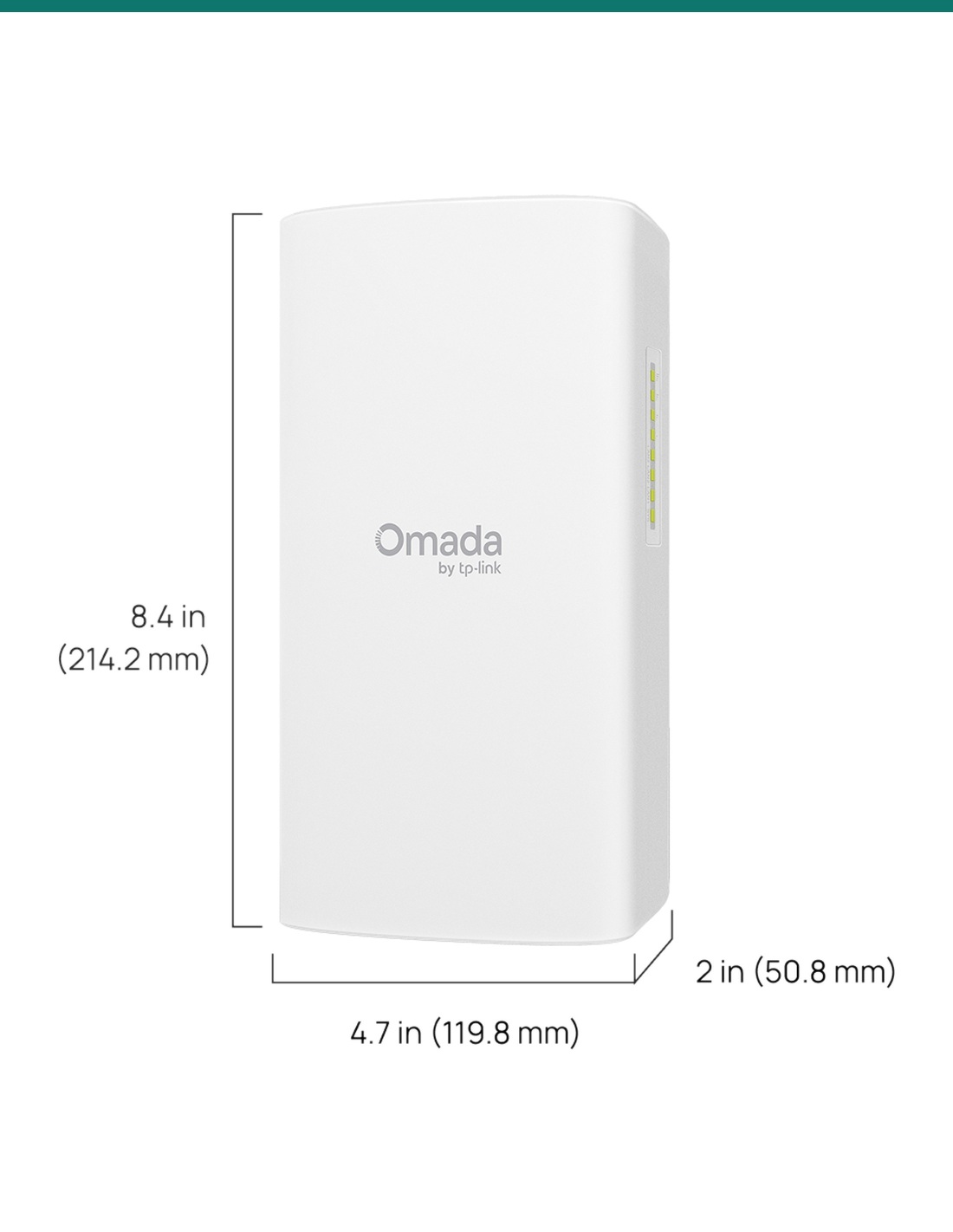
214.2 × 119.8 × 50.8 mm, 0.59 kg (mounting unit 0.113 kg)
Mounting
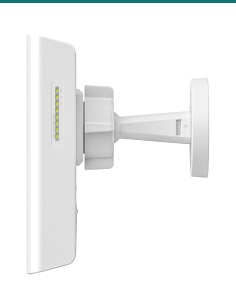
Wall and pole kits included, with ball joint
2.4 GHz radio
Device management only
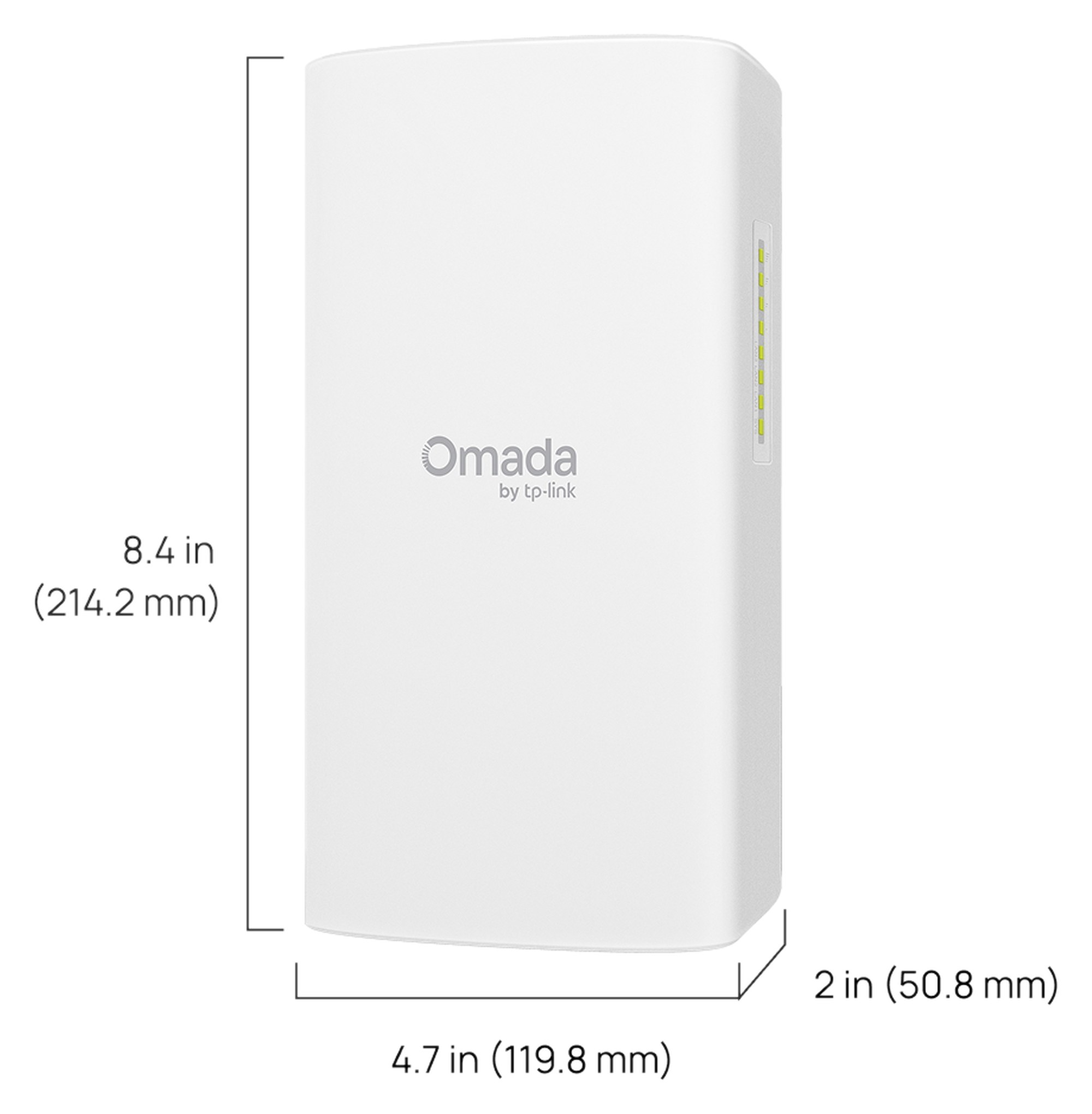
Each bridge: 214.2 × 119.8 × 50.8 mm, 0.59 kg. Units inch (mm).
Pair it with
Growing later
Add single Flex Bridge 5 units to the same Main AP for up to 8 bridges on one link, or move to a Sector Bridge 5 hub for up to 32.
Cabling
UV-rated cable from each bridge down to the PoE adapter or switch inside. Shielded cable with the grounding terminal earthed gives the best surge protection.
Cameras
Up to two at the far end, powered from the bridge: 10 W on one port, or 5 W each on two. Larger sites need a PoE switch at the far end.
Management
The Omada app sets it up on site with no internet. Add an Omada hardware, software or cloud controller to watch every bridge from anywhere.
Where it is used
Put the second building on the same network without trenching across a car park or road.
Reach sheds, pump stations and second houses from the homestead connection.
Feed and power cameras at a gate, yard or boundary from the bridge's PoE out ports.
Link site offices and cameras to the main connection, then move the bridges to the next job.
Connect buildings, sports grounds and gatehouses, with up to 8 bridges on one link.
Carry the network to remote cabins, amenities blocks and boom gates.
| Flex Bridge 5 2-Pack (this listing) | Flex Bridge 5 single | |
|---|---|---|
| Bridges | 2 | 1 |
| Makes a link on its own | Yes, a complete point-to-point link | No, needs a second bridge |
| 54V passive PoE adapters | 2 | 1 |
| Mounting kits | 2 | 1 |
| Specifications per bridge | 5 GHz 867 Mbps, up to 5 km, 2 PoE out, IP66 | 5 GHz 867 Mbps, up to 5 km, 2 PoE out, IP66 |
Same Flex Bridge 5 in both listings. Add a single unit later to grow the link to more buildings.
Yes. Two Flex Bridge 5 units make one point-to-point link: set one as Main AP and the other as Client AP. Each comes with its own 54V passive PoE adapter and mounting kit.
Up to 5 km point-to-point with clear line of sight. Trees, buildings and hills in the path cut the range and speed, so check the path before you buy.
The 5 GHz radio has a maximum physical rate of 867 Mbps (2×2 802.11ac at 80 MHz). Real throughput is lower and depends on distance, alignment and interference. The Omada app has a speed test to check it.
Yes. Two of the three Gigabit ports are PoE out: 10 W on one port, or 5 W on each when both are used. PoE out only works when the bridge is powered by the included 54V passive PoE adapter or an 802.3at switch, not on 12V DC, 24V passive or 802.3af.
With switches, no software needed. Set one to M (Main AP) and the other to C (Client AP), give both the same four-digit pairing code on the DIP switches, and power them up. They usually connect within two minutes.
Yes. Flex Bridges work point-to-multipoint, with up to 8 on one link, so add single Flex Bridge 5 units as Client APs. With a Sector Bridge 5 hub, up to 32 Flex Bridges can connect.
From the included 54V passive PoE adapter, an 802.3at or 802.3af PoE switch, 24V passive PoE, or 12V DC at 1A. The adapter is for dry indoor locations only. The DC input also suits a solar setup.
No. The Omada app sets it up on site in standalone mode with no internet. An Omada hardware, software or cloud controller is optional and adds remote monitoring and email alerts.
Point the bridges at each other with the ball joint, then fine-tune while watching the four signal LEDs on the client end or the real-time signal strength in the Omada app. The beam is 40° wide and 18° high.
Yes. The housing is rated IP66, the Ethernet ports have 6 kV surge protection, and it runs from −40 °C to 70 °C. Close the waterproof sliding cover over the ports after cabling.
Two Flex Bridge 5 units in their own retail boxes, each with a 54V passive PoE adapter, a power cord, a wall and pole mounting kit with ball joint and hose clamps, and an installation guide.
It is built for bridge links, not Wi-Fi coverage. The 2.4 GHz radio is for device management only. Put an access point or switch at the far end for users.
Help planning a link, checking line of sight or choosing cameras for the far end: call 1300 736 970 or email [email protected]. The datasheet is on the Attachments tab.
Low voltage at the bridge. The bridge runs on PoE or 12V DC. The 54V passive PoE adapter plugs into mains and must stay indoors in a dry place. A new power point needs a licensed electrician.
Cabling. Concealed or building data cabling is customer cabling under AS/CA S009 and needs an ACMA-registered cabler. Use outdoor-rated cable outside.
Lightning and earthing. Earth the grounding terminal and use shielded cable. Surge protection depends on proper earthing and installation.
Working at height. Roof and pole mounting is work at height. Follow your state's work health and safety rules.
What it does not do. No Wi-Fi coverage for phones or laptops, no mesh or repeater mode, and no PoE out when powered from 12V DC, 24V passive PoE or 802.3af.
Figures. From TP-Link's Flex Bridge 5 datasheet V1.0 (16 Oct 2026) and the Omada product page. Range and speed are lab figures and vary on site.






Need help choosing?
Tell us about your property and we'll recommend the right cameras and recorder.
07 5609 4910Sydney 02 8814 6008
[email protected]
Mon–Fri, 9am–5pm AEST