TP-Link VIGI · 5MP full-colour bullet · 2.8 mm
A wide 5MP view, in colour day and night.
Alerts for people and vehicles only.
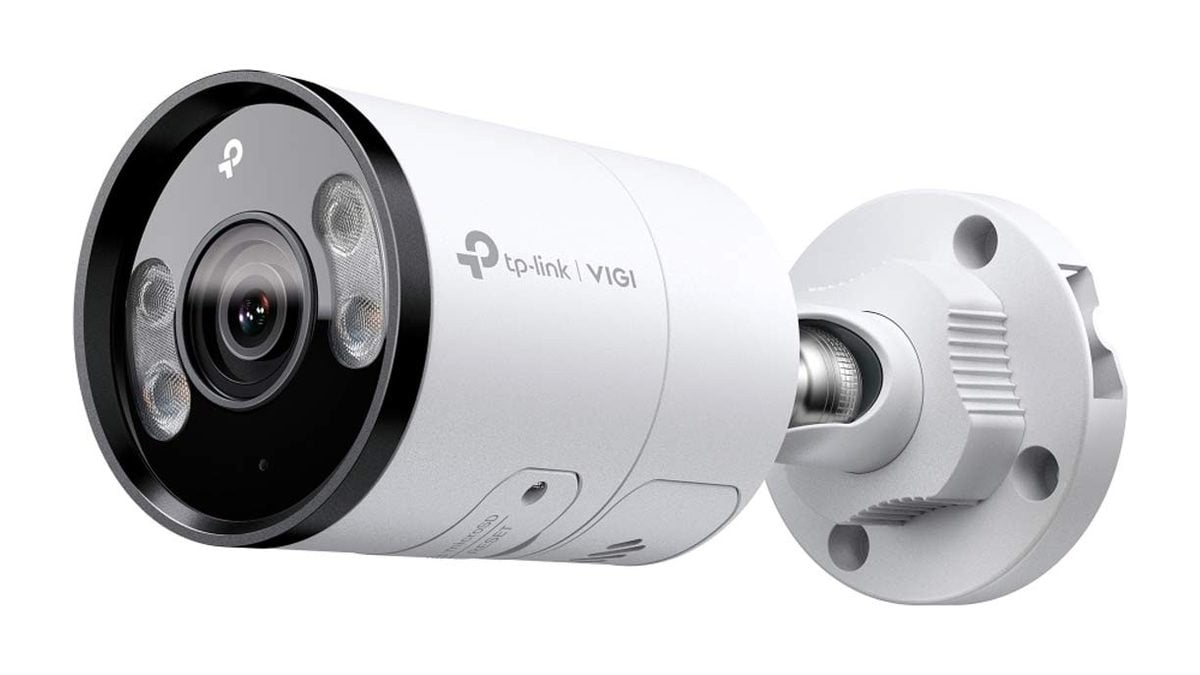
The TP-Link VIGI C355 (2.8 mm) is a 5MP (2880 × 1620) outdoor bullet camera with a 2.8 mm F1.6 lens, two white lights for colour video at night, and on-camera AI that tells people and vehicles apart from everything else. It runs on one PoE network cable and sits in a metal IP67 housing.
In one sentence: the VIGI C355 2.8 mm is a 5MP PoE bullet camera with a 111.4° view, colour night vision to 30 m, human and vehicle detection, two-way audio and a microSD slot, rated IP67 for outdoor use.
Camera only. Recorder, cable and memory card sold separately.
The C355 records to a VIGI NVR or an ONVIF recorder, or to its own microSD card (up to 512GB, not included). One Cat5e or Cat6 cable from a PoE recorder or PoE switch carries both power and video, so no power point is needed at the camera.
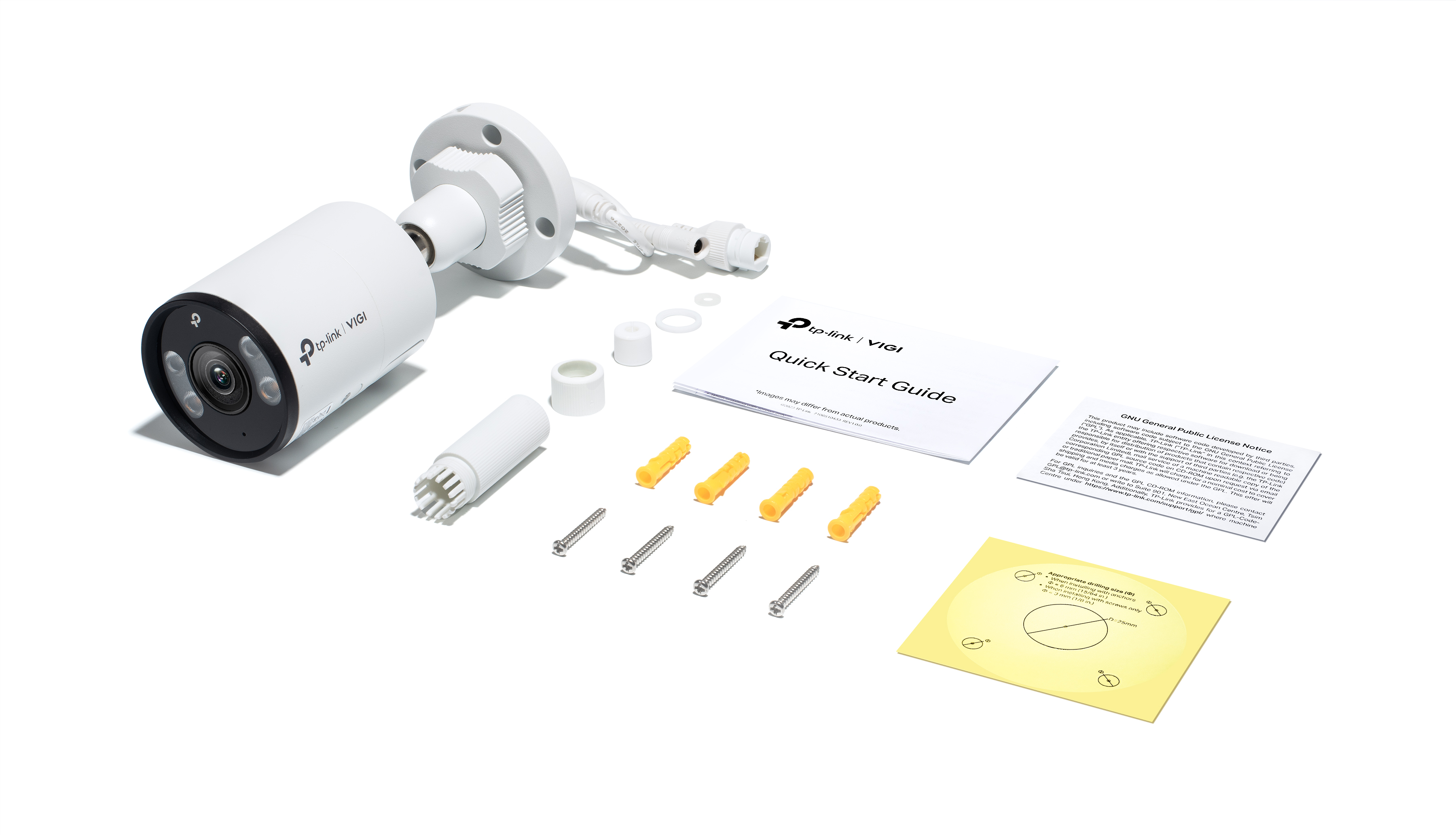
In the box- TP-Link VIGI C355 camera, 2.8 mm lens
- Waterproof cable attachments
- Mounting accessories
- Quick start guide
You also need- A PoE recorder or PoE switch (802.3af/at), or a 12 V DC power supply
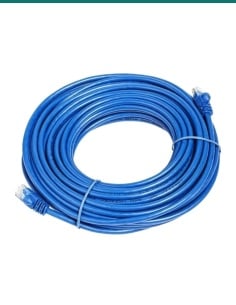
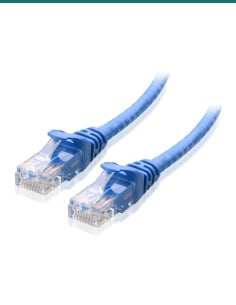
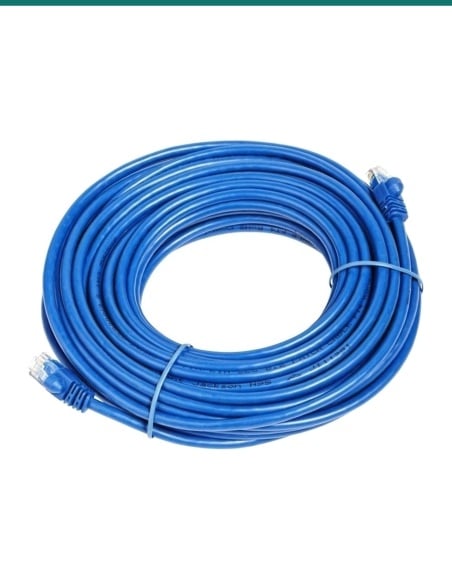
- Cat5e or Cat6 cable to the camera
- A microSD card, if you want recording on the camera
- The free VIGI app, or a VIGI NVR and screen
A business-grade camera that is simple to live with.
VIGI is TP-Link’s professional camera range. The C355 is built for outside: a metal body rated IP67, an operating range of −30 °C to 60 °C, and a mount that pans 360°, tilts 90° and rotates 360°, so you can level the picture on a wall, ceiling or pole.
Why people buy it
Why people choose the C355.
Colour after dark
Two white LEDs light the scene to 30 m for full-colour night video, and the sensor holds colour down to 0.005 lux. Prefer not to light the area? Switch to the two infrared LEDs, also 30 m.
Alerts for people and vehicles
On-camera AI classifies people and vehicles, so swaying trees, shadows and animals don’t fill your phone with alerts.
Find footage faster
People and Vehicle Analytics lets you search recordings by what a person wore or carried, or by vehicle type and colour, in TP-Link’s VIGI software.
Talk and warn
A built-in microphone and speaker give two-way audio. When a rule is triggered the camera can play an audible warning and flash its white lights.
One cable
Power and video run over a single PoE network cable (802.3af/at, 10.7 W max), or use the 12 V DC input.
Records with or without an NVR
Pair it with a VIGI NVR, or record straight to a microSD card of up to 512GB. H.265+ keeps file sizes down.
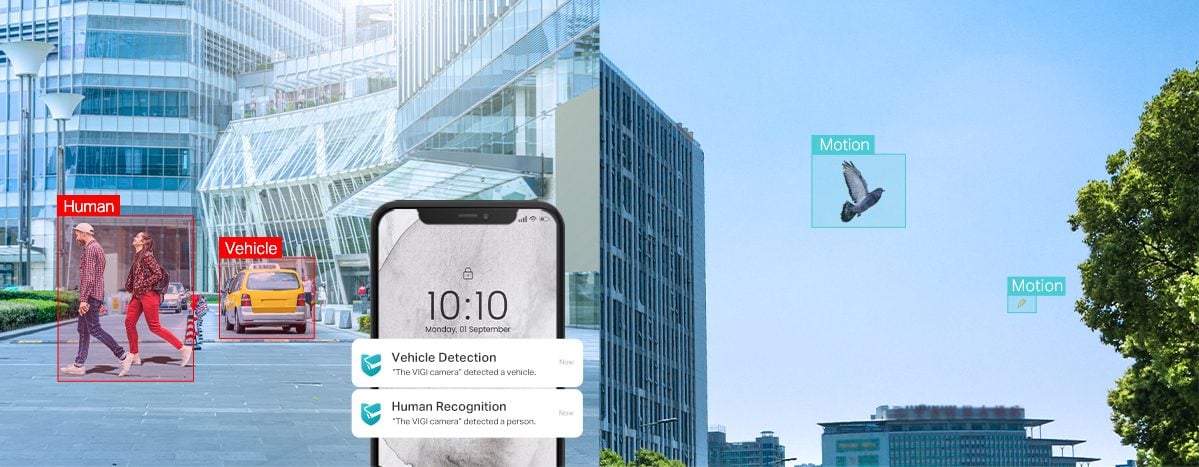
Human and vehicle classification
Alerts for people and cars, not birds.
Draw zones and lines in the app, then choose what counts: intrusion, line crossing, entering or leaving a region, loitering, an object left behind or taken, a scene change, abnormal sound or tampering. Turn on human or vehicle filtering and the push alerts only come when a person or vehicle sets the rule off.
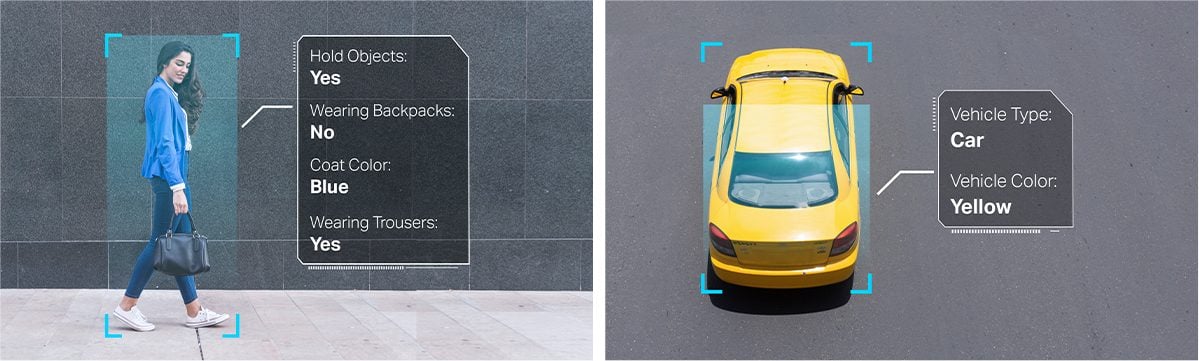
People and Vehicle Analytics
Search by what they wore.
Instead of scrolling hours of video, filter recordings for a person with a backpack or a blue coat, or a yellow car. This search runs in TP-Link’s VIGI software. While analytics is on, the camera uses digital WDR instead of its 120 dB True WDR.
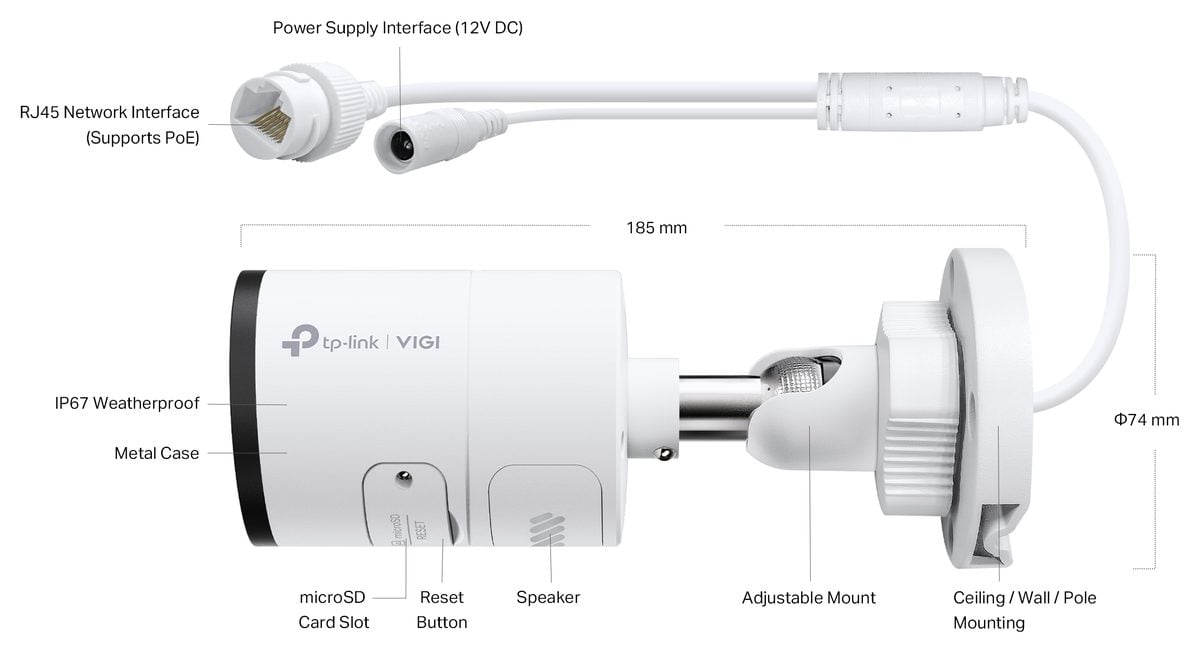
Build
Metal, IP67, and the ports where you need them.
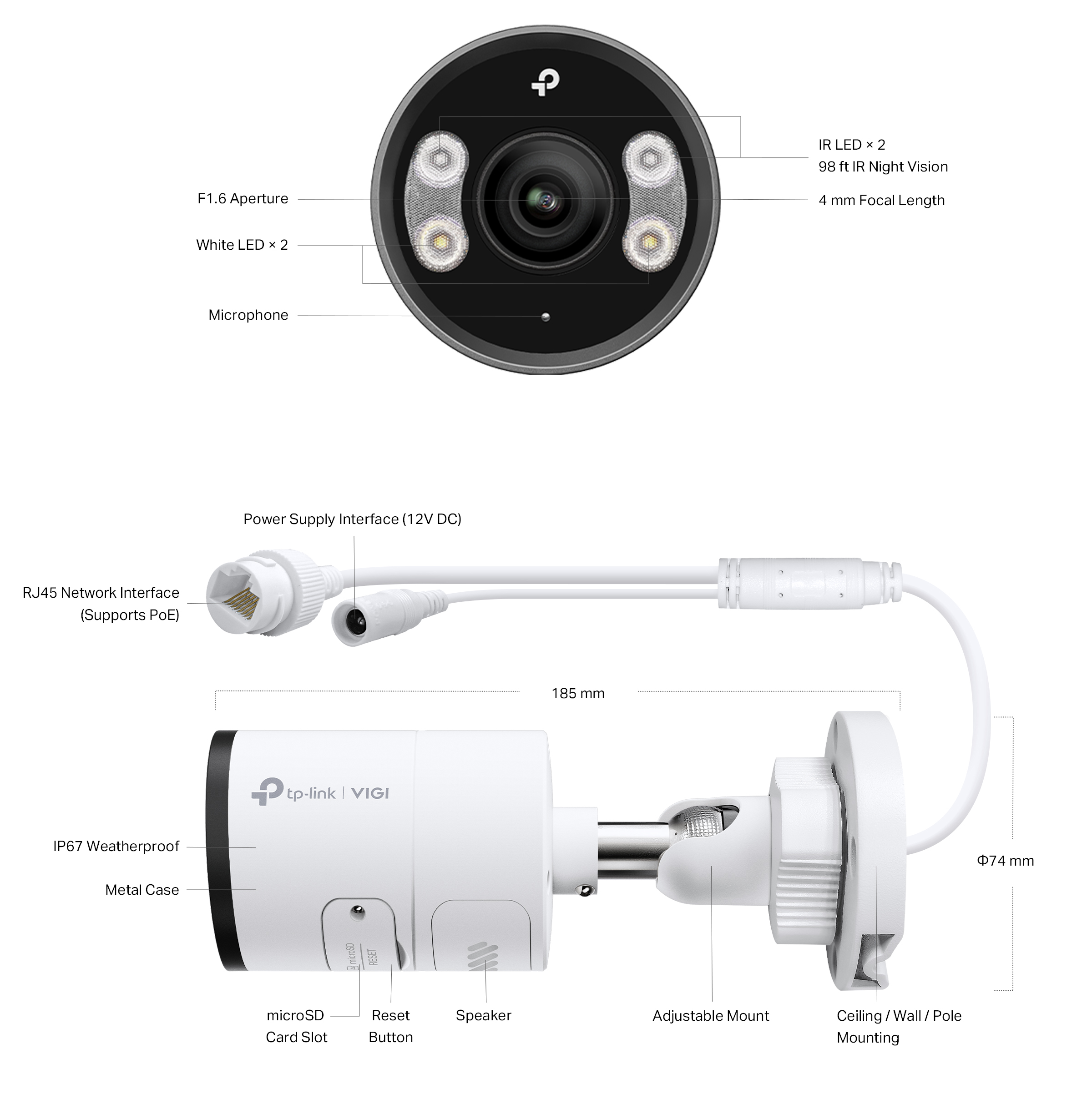
The flying lead carries the RJ45 network plug (PoE) and a 12 V DC socket. Under a side cover are the microSD slot and reset button, next to the built-in speaker; the microphone is on the front. The body is 74 × 184 × 74 mm and weighs 0.525 kg.
How it goes in
From the box to recording in four steps.
01
Plan the view
The 2.8 mm lens covers 111.4° across. TP-Link rates it to identify a person at up to 6 m, so mount it about 2.5–3 m high and within that distance of where faces will be.
02
Run the cable
Run Cat5e or Cat6 from a PoE recorder or PoE switch to the camera. One cable carries power and video, up to 100 m.
03
Mount and aim
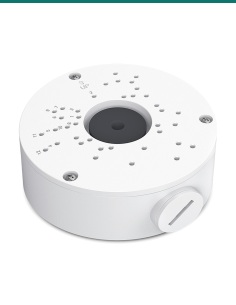
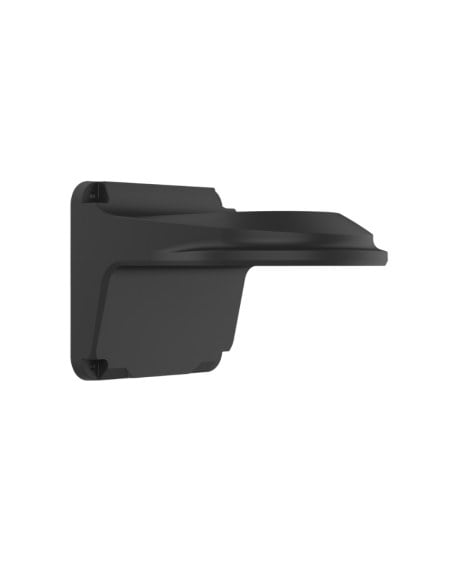
Fix it to the wall, ceiling or pole with the supplied accessories (a VJB-300 junction box hides the cable joint), fit the waterproof cap over the network plug, then aim and level it.
04
Add it to the app
Add the camera to a VIGI NVR, the VIGI app or VIGI Security Manager, then draw detection zones and turn on alerts.
At a glance
VIGI-C355(2.8mm)
Show specs
Resolution
5MP, 2880 × 1620
Image sensor
1/2.7" progressive scan CMOS
Field of view
111.4° horizontal, 58.8° vertical, 134° diagonal
DORI (person)
Detect 64 m, observe 27 m, recognise 13 m, identify 6 m
Night vision
2 white LEDs to 30 m (colour), 2 IR LEDs 850 nm to 30 m
Minimum illumination
0.005 lux; 0 lux with IR or white light
Image
120 dB True WDR, BLC, HLC, 3D DNR, Smart IR, up to 4 privacy masks
Compression
H.265+ / H.265 / H.264+ / H.264, main stream 256 Kbps–6 Mbps
Smart detection
Human and vehicle classification, intrusion, line crossing, region entering and exiting, loitering, object left or removed, scene change, abnormal sound, tampering
Audio and deterrence
Two-way audio (built-in mic and speaker), audible warning, flashing white light
Storage
microSD up to 512GB (card not included)
Power
PoE 802.3af/at (max 10.7 W) or 12 V DC (max 9.7 W)
Network
1 × RJ45 10/100, PoE
Compatibility
VIGI NVR, VIGI app, VIGI Security Manager, web browser, ONVIF Profile S
Body
Metal, IP67, −30 °C to 60 °C, 74 × 184 × 74 mm, 0.525 kg
Warranty
3-year TP-Link Australia warranty, handled through InFront Technologies.
Pair it with
Finish the install.
Mounting
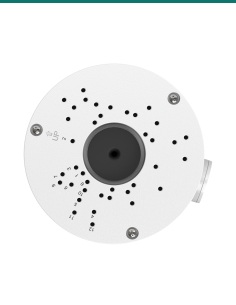
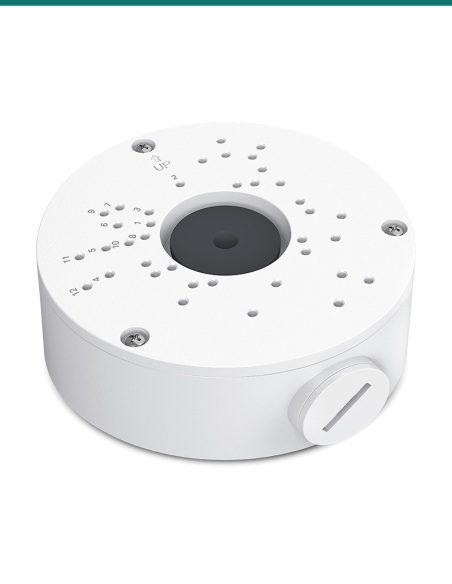
VJB-300 junction box
Sits under the camera base to hide the cable joint and give a neat, weather-resistant finish. TP-Link lists it for the C355 and S355.
Mounting
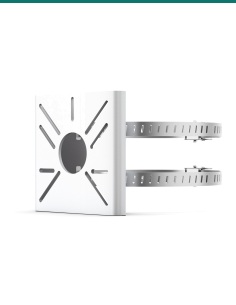
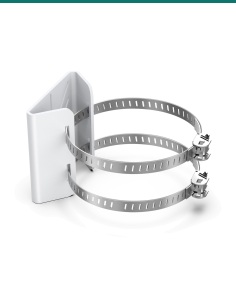
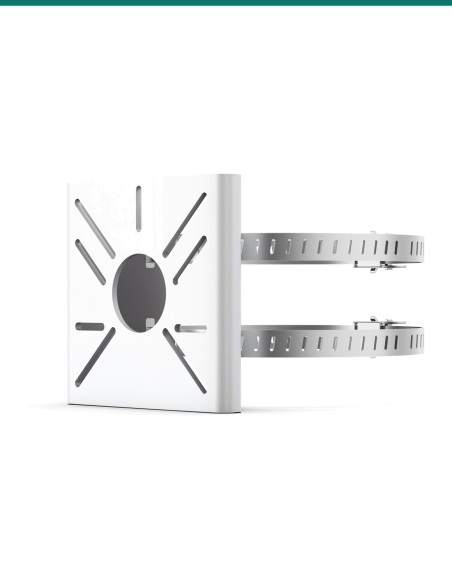
VMB-350 pole bracket
Straps the camera to a round pole of 70 to 130 mm, for gates, fences and car parks.
Recorder
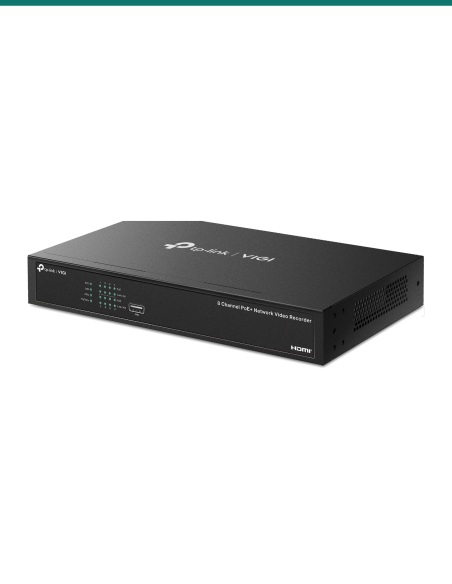
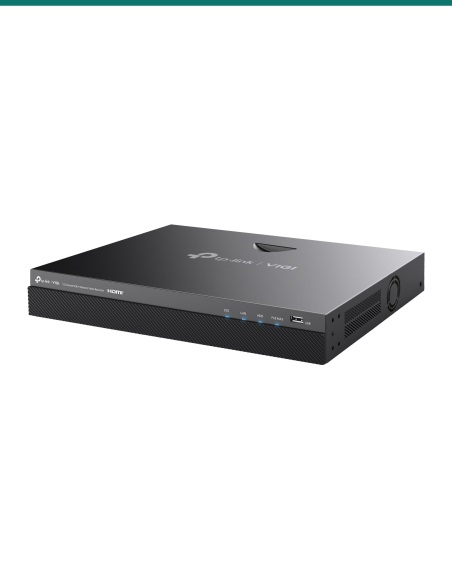
VIGI PoE NVR
The 4-channel NVR1004H-4P or 8-channel NVR1008H-8MP power the camera over PoE and record it around the clock.
Storage
High-endurance microSD
Up to 512GB in the camera. Our SanDisk High Endurance cards suit continuous recording.
Where it is used
Where the C355 2.8 mm fits best.
Backyards and side paths
The wide 111° view covers a whole yard or walkway from one corner.
Carports and garages
Watch the car, the door and the gap beside it at once.
Shop floors and loading areas
A broad view of a room or dock, mounted high on a wall.
Front porches
See visitors up close and talk to them through the speaker.
Which lens?
| 2.8 mm (this camera) | 4 mm | 6 mm |
|---|
| Horizontal view | 111.4° | 88° | 57.3° |
| Identify a person | up to 6 m | up to 8 m | up to 12 m |
| Recognise a person | up to 13 m | up to 16 m | up to 24 m |
| Detect a person | up to 64 m | up to 80 m | up to 120 m |
| Best for | Wide areas close to the camera: yards, carports, shop floors and side paths | A balance of width and detail: driveways, entries and shopfronts | Longer, narrower views: gates, long driveways and car park lanes |
Distances are TP-Link’s DORI ratings for a person. All three C355 versions share the same 5MP sensor, F1.6 lens, lights, audio and IP67 metal body.
Common questions
Which lens should I choose?
The 2.8 mm (this one) is the widest at 111°, best for yards and areas within about 6 m of the camera. The 4 mm (88°) is the all-rounder for driveways and entries, and the 6 mm (57°) looks further down a driveway or to a gate, identifying people at up to 12 m.
Does it need a power point?
No. It is powered over the network cable (PoE, 802.3af/at) from a PoE recorder or switch. If you have no PoE, it also takes 12 V DC through a 5.5 mm plug (power supply not included).
Will I see colour at night?
Yes. The two white LEDs light the scene to 30 m and the sensor holds colour down to 0.005 lux. You can set the lights to auto, a schedule, always on or always off.
Can I use infrared instead of the white lights?
Yes. Switch to the two infrared LEDs (850 nm, 30 m) for black-and-white night video without lighting the area up. Smart IR stops close objects washing out.
Will it work with my recorder?
It works with VIGI NVRs and with ONVIF Profile S recorders. The smart detection rules and analytics search work best on a VIGI NVR or VIGI Security Manager; other brands normally give video and basic motion only.
Can it record without an NVR?
Yes. Fit a microSD card of up to 512GB and it records on the camera. View live and play back in the VIGI app or VIGI Security Manager.
Can I talk through it?
Yes. It has a built-in microphone (it picks up sound within about 5 m) and a speaker for two-way talk from the VIGI app.
Can it warn people off?
Yes. When a detection rule is triggered the camera can play an audible warning through its speaker and flash its white lights.
Is it weatherproof?
Yes. The metal housing is rated IP67 and works from −30 °C to 60 °C. Use the supplied waterproof cable attachments on the network plug.
Which mounts fit?
TP-Link lists the VJB-300 junction box and the VMB-350 pole bracket (70 to 130 mm poles) for the C355. The mount in the box suits a wall or ceiling.
Is there a monthly fee?
No subscription is needed to record to a VIGI NVR or the microSD card and to watch in the free VIGI app.
What warranty do I get?
3-year TP-Link Australia warranty, handled through InFront Technologies. Contact us first and we will look after any claim.
Supported by Infront Technologies.
Not sure which lens suits the spot? Send us a photo of the area and where you plan to mount the camera and we’ll suggest one. Call 1300 736 970 or email [email protected]. Australian stock, local technical support, trade welcome.
Installation and safety
Cabling. In Australia, network and power cabling fixed inside walls, ceilings or underground must be installed by a registered cabler. Plugging ready-made patch leads between the camera and the recorder is fine to do yourself.
Working at height. Use a stable ladder or the right access equipment, and have someone with you when mounting a camera under eaves or on a pole.
Privacy and audio. Aim cameras at your own property. Recording conversations is covered by state surveillance laws, so check the rules for your state before turning on the microphone.