There are no more items in your cart
In stock


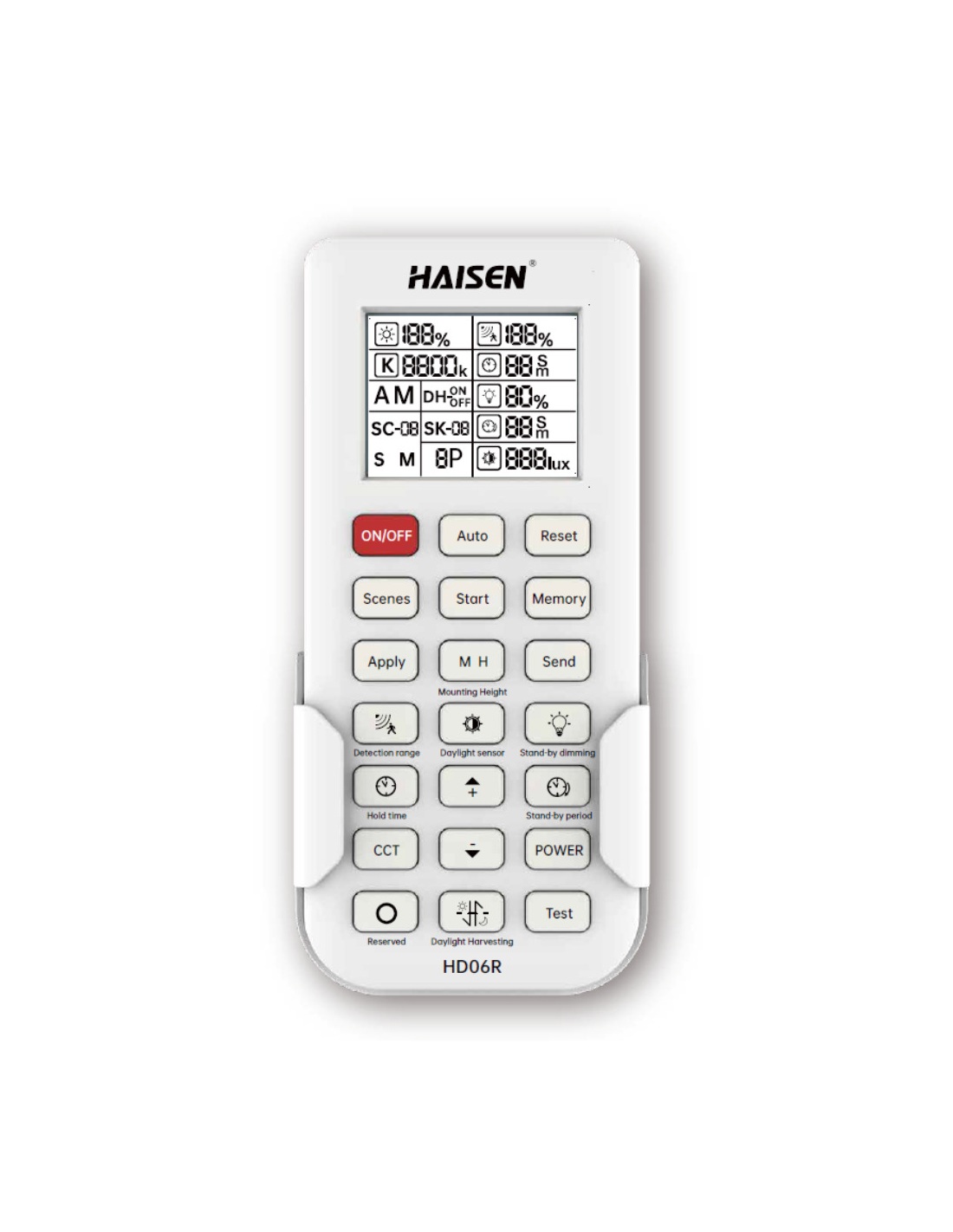
LCD programming remote for the Rapid LED R3148-MS hi bay sensor. Set detection, hold time, daylight and standby dimming from the floor.
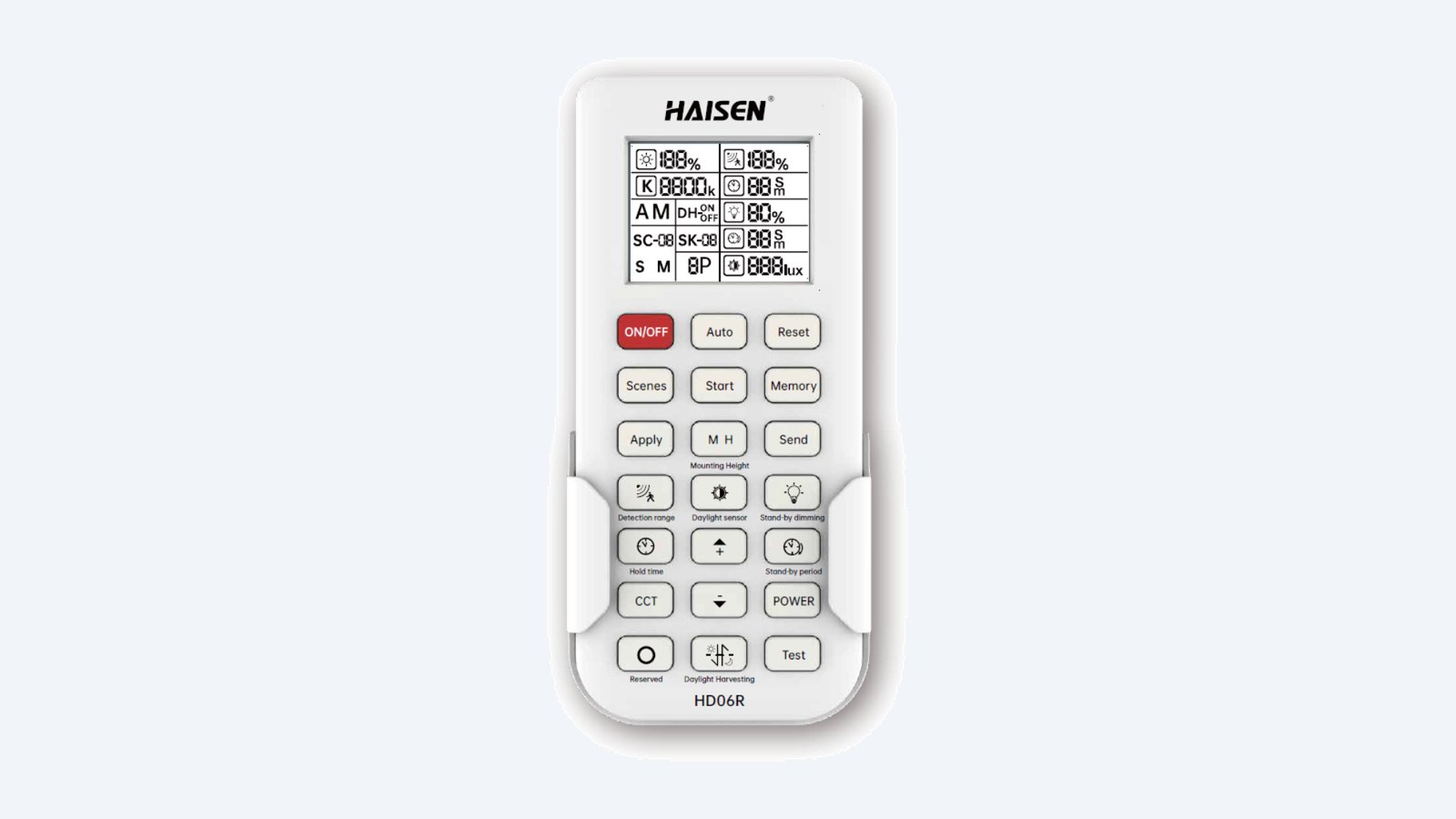
This is the R3148-REMOTE. An LCD remote that programs the R3148-MS hi bay sensor from the ground: detection area, hold time, daylight level and standby dimming.
In one sentence: the R3148-REMOTE is the Rapid LED LCD programming remote for the R3148-MS plug-in sensor on R3117 and R3118 ORBIT hi bays.
Remote only. Batteries are not included.
It takes two AAA batteries. One remote can program every sensor on a site.
Set up one sensor, save the settings as a scene, then apply the same scene to every other sensor. The LCD shows what you are sending before you send it.
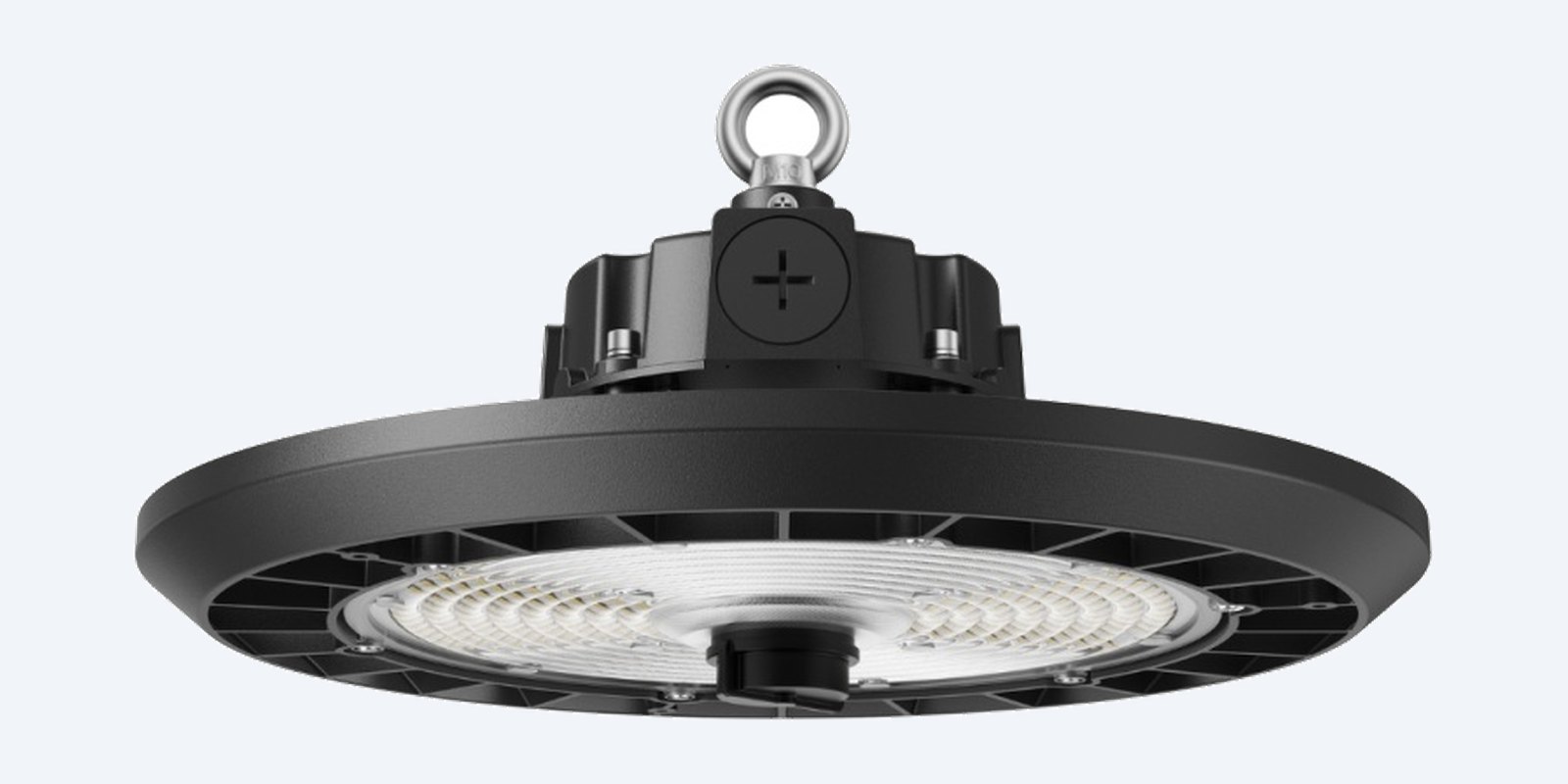
Programs
Point the remote at the sensor in the middle of the hi bay. It sets detection area, hold time, daylight threshold, standby dim level and standby period.
How it goes in
01
Two AAA batteries, not included.
02
Set detection area, hold time, daylight level and standby dimming on the LCD.
03
Store the settings with Memory so you can reuse them.
04
Point at each hi bay and press Apply.
At a glance
Show specs
Model
R3148-REMOTE
Suits
Rapid LED R3148-MS sensor on R3117 / R3118 ORBIT hi bays
Display
LCD
Programs
Detection area, hold time, daylight threshold, standby dim level, standby period
Scenes
Start / Memory / Apply
Batteries
2 × AAA (not included)
Dimensions
147 × 68.8 × 25.2 mm
Weight
56.5 g
Warranty
3 years
Pair it with
Sensor
The plug-in sensor this remote programs.
Hi bay
The lights the sensor plugs into.
Batteries
Not included.
Smart control
Casambi module if you would rather use an app.
Where it is used
Commission a whole warehouse of sensors from the floor.
Change hold times or dim levels as the site changes.
Save a scene and repeat it on every site.
| With the remote | Sensor defaults | |
|---|---|---|
| Detection area | 25 / 50 / 75 / 100% | 100% |
| Hold time | 5 s to 30 min | 3 min |
| Daylight sensor | 2–400 lux or off | Off |
| Standby dimming | 10–50%, 0 s to always on | Default |
The sensor works on its defaults without the remote. The remote is how you change them.
Only to change settings. The R3148-MS works on its defaults (100% area, 3-minute hold, daylight off) without it.
No. It takes two AAA batteries.
Yes. Save your settings as a scene and apply it to each sensor.
147 × 68.8 × 25.2 mm and 56.5 g.
Rapid LED R3148-MS sensor on R3117 / R3118 ORBIT hi bays. Rapid lists it for these ORBIT hi bays only.
3 years, with proof of purchase.
Infront Technologies sells it Australia-wide and handles the warranty. The Rapid installation guide is on the Attachments tab.
Installation guide attached. Fitting out a whole warehouse? Call 1300 736 970 for a project price on hi bays and accessories.
Batteries. Keep batteries away from children. Remove them if the remote will not be used for a long time.
Figures. From the Rapid LED R3148-REMOTE guide and the rapidled.com.au specification.


Need help choosing?
Tell us about your property and we'll recommend the right cameras and recorder.
07 5609 4910Sydney 02 8814 6008
[email protected]
Mon–Fri, 9am–5pm AEST
20 related items