VIP Vision · Intercom mounting · Flush box
Set the door station into the wall,
not on top of it.
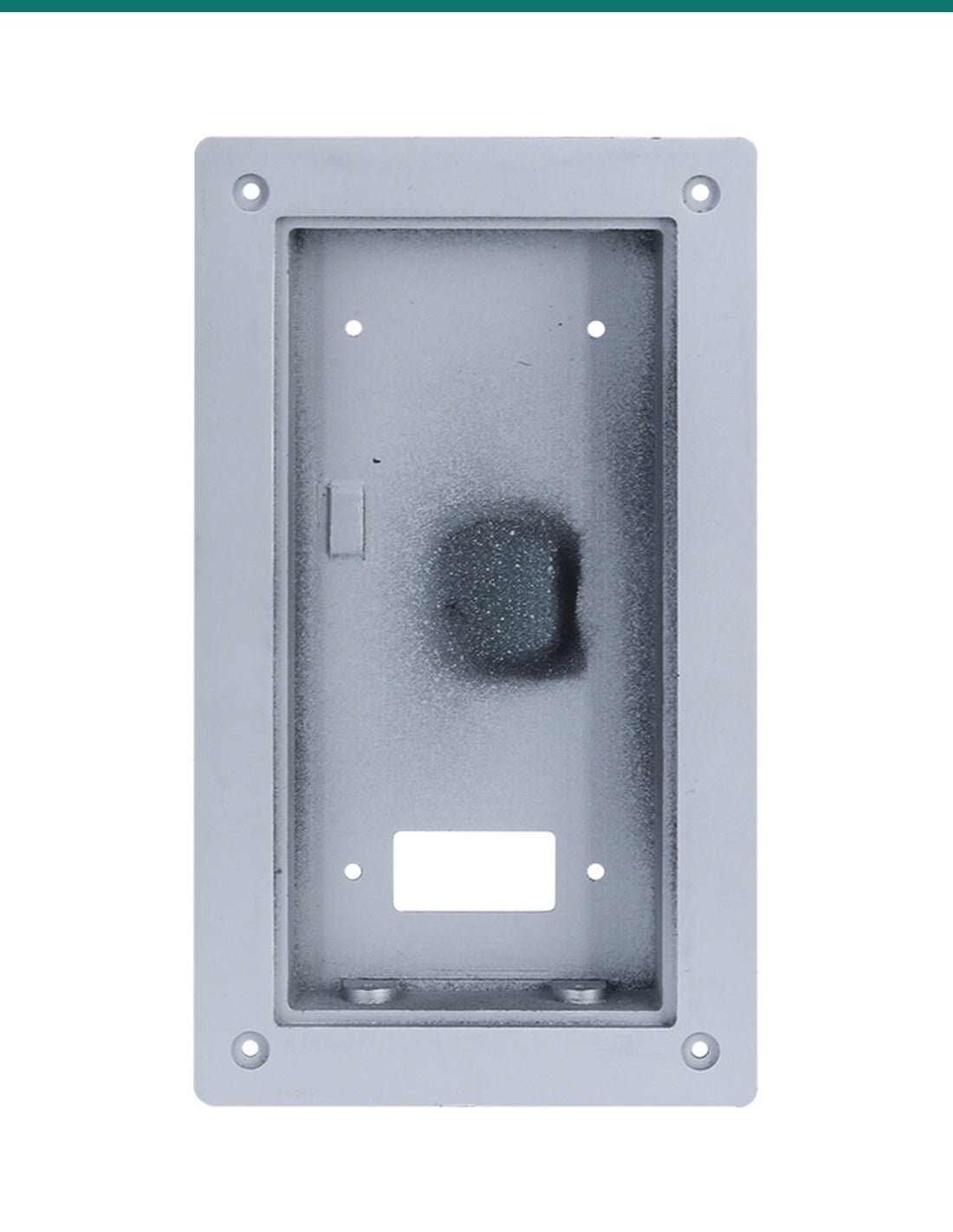
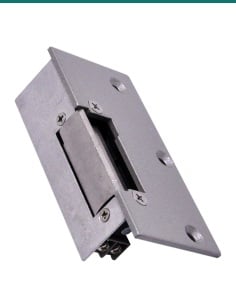
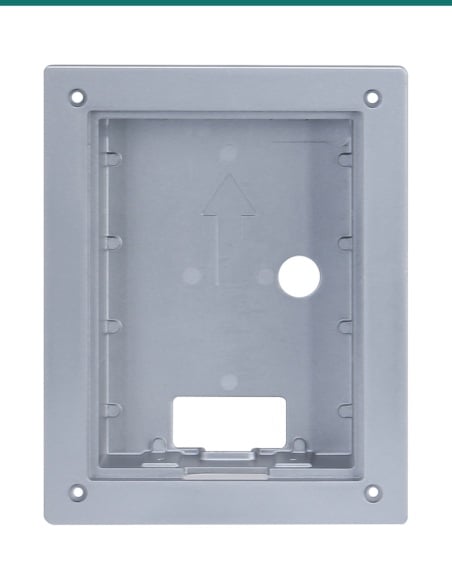
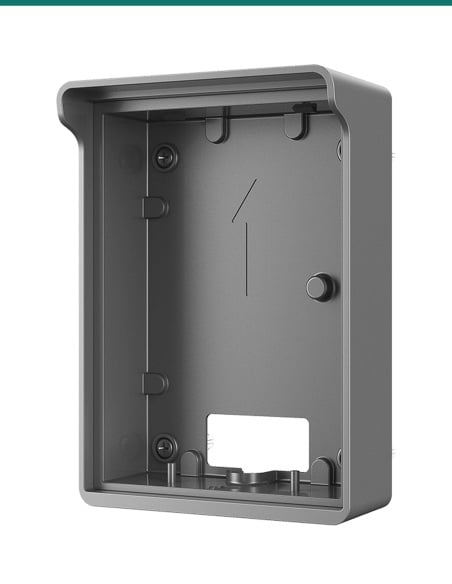
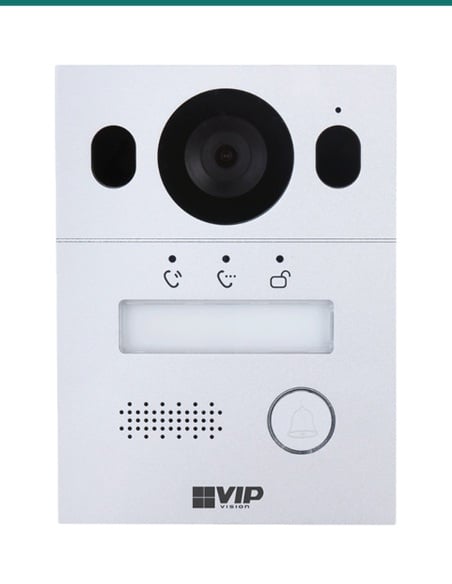
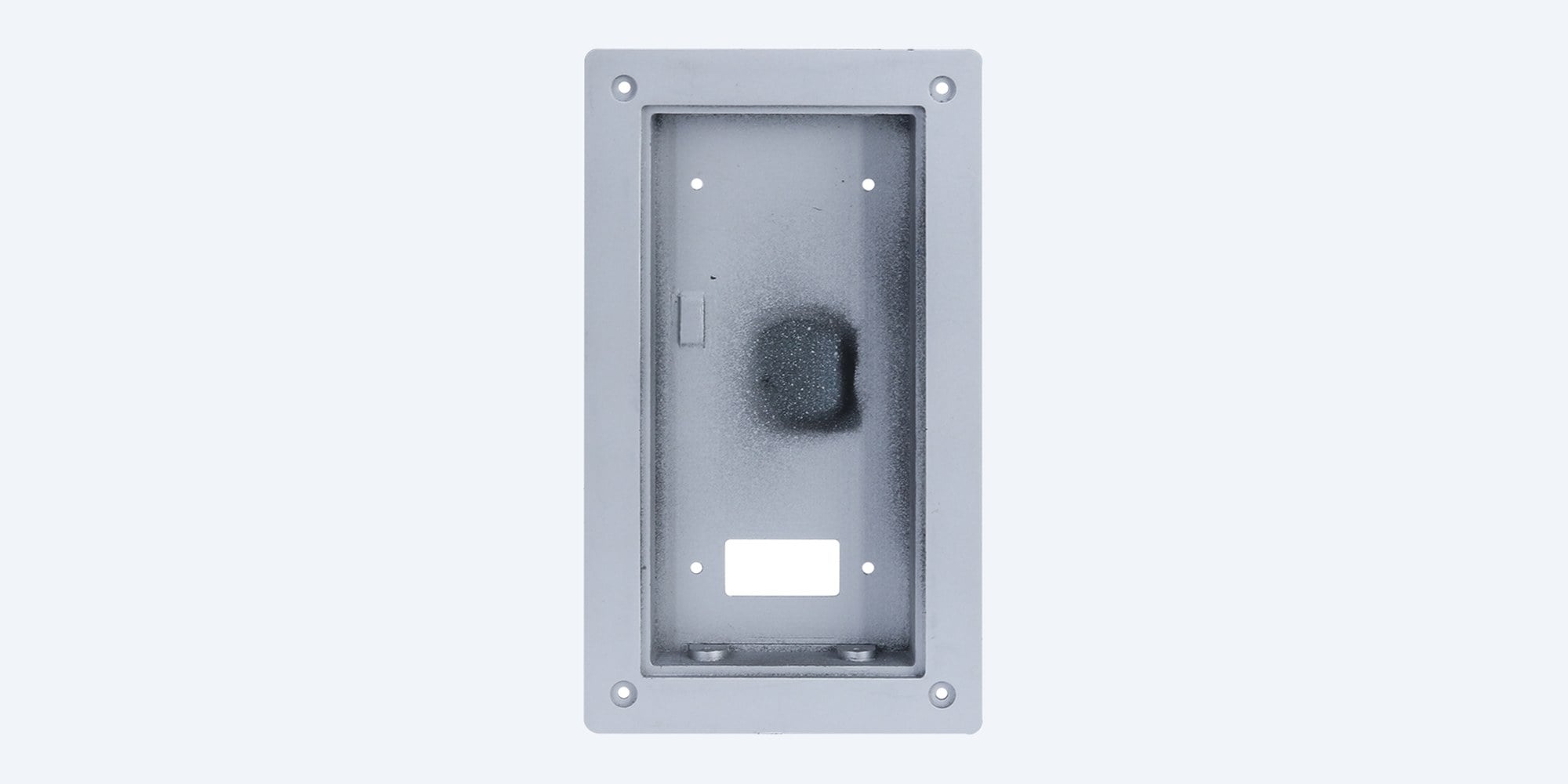
The VIP Vision INTIPADSDFB is the flush mounting box for VIP Vision's INTIPRDSD and INTIPADSD IP door stations. A back box goes into the wall and an aluminium front frame holds the door station level with the surface.
In one sentence: the VIP Vision INTIPADSDFB is an ADC12 aluminium flush mounting box for the INTIPRDSD and INTIPADSD door stations only, made of a 138 × 240 × 35 mm front frame and a 121 × 223 × 33 mm back box.
Mounting box only. The door station is separate.
VIP Vision makes this box for the INTIPRDSD and INTIPADSD door stations only. It will not suit other door stations. VIP Vision publishes no wall cut-out size, so confirm the opening with us before you cut.
In the box- Front frame (138 × 240 × 35 mm)
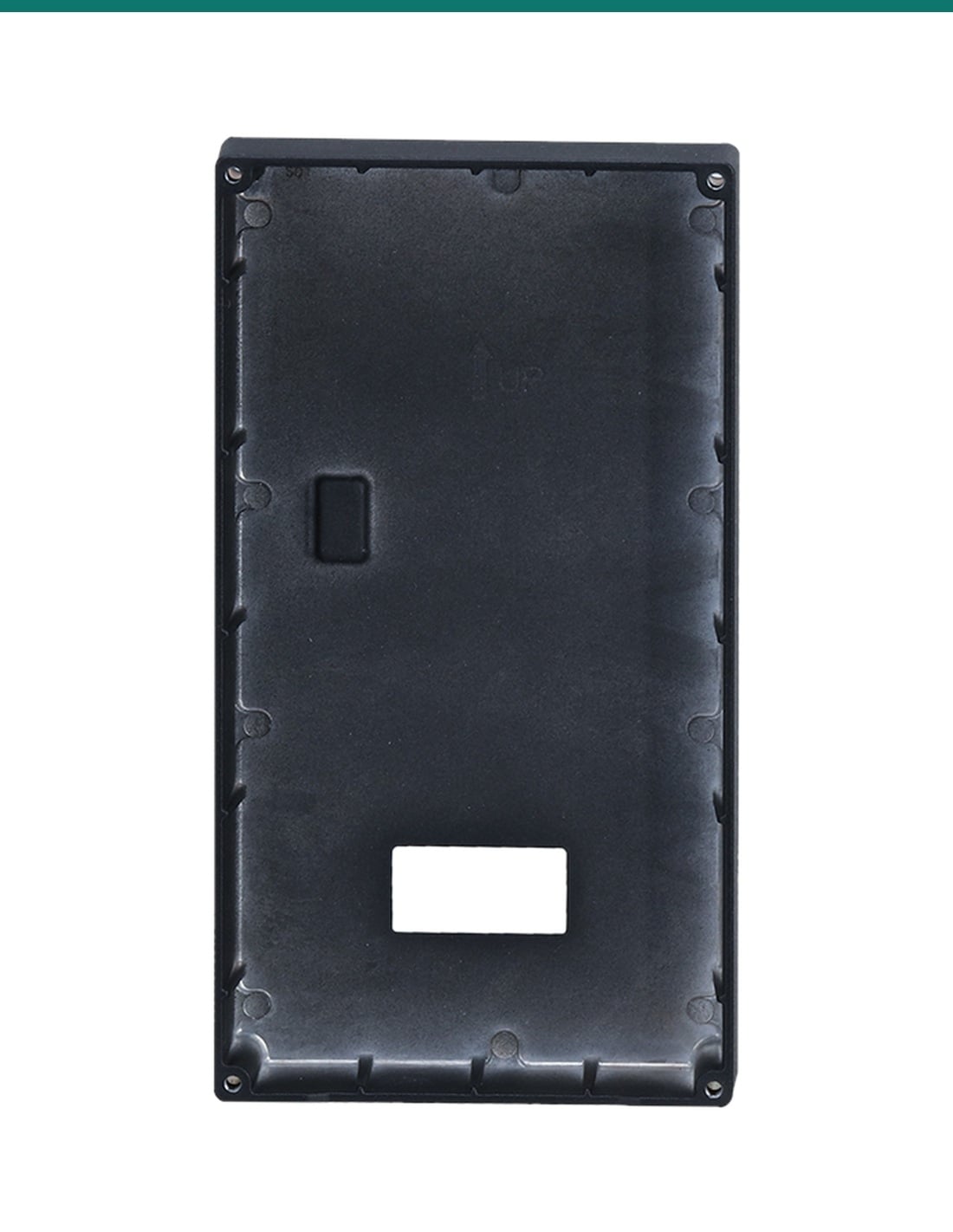
- Back box (121 × 223 × 33 mm)
You also need- A VIP Vision INTIPRDSD or INTIPADSD door station
- A wall opening for the back box (confirm the size with us)
- Outdoor silicone sealant, per VIP Vision's manual
- Cat5e/Cat6 cable to the door station
A cleaner front entry.
A surface-mounted door station stands off the wall. With the flush box, the back box sits inside the wall and the frame finishes the opening, so the door station sits in the wall rather than on it. It suits new builds and renovations where the wall can be opened before the door station goes in.
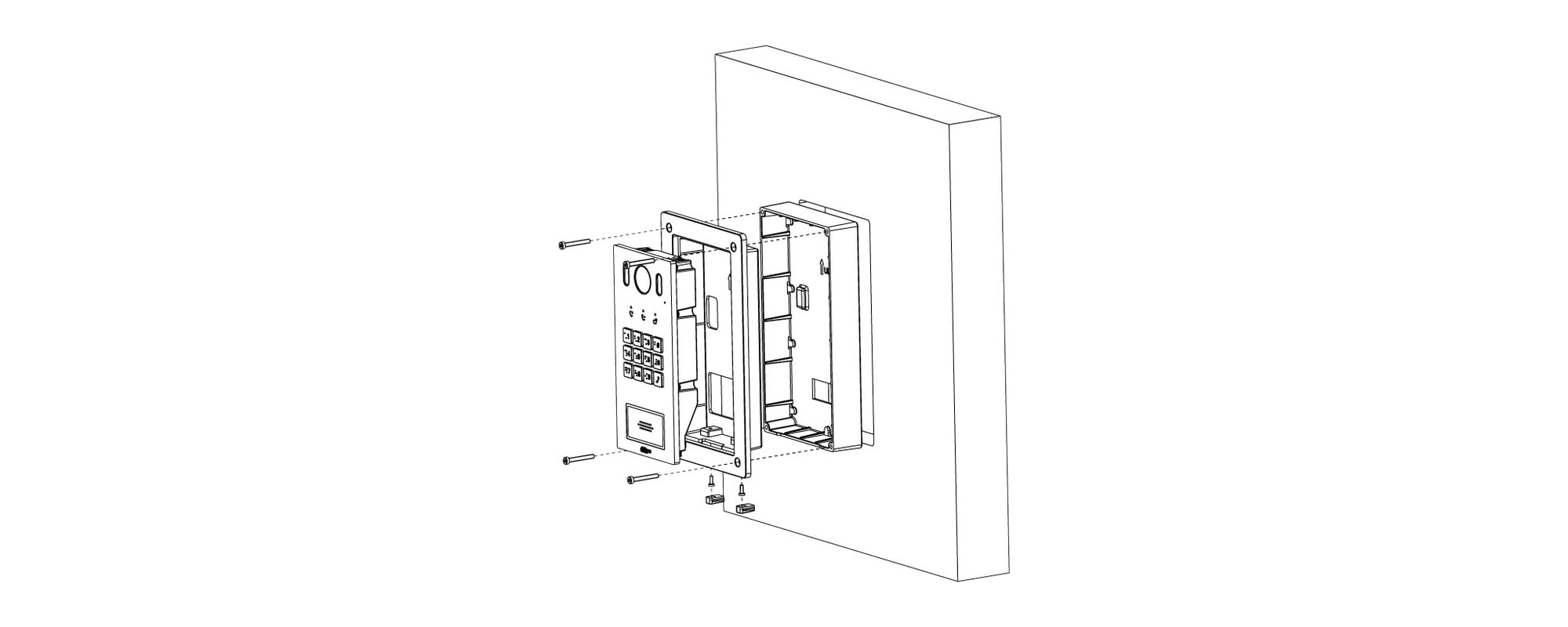
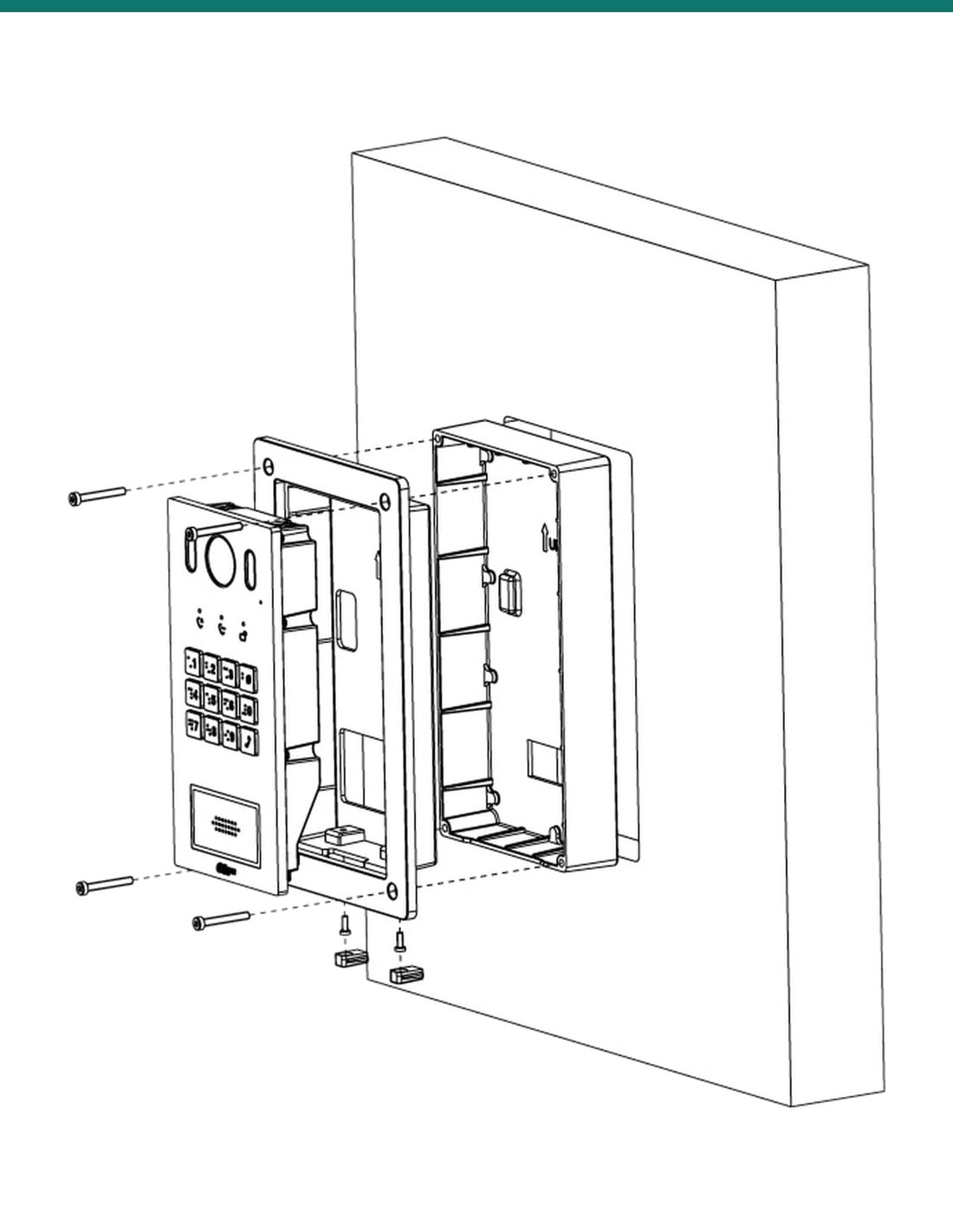
Fitted
Back box, frame, door station.
VIP Vision's drawing sets the back box into the wall, screws the front frame through its four corner holes, then fits the door station into the frame and secures it with two small screws at the bottom.

Back box
The part that goes into the wall.
The back box is 121 × 223 mm and 33 mm deep, and sits behind the frame. VIP Vision's drawing marks which way is up and shows an opening for the cables.
How it goes in
Cut, set, seal, fit.
01
Plan the opening
Pick a sheltered spot, confirm the wall opening with us, and run the Cat5e/Cat6 cable to it.
02
Set the back box
Fit the back box into the wall with the UP arrow at the top and bring the cable through its opening.
03
Fix the frame and seal
Screw the front frame through its corner holes. VIP Vision's manual says to seal the mounting box and use the rubber seals on the screws.
04
Fit the door station
Connect the door station, seat it in the frame and fit the two screws at the bottom. Seal the cable hole.
At a glance
INTIPADSDFB
Show specs
Type
Flush mounting box for IP apartment intercom door stations
Suits
VIP Vision INTIPADSD and INTIPRDSD only
Front frame
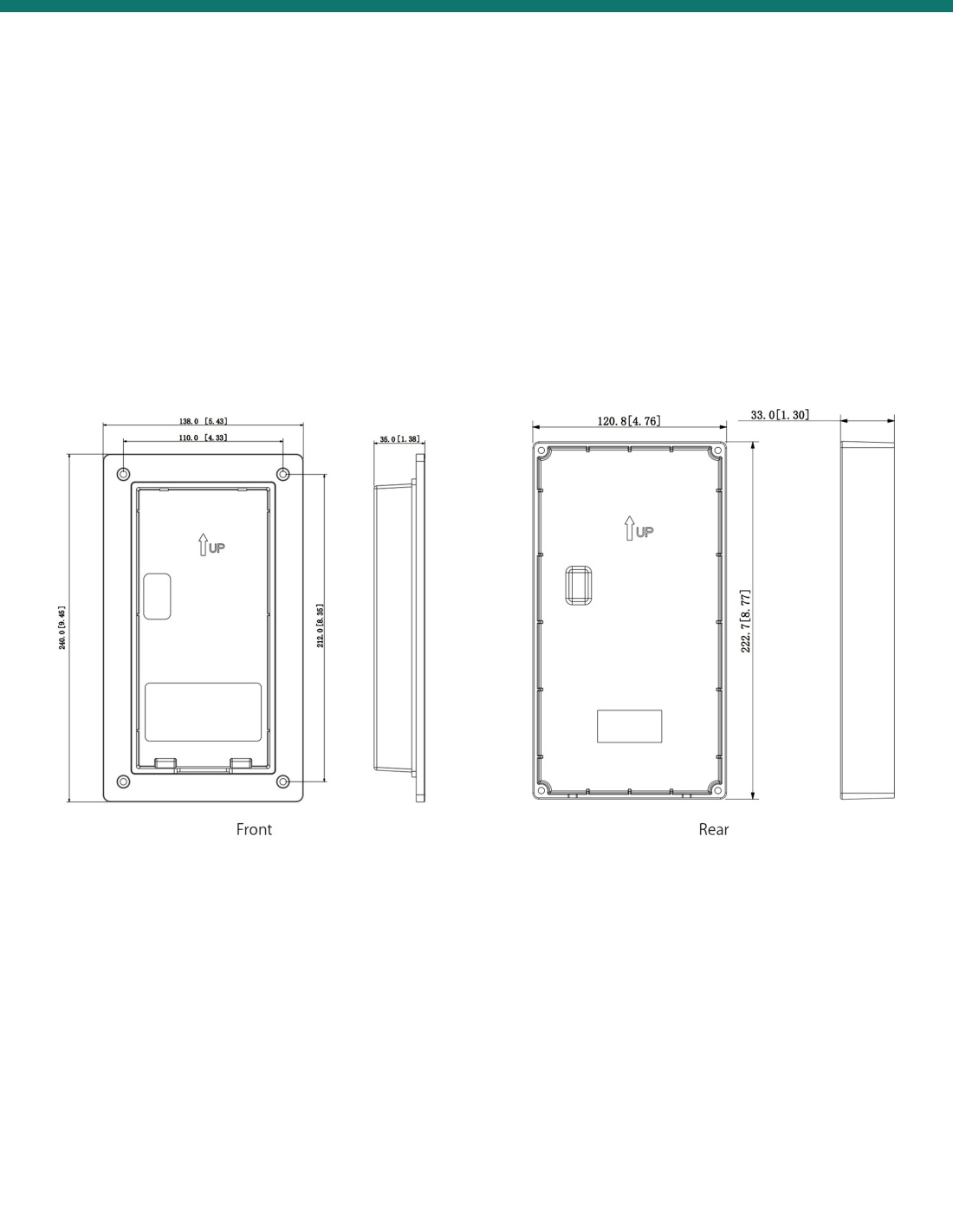
138 × 240 × 35 mm
Back box
121 × 223 × 33 mm (120.8 × 222.7 mm on the drawing)
Frame hole centres
110 × 212 mm (VIP Vision drawing)
Wall cut-out
Not published by VIP Vision (confirm with us)
Door station size
200 × 98 × 32 mm (INTIPRDSD and INTIPADSD)
Sealing
Seal the box, use the rubber seals on the screws (VIP Vision manual)
Surface alternative
INTIPADSDSB surface mounting box
Warranty
4 years (VIP Vision)
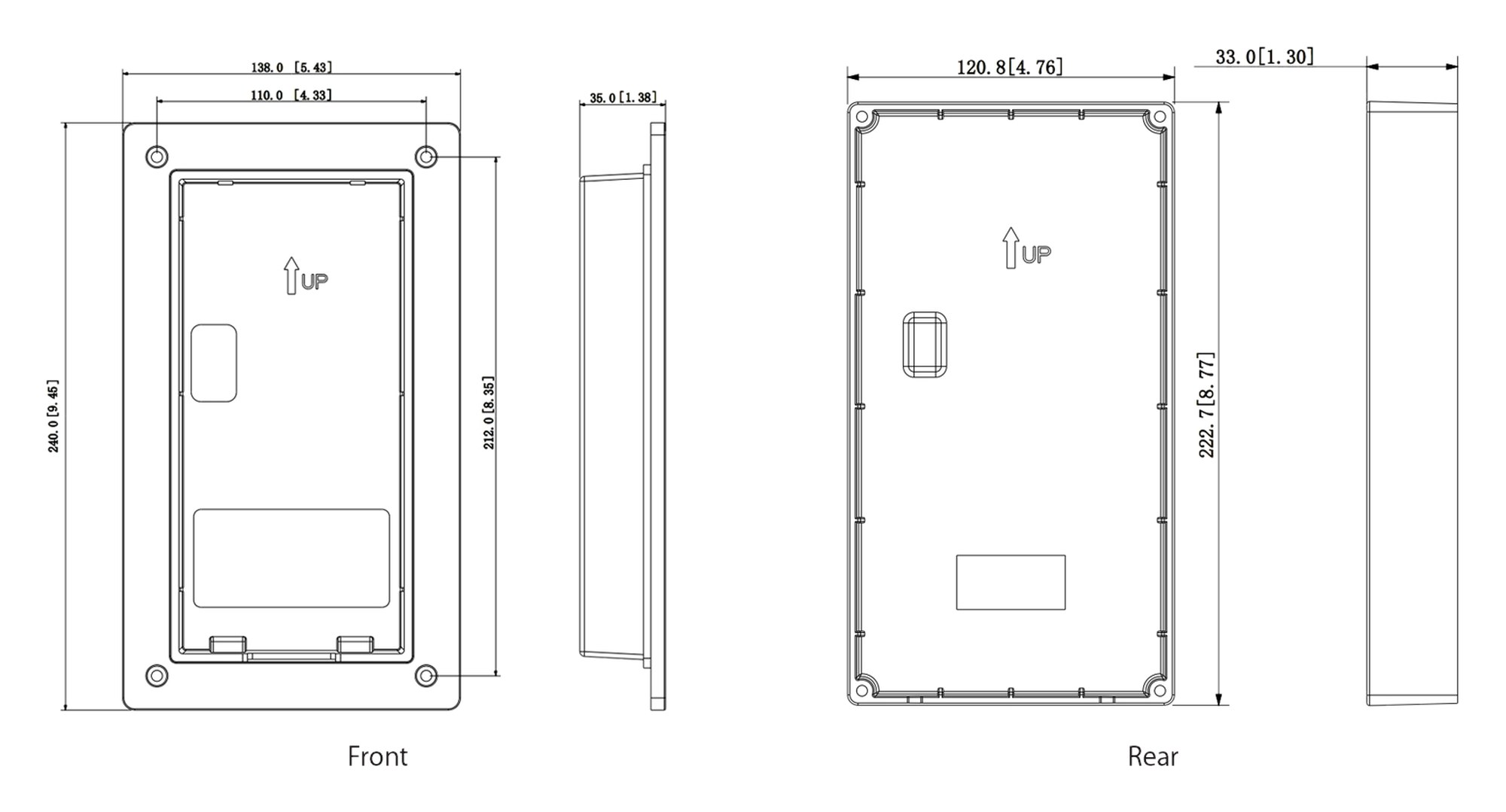
VIP Vision dimension drawings, mm: front frame (left) and back box (right).
Pair it with
What this box works with
Door station
INTIPRDSD
VIP Vision's residential IP door station with keypad and card reader. Its datasheet lists this flush box.
Door station
INTIPADSD
VIP Vision's apartment IP door station, the other model VIP Vision lists for this box.
On the wall
INTIPADSDSB surface box
VIP Vision's surface mounting box for the same door stations, when the wall can't be opened.
Cabling
Cat6 and a PoE switch
The door stations run on PoE (802.3af) or 12 V DC over one network cable.
Where it is used
Where a flush door station fits.
Apartment entries
Lobby doors on small and mid-size blocks.
Gated homes
Gate pillars and front walls built with a cavity.
Townhouses
Shared entries for a row of homes.
New builds
Openings framed before the wall is finished.
Renovations
Swapping a surface door station for a neater finish.
Offices
Visitor entries where a flat front matters.
INTIPADSDFB or INTIPADSDSB
| INTIPADSDFB (this box) | INTIPADSDSB |
|---|
| Mounting | Flush, into the wall | Surface, on the wall |
| Size | 138 × 240 × 35 mm frame, 121 × 223 × 33 mm back box | 97 × 199 × 29 mm |
| Material | ADC12 aluminium | ADC12 aluminium |
| Suits | INTIPADSD and INTIPRDSD only | INTIPADSD and INTIPRDSD only |
| Warranty | 4 years | 4 years |
Choose the flush box when the wall can be opened, the surface box when it can't. Figures from VIP Vision's INTIPADSDFB and INTIPADSDSB product pages.
Common questions
Which door stations does it fit?
VIP Vision says the INTIPADSD and INTIPRDSD only. It is not made for other door stations.
Is a door station included?
No. This listing is the flush mounting box only.
Why are there two sizes?
The box comes in two parts: a front frame of 138 × 240 × 35 mm and a back box of 121 × 223 × 33 mm that sits in the wall, as VIP Vision's drawing shows.
What size hole do I cut?
VIP Vision does not publish a cut-out size. The back box is 121 × 223 mm and 33 mm deep and the frame covers 138 × 240 mm. Confirm the opening with us before you cut.
How deep does the wall need to be?
The back box is 33 mm deep on VIP Vision's drawing. Allow room behind it for the cable.
What is it made of?
ADC12 aluminium, according to VIP Vision.
How is it fixed?
VIP Vision's drawing screws the front frame through its four corner holes, 110 × 212 mm apart, and secures the door station with two small screws at the bottom.
Does it make the door station weatherproof?
No. VIP Vision says only the door station's front plate is weather resistant and recommends a sheltered spot. Seal the box and the cable hole as its manual says.
Does it fit the INTIPRDSD and the INTIPADSD the same way?
Yes. Both door stations are 200 × 98 × 32 mm and VIP Vision lists this box for both.
What if I can't open the wall?
Use VIP Vision's INTIPADSDSB surface mounting box, 97 × 199 × 29 mm, made for the same door stations.
Is there a datasheet?
VIP Vision has no separate sheet for the box. The INTIPRDSD door station datasheet, which lists it under compatible brackets, is on the Attachments tab.
What warranty does it have?
VIP Vision lists a 4 year warranty for the INTIPADSDFB.
Supported by InFront Technologies.
Planning a flush door station? Call 1300 736 970 or email [email protected] with your door station model and wall type. VIP Vision's INTIPRDSD datasheet is on the Attachments tab.
Installation and safety
Water. VIP Vision recommends a sheltered location. Seal the mounting box, the screws and the cable hole as its manual says.
Cutting walls. Check for cables, pipes and studs before cutting, and confirm the opening size with us first.
Cabling. Concealed data cabling to the door station is customer cabling under AS/CA S009 and needs an ACMA-registered cabler.
Power. Any mains wiring, including a new power point for a PoE switch, must be done by a licensed electrician.
Figures. From VIP Vision's INTIPADSDFB, INTIPADSDSB, INTIPRDSD and INTIPADSD product pages, the INTIPRDSD datasheet and VIP Vision's intercom installation manual.