1 / 4

Watchguard Heavy Duty Hard Wired Reed Switch (Silver) - RSW-M1

SKU RSW-M1 In Stock - Ready to Ship
$19.00 inc GST

Watchguard RSW-M1: a silver zinc alloy, surface-mount reed switch for hardwired alarm panels, with a 50 mm magnet gap for heavy doors.

  • ✓Magnet gap up to 50 mm
  • ✓Closed with the magnet near, open when the door opens
  • ✓10 W contact rating, up to 100 V, 0.5 A
  • ✓250 mm leads, 22 AWG
  • ✓Zinc alloy casing, 106 × 16 × 16 mm
  • ✓Surface mount, screws included


Description

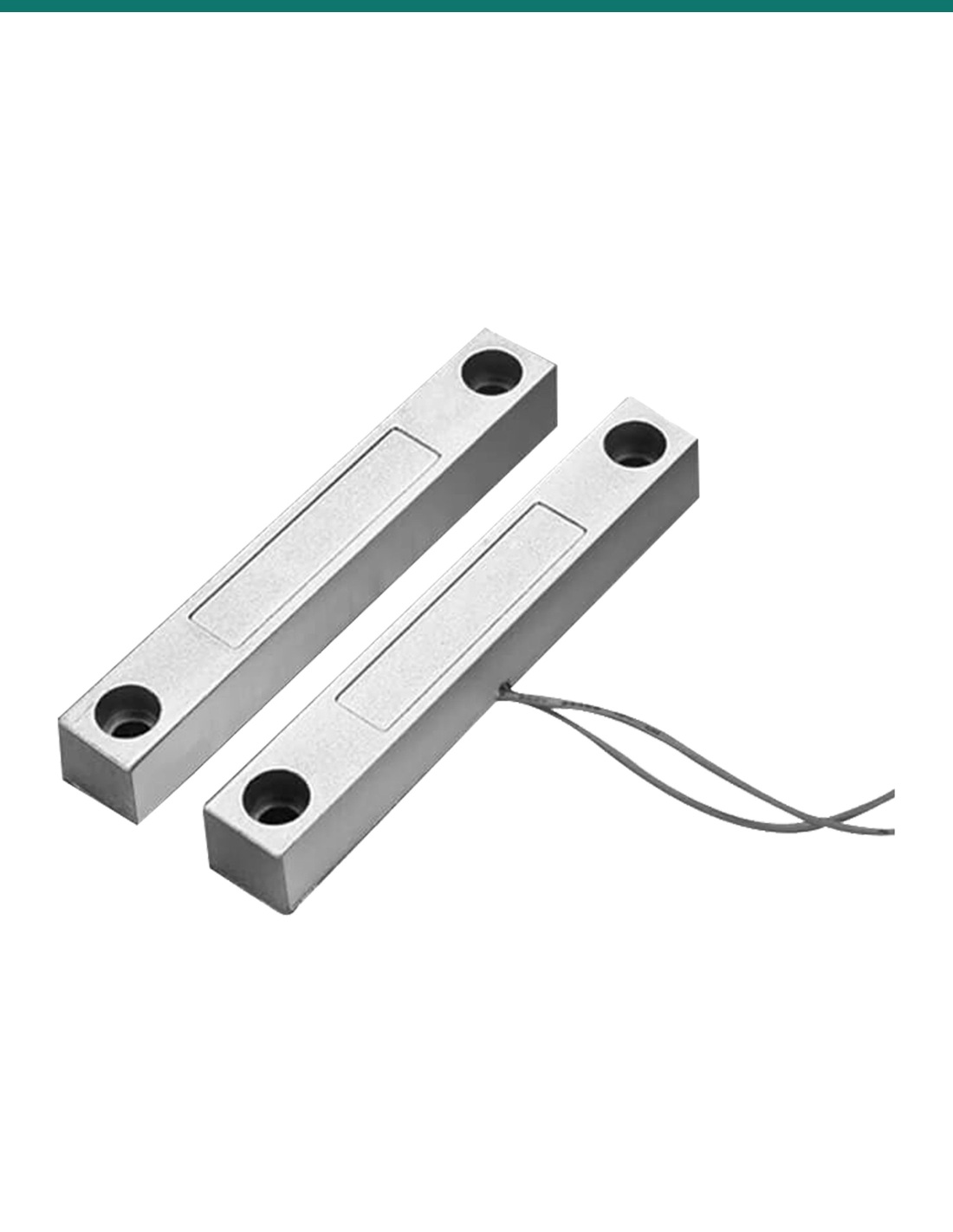
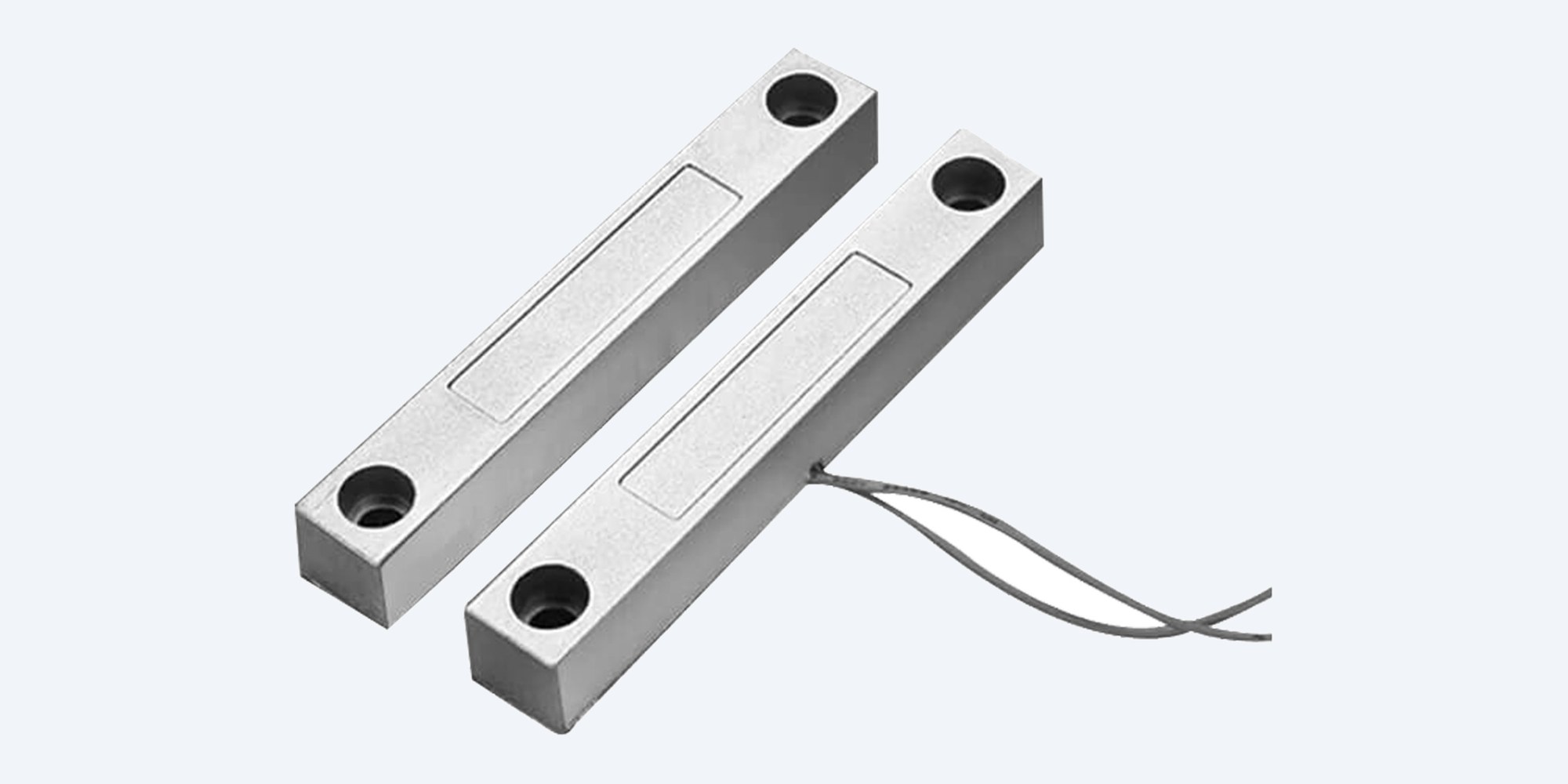
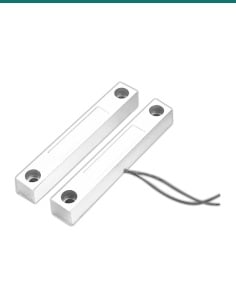
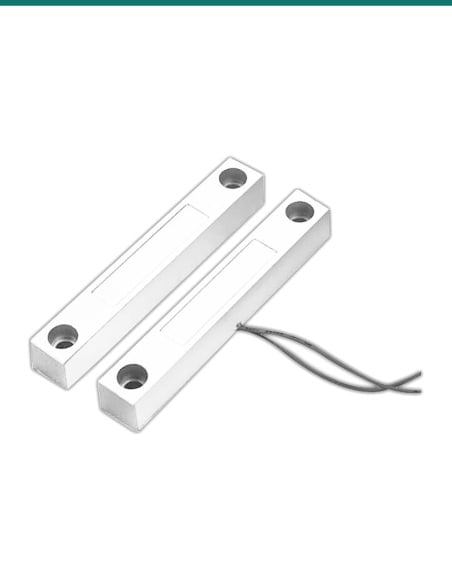
Watchguard RSW-M1 silver heavy duty reed switch and magnet side by side, with the switch leads
Watchguard · Hardwired alarm · Reed switch

Heavy duty door contact.
A 50 mm gap, in silver zinc alloy.

The Watchguard RSW-M1 is a surface-mount magnetic reed switch for hardwired alarm systems. Its zinc alloy casing and 50 mm switch-to-magnet gap suit heavy doors that don't close tight.

In one sentence: the Watchguard RSW-M1 is a silver zinc alloy, surface-mount magnetic reed switch for hardwired alarm panels, with a magnet gap of up to 50 mm, a 10 W (100 V, 0.5 A) contact rating and 250 mm leads.

Switch and magnet only. The alarm panel and cable are separate.

This listing is one RSW-M1 reed switch with its magnet. It connects to a zone input on a hardwired alarm panel.

In the box
  • RSW-M1 reed switch with 250 mm leads
  • Matching magnet
  • Fixing screws (Watchguard lists screws as included)
You also need
  • A hardwired alarm panel with a free zone input
  • Alarm cable from the panel to the door
  • The end-of-line resistor your panel's zone wiring calls for, if it uses one
  • A door loop if the switch has to go on the moving leaf

Built for doors that move a lot.

Watchguard's indoor RSW-P1 needs its magnet within 19 mm. The RSW-M1 works up to 50 mm, so roller doors, heavy gates and doors with play in them still read as closed when they are shut. The contact closes when the magnet sits beside it and opens as soon as the door moves away, which trips the alarm zone.

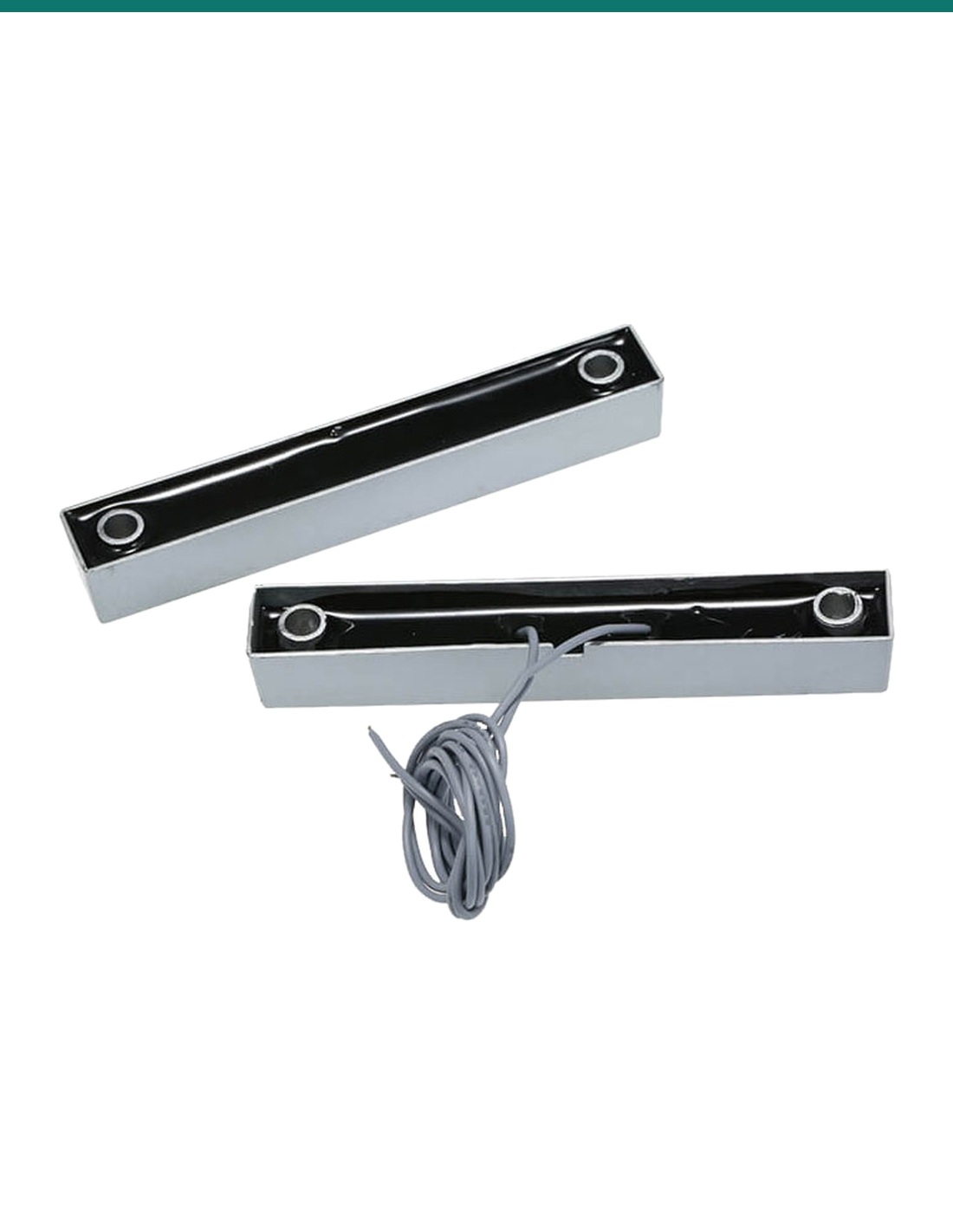
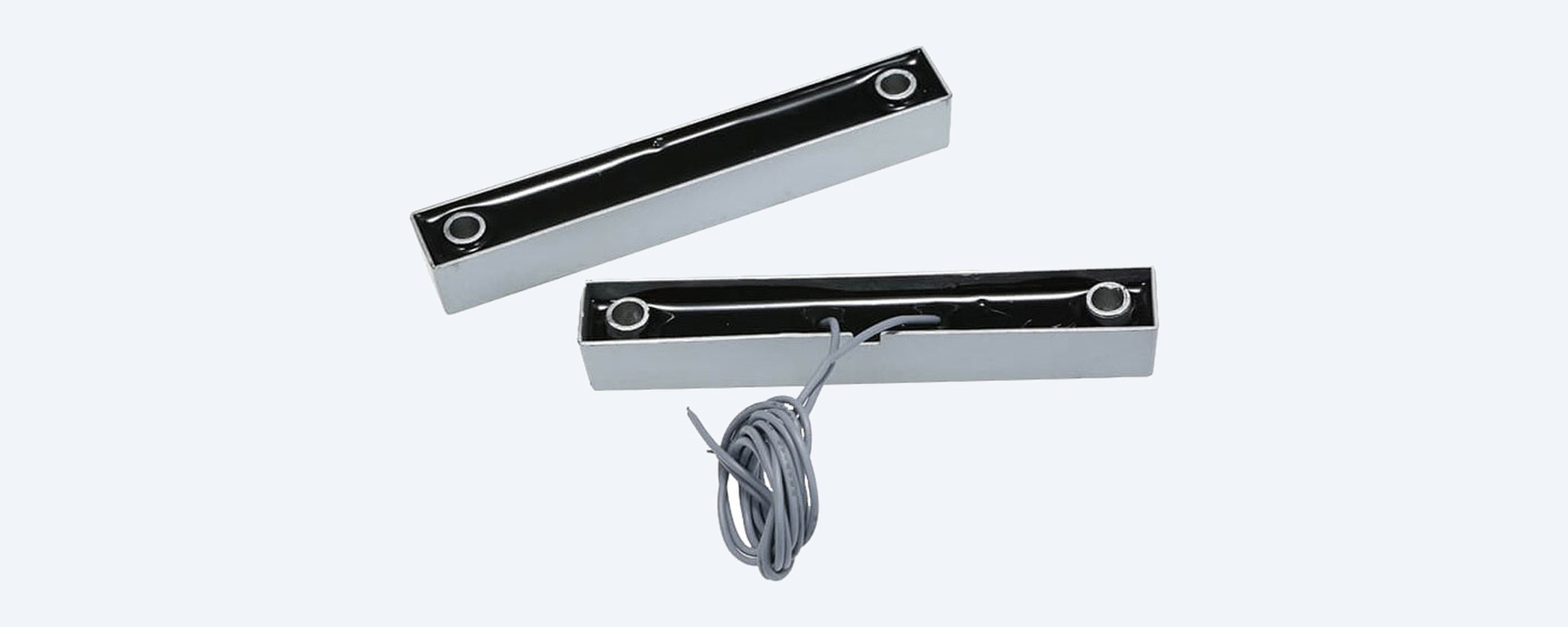
Back of the Watchguard RSW-M1 switch and magnet, showing the sealed black backs and the switch leads

Back view

Sealed backs, leads out the side.

The backs of both bars are filled flush in black, and the switch leads leave from one side. The switch has 250 mm leads of 22 AWG (0.64 mm) wire to join to your alarm cable; the magnet has no wiring.

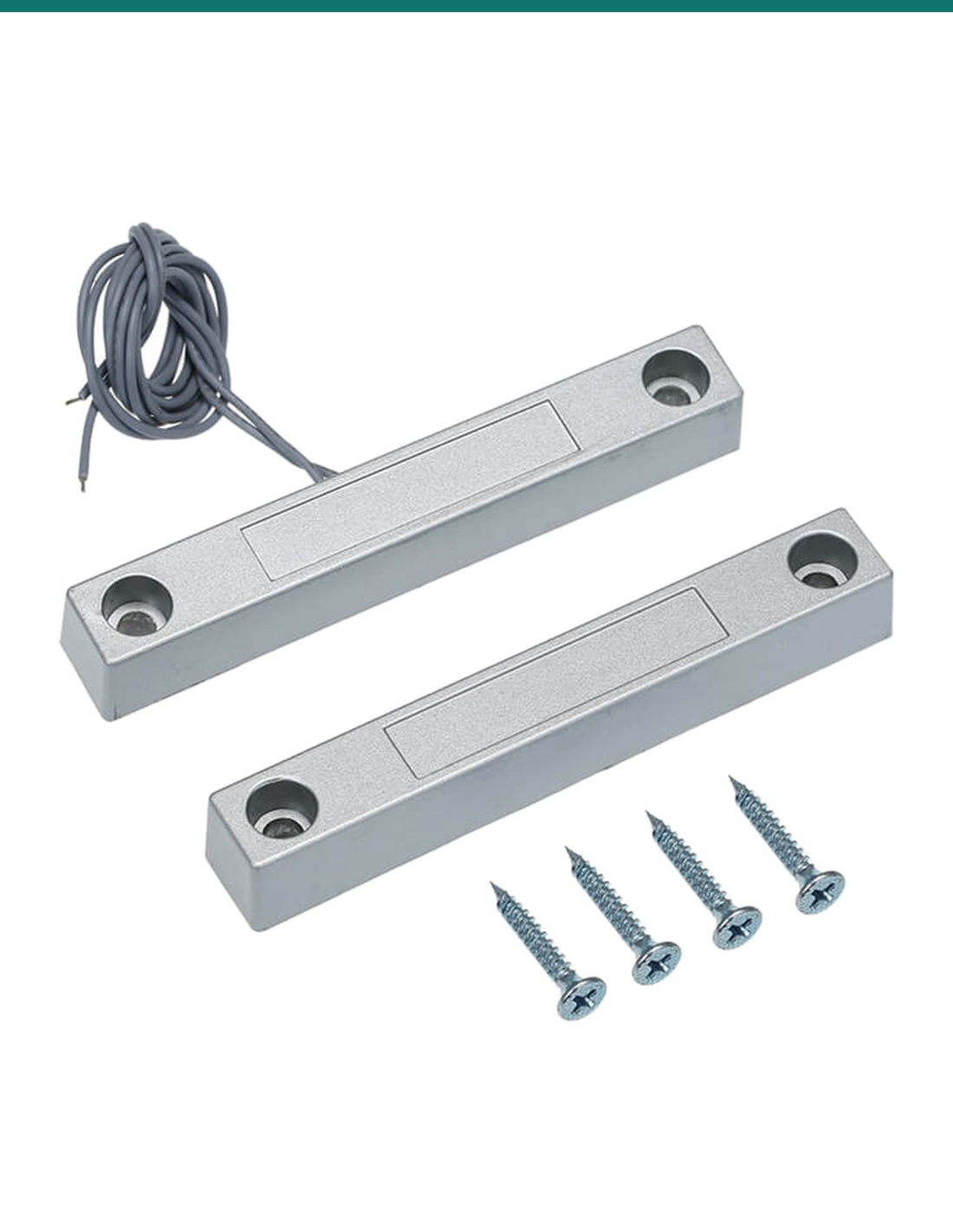
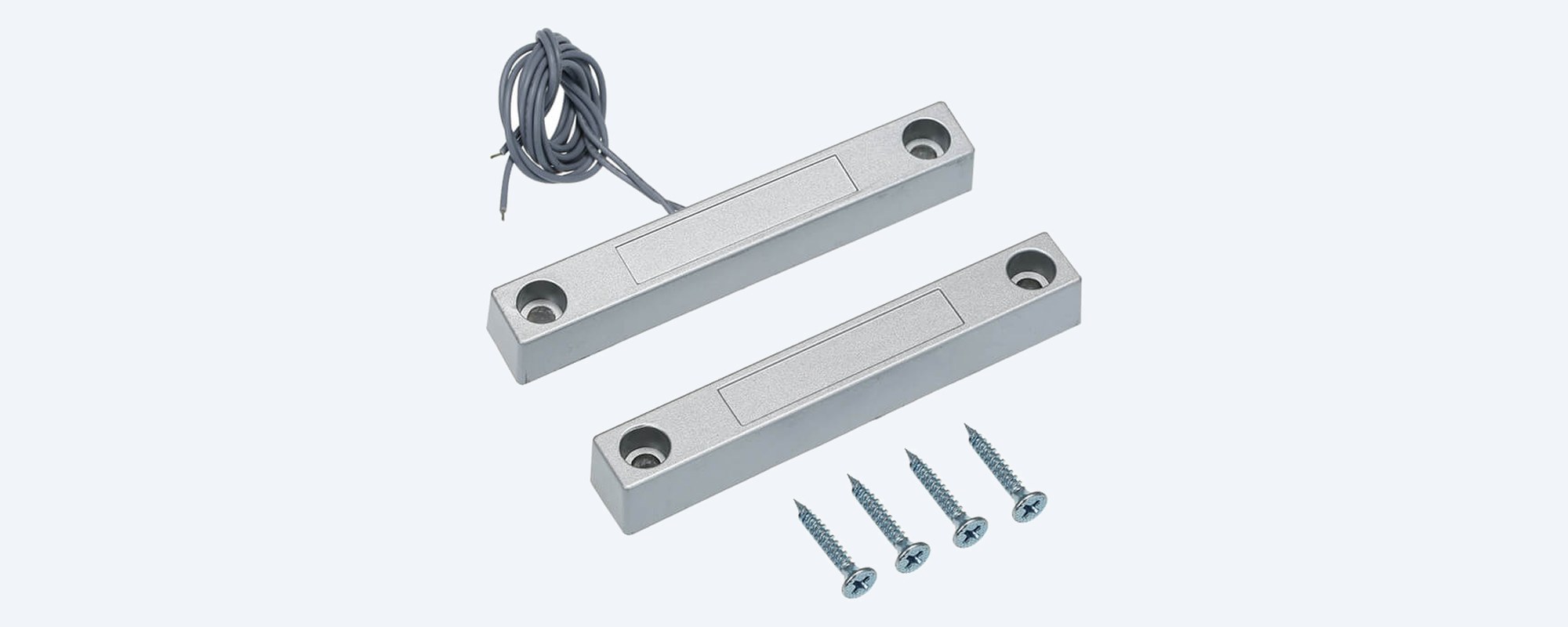
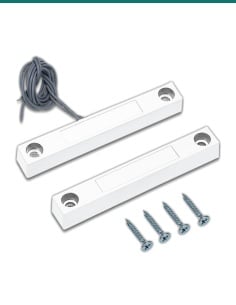
Watchguard RSW-M1 silver reed switch with leads, matching magnet and four fixing screws

What you get

Switch, magnet and screws.

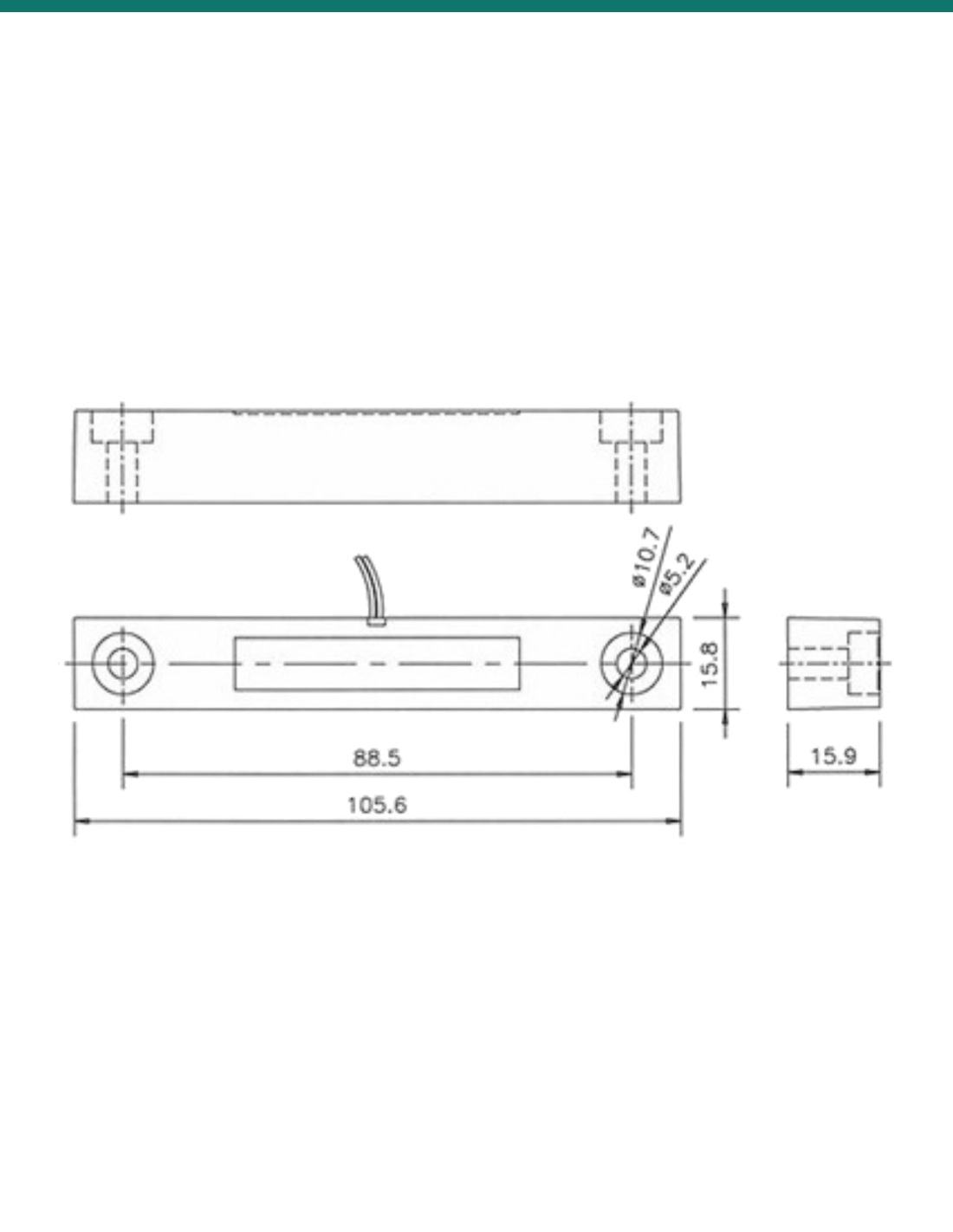
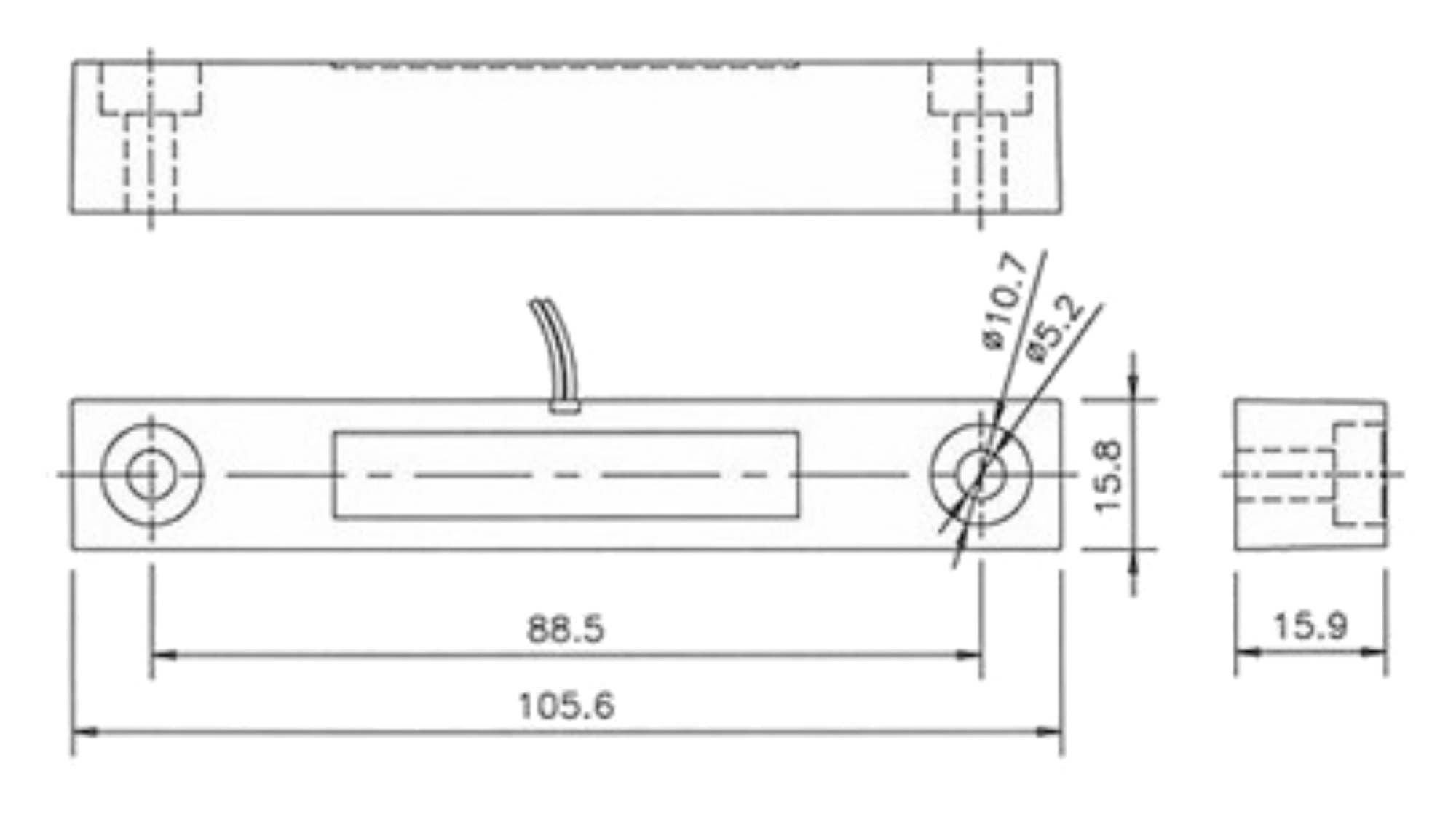
Each bar is 106 × 16 × 16 mm with two fixing holes 88.5 mm apart, 5.2 mm with a 10.7 mm counterbore so the screw heads sit below the surface. Watchguard includes the screws.

How it goes in

From frame to first test.

01

Pick the spot

Fit the switch to the fixed frame and the magnet to the door, lined up side by side and no more than 50 mm apart when the door is shut.

02

Run the cable

Run alarm cable from a free zone on the panel to the switch, then join it to the 250 mm leads with a proper terminal or crimp joint.

03

Fix both bars

Screw the switch and magnet in place through the counterbored holes, 88.5 mm apart. Keep the leads clear of the moving door.

04

Program and test

Set the zone up on the panel, then open and close the door in walk test and check the panel shows the zone open and closed.

Pair it with

What the switch connects to

Alarm panel

A hardwired panel zone

Any panel with wired zone inputs, such as the Bosch Solution 3000 (ICP-SOL3-P). On a Watchguard WGAP864, the WGAP864EXP816 plug-in expander adds 8 more zones.

Moving doors

DLB or DLW door loop

A Watchguard armoured door loop (DLB 600 mm or DLW 400 mm) protects the cable where it crosses from the frame to a moving door or gate.

Glass

ALE-GBD or SHOCKHW

A reed switch only sees the door open. Add the ALE-GBD glass break detector or the SHOCKHW shock sensor to catch broken glass.

Inside the room

ALH-PIRMW detector

The Watchguard dual technology PIR and microwave detector covers the space behind the door.

Where it is used

Where it is used

Garages and roller doors

The 50 mm gap allows for doors that don't sit tight against the frame.

Sheds and workshops

A tough zinc alloy casing for doors that get knocked and slammed.

Shop back doors

Alarm the rear or delivery door on a hardwired shop system.

Warehouses and factories

Personnel doors and side doors on a wired alarm zone.

Sliding doors

Large glass sliders where the door has some play in its track.

Plant rooms and cupboards

Know when a service room or comms cupboard is opened.

RSW-M1 or RSW-M1W

RSW-M1 (this switch)RSW-M1W
Casing colourSilverWhite
ConstructionZinc alloyZinc alloy
Magnet gapUp to 50 mmUp to 50 mm
Contact rating10 W, up to 100 V, 0.5 A10 W, up to 100 V, 0.5 A
Leads250 mm, 22 AWG250 mm, 22 AWG
Size106 × 16 × 16 mm106 × 16 × 16 mm

Both are on Watchguard's RSW-M series datasheet. The only difference is the casing colour; the brown RSW-M1B is the third option.

Common questions

What does the RSW-M1 do?

It tells a hardwired alarm panel when a door or window opens. The switch goes on the frame and the magnet on the door; when the door opens the contact opens and the zone trips.

How far apart can the switch and magnet be?

Up to 50 mm, according to Watchguard. Mount them as close as the door allows and check the zone in walk test.

Is it normally open or normally closed?

The contact is closed while the magnet is beside it and opens when the magnet moves away, so a shut door gives the closed loop that alarm panels call a normally closed zone. Watchguard's 2026 datasheet calls the reed normally open (N.O), describing it with no magnet near; its earlier sheet said normally closed (NC). Both describe the same switch.

Does it need power?

No. It is a passive magnetic switch. The panel's zone loop simply runs through it.

What comes in the box?

The reed switch with 250 mm leads, the matching magnet and fixing screws, which Watchguard lists as included.

How do I mount it?

Surface mount both bars with two screws each. The fixing holes are 88.5 mm apart, 5.2 mm across with a 10.7 mm counterbore. Switch on the fixed frame, magnet on the moving door, lined up side by side.

What cable do I join to it?

Standard alarm cable back to the panel. The switch has 250 mm leads of 22 AWG (0.64 mm) wire; join them with a terminal block or crimp, not twisted and taped.

Will it work with my alarm panel?

Yes, with any hardwired panel zone that takes a closed-loop contact, such as the Bosch Solution 3000 or Watchguard WGAP864. Wire any end-of-line resistor the way your panel's manual shows.

Can it go outdoors?

Watchguard doesn't publish a weather rating for it. The casing is zinc alloy, but mount it where it is sheltered, or ask us about your site.

Which colour should I choose?

Pick the one that matches the door frame: silver RSW-M1, white RSW-M1W or brown RSW-M1B. They are the same switch.

How is it different from the RSW-P1?

The RSW-P1 is Watchguard's indoor plastic reed switch with a 19 mm gap and a 3 W rating. The RSW-M1 has a zinc alloy casing, a 50 mm gap and a 10 W rating for heavier doors.

Can several switches share one zone?

Yes. Wired in series on a closed-loop zone, the zone opens if any door opens, but the panel can't tell you which one. Give important doors their own zone.

Supported by InFront Technologies.

Need help choosing the panel, cable or door loop? Call 1300 736 970 or email [email protected]. The datasheet is on the Attachments tab.

Installation and safety

Low voltage only. Rated to 10 W, up to 100 V and 0.5 A. It is for alarm zone loops; never connect it to mains.

Licensing. Installing alarm systems for others needs a security licence in most Australian states. Check your state's rules.

What it does not do. No tamper loop, no wireless, and no published weather rating. It only detects the door opening, not broken glass.

Figures. From Watchguard's RSW-M series datasheet (May 2026) and its dimension drawing.

Dimensions
160mm x 16mm x 16mm
Type
Reed Switch
Material
Zinc Alloy
Mount
Surface
Contact Rating - Maximum
10W 100VDC 0.5A
Magnet Away
Open Circuit
Magnet Near
Closed Circuit
Magnet-Sensor Gap - Maximum
50mm
Switch Type
Normally Open (N.O)
INFRONTTECH Promotional Banner INFRONTTECH Promotional Banner INFRONTTECH Promotional Banner

Need help choosing?

Tell us about your property and we'll recommend the right cameras and recorder.

07 5609 4910

Sydney 02 8814 6008
[email protected]

Mon–Fri, 9am–5pm AEST

Saved to your wishlist Find it any time in your account. View list