There are no more items in your cart


In Stock - Ready to Ship
Access Control


Surface-mount your X2 large plate.
No cavity? No problem.
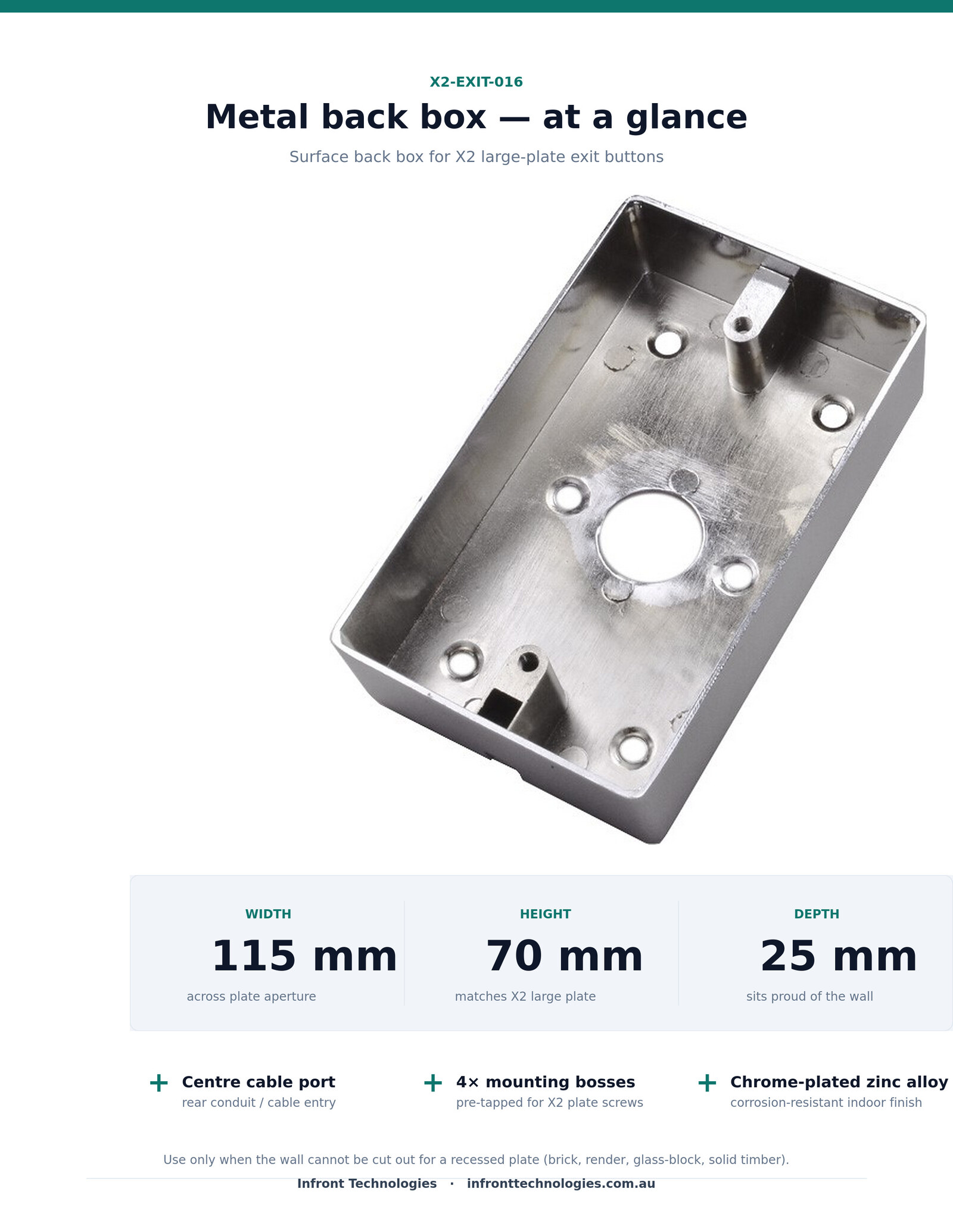
Chrome-plated zinc alloy back box sized to the X2 large 115 × 70 mm plate — for brick, render, glass-block and solid walls.
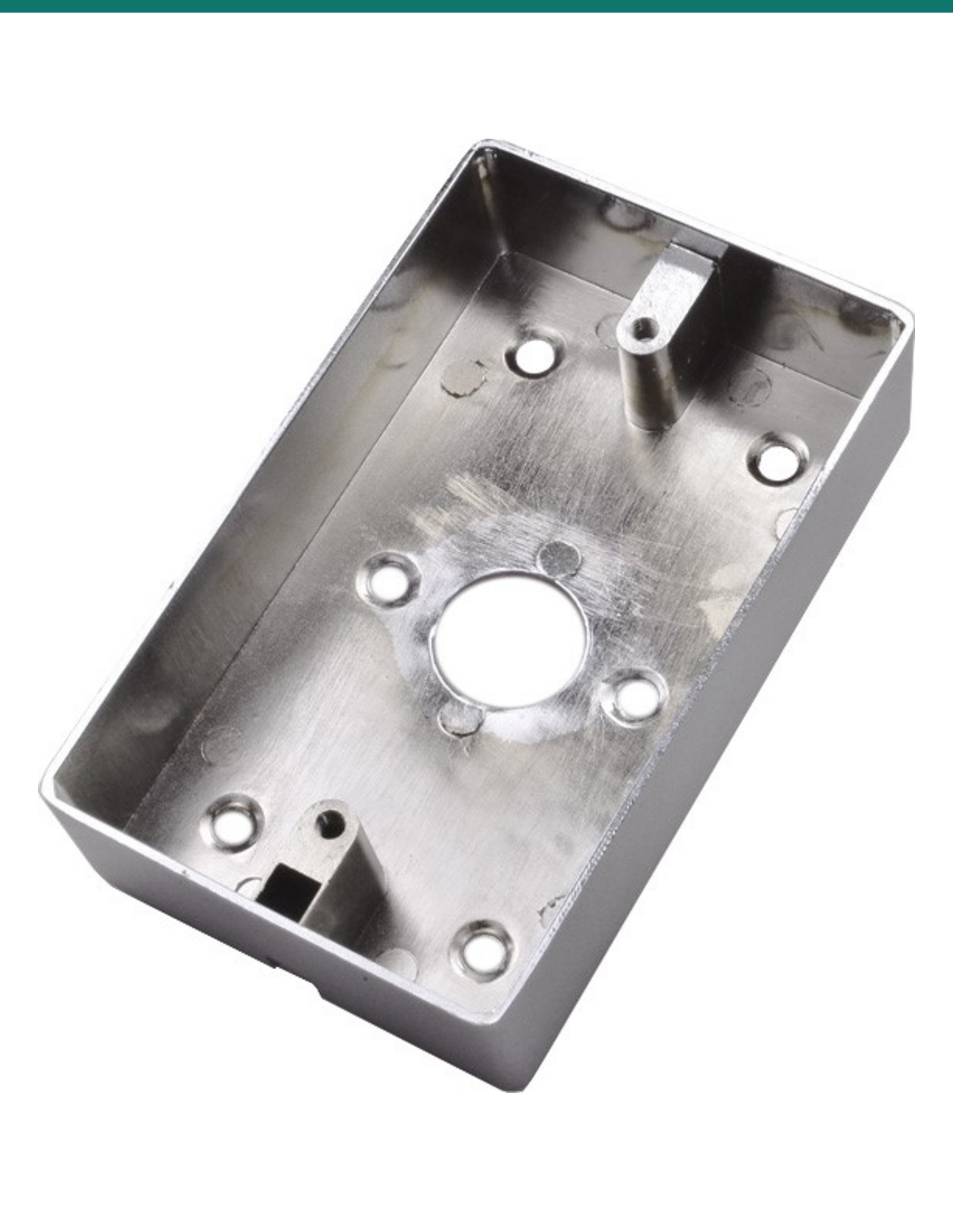
The X2-EXIT-016 is a chrome-plated zinc-alloy surface back box, sized exactly to the X2 large plate (115 × 70 × 25 mm) with a centre rear cable knockout and four pre-tapped mounting bosses. Use it to mount the X2-EXIT-006 touchless exit button (or any X2 large-plate button) on brick, render, glass-block, painted concrete or solid timber where there is no recessed wall cavity. Supplied Australia-wide by Infront Technologies with a 12-month manufacturer warranty.
In one sentence: A passive metal enclosure that turns any X2 large-plate exit button into a clean surface-mount install on a solid wall — no cutting, no chasing, no electronics inside.
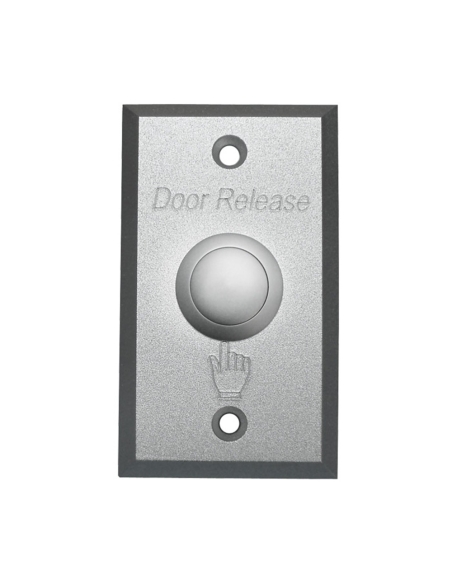
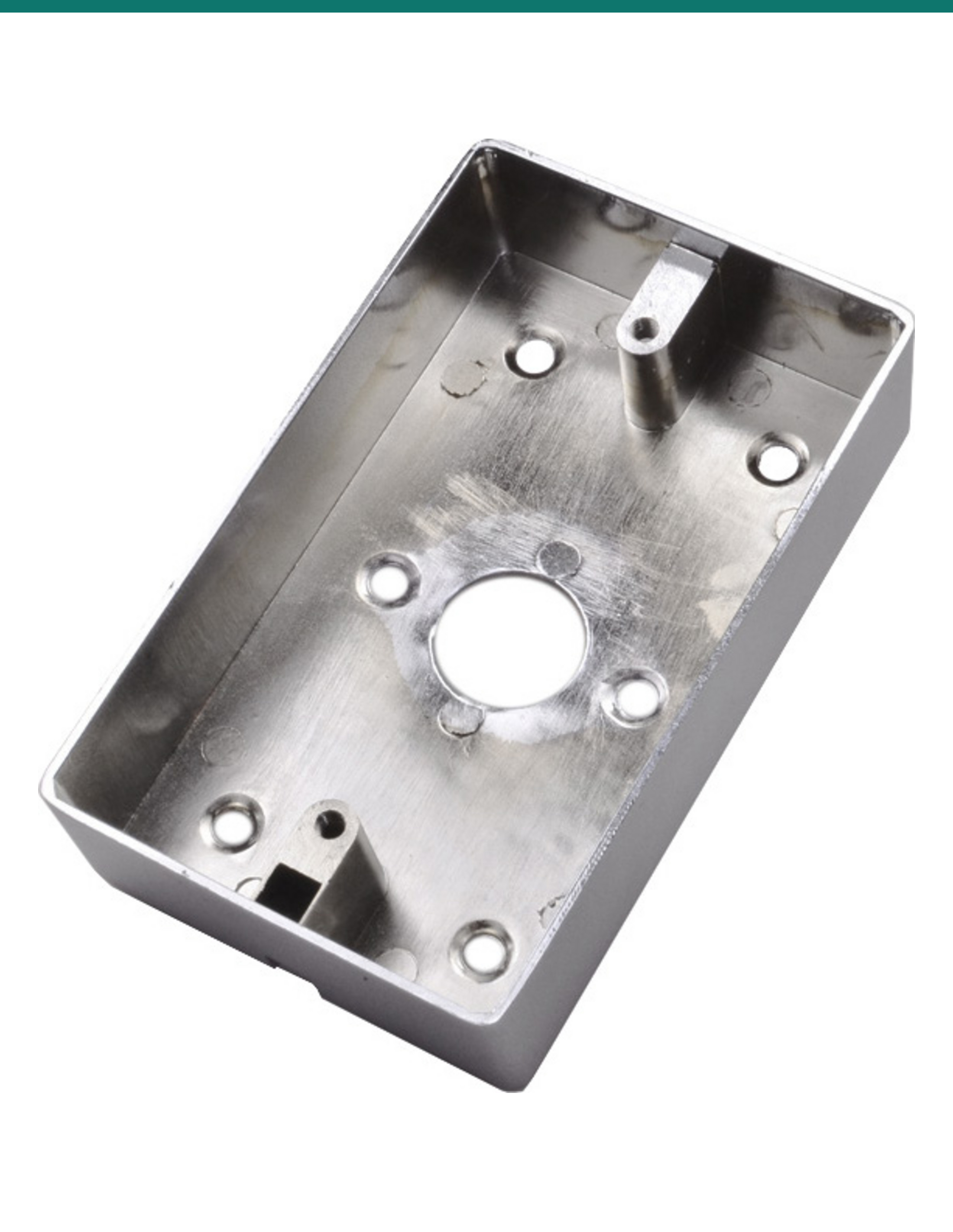
Product photograph above. Back-box only — exit button sold separately.
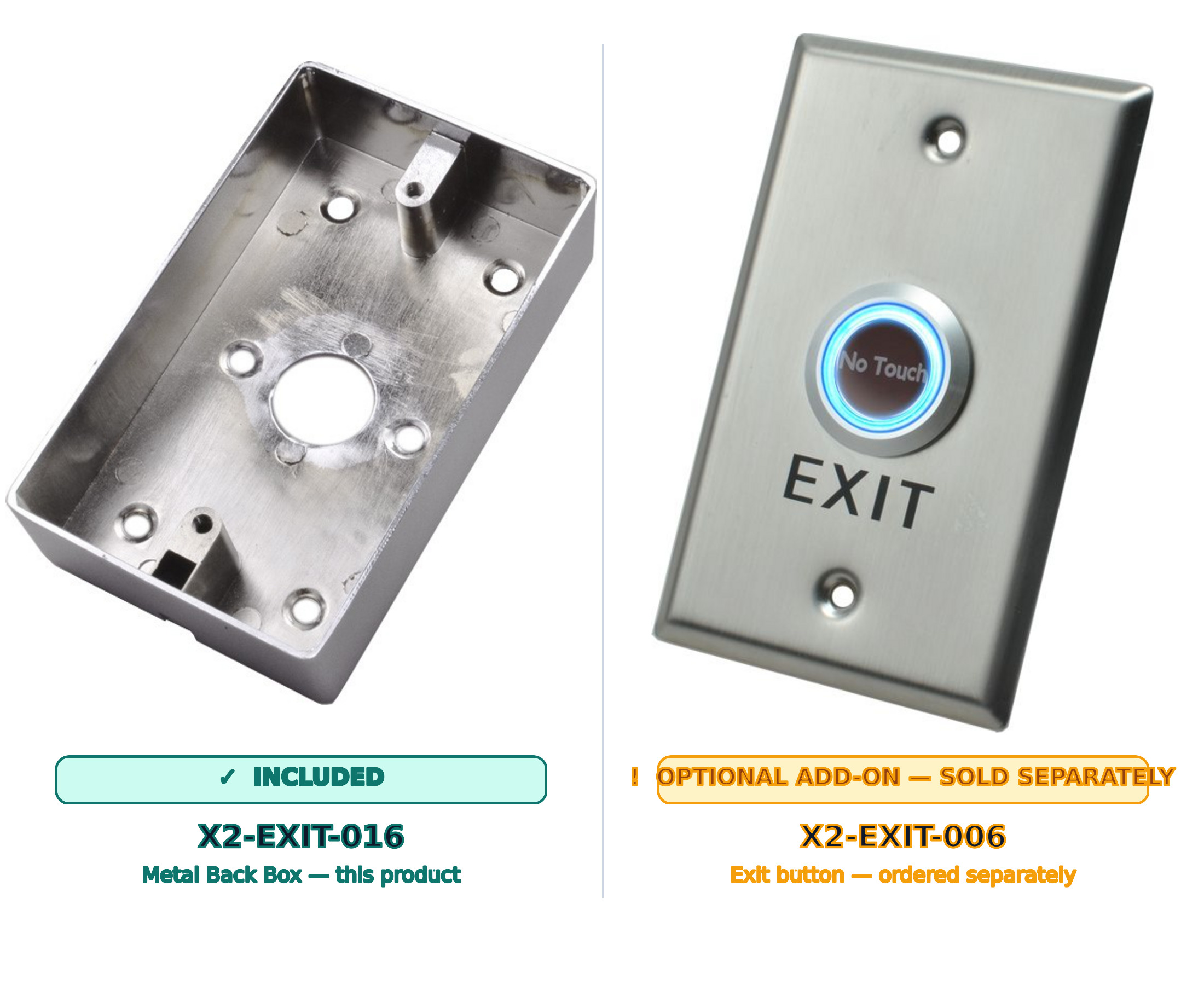
THIS IS A MOUNTING ACCESSORY — AN X2 LARGE-PLATE EXIT BUTTON IS SOLD SEPARATELY.
The X2-EXIT-016 is an empty metal enclosure on its own. It only becomes useful when the matching X2-EXIT-006 touchless exit button (or another X2 large-plate exit button) is mounted into its face. The back box is sized exclusively for the X2 large plate — for small plates, order the X2-EXIT-015 instead.
Unsure if this is the right size? Check the Compatible hardware section below or contact us before ordering.
Most commercial exit-button installs use a standard Australian large-plate wall cavity. When the wall is solid (brick, render, masonry, glass-block, solid timber) and you can’t cut a recess, the X2-EXIT-016 sits proud on the surface and delivers a finished, professional appearance that matches the brushed plate above it.
Material · 01
The back box is cast from zinc alloy and chrome-plated on every visible face. The finish complements the X2 304 stainless plate above it, holds up to wipe-down cleaning, and resists corrosion in air-conditioned commercial environments.
Sized to 115 × 70 × 25 mm — the same footprint as the X2 large plate, so the plate sits flush with the back box edge.
Cabling · 02
25 mm internal depth gives plenty of room behind the plate for the X2 button’s screw-terminal block, an extra core or two of slack, and a junction back to controller / maglock wiring. Plate fasteners thread directly into the cast mounting bosses — no captive nuts to lose.
A central rear knockout accepts the cable run from the wall, conduit or surface trunking. Dry contact (NO/NC/COM) plus 12 V DC is a 4-core run — comfortable inside the cast cavity.
Fit · 03
The 115 × 70 mm aperture matches the X2 large plate footprint exactly — the plate fits flush, the fixing screws line up, and the finished result reads as a single piece of access-control hardware rather than a button bolted to a generic surface box.
Designed for: X2-EXIT-006 (touchless), X2-EXIT-010 (illuminated dome), X2-EXIT-012 (illuminated exit) — any X2 button supplied on the large 115 × 70 mm plate.
Back box only. No button, screws, gasket, EOL resistor or other hardware is supplied with this product — order the button you need separately from the same range.
Install in 4 steps
01
Locate the cable run
Run 4-core security cable to the install point and leave 200 mm of slack at the wall face.
02
Mount the back box
Mark four corner holes through the X2-EXIT-016, drill, fix with plugs and screws sized to your wall substrate.
03
Feed the cable through
Through the centre rear knockout, ready for the X2 button’s screw-terminal block.
04
Plate on, screws in
Drop the X2 large plate into the back box face and tighten the two captive plate screws.
The X2-EXIT-016 isn’t for every install — most modern Australian commercial fit-outs use a recessed switch cavity in a plasterboard or stud wall. You need a surface back box when the wall can’t accept a cavity.
Older offices, heritage shopfronts, refurbed warehouses — anywhere the original brick or rendered masonry is left exposed inside. Chasing a flush cavity is destructive; surface mounting is the polite alternative.
Showers, change-room walls, bathroom enclosures, mid-century glass-block partitions. There’s no cavity to recess into — the back box sits on the adjacent wall stub or door frame.
Hardwood architraves, solid door blanks, raised-and-fielded heritage joinery. Chiselling a 25 mm cavity through a hardwood architrave is hours of work — the back box is a 10-minute fix.
Industrial warehouses, tilt-up office fronts, painted concrete partition walls. Coring a flush cavity needs a diamond bit and a wet vac. Surface fix — four masonry plugs and you’re done.
When you’re adding an exit button to a door that didn’t have one (insurance refit, accessibility upgrade, post-incident hardening) and you don’t want to patch the wall back.
Industrial-look offices, plant rooms, comms rooms — where conduit is intentionally visible. The back box reads as part of the same install language as the EMT or D-line trunking running into it.
X2 supplies the back box in two sizes — one per plate footprint. Pick the back box that matches the plate, not the other way around.
| SKU | Plate size | Buttons it fits | Use case |
|---|---|---|---|
| X2-EXIT-016 (this product) | Large — 115 × 70 mm | X2-EXIT-006 / -010 / -012 | Standard commercial & reception exit buttons |
| X2-EXIT-015 | Small — 115 × 40 mm | X2-EXIT-007 / -011 / -013 | Narrow architraves, tight reveal spaces |
Wrong size? The plate will not seat correctly — the apertures are not interchangeable.
Primary partner
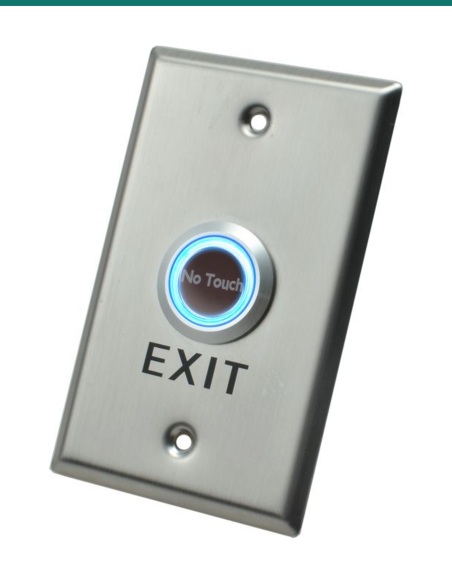
X2-EXIT-006 touchless exit button
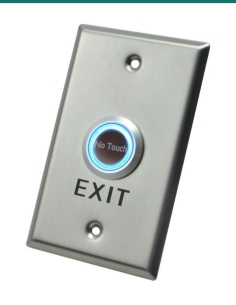
304 stainless steel large plate with a no-touch infrared sensor — the most common pairing for hygiene-sensitive sites.
Also compatible
X2-EXIT-010 illuminated dome
Push-dome variant on the same large plate. Drops straight into the X2-EXIT-016 without modification.
Also compatible
X2-EXIT-012 illuminated exit
Backlit “EXIT” legend variant on the X2 large plate — same external footprint.
Wrong size?
X2-EXIT-015 (small plate)
The small-plate sister back box (115 × 40 mm) for X2-EXIT-007 / -011 / -013 — the X2-EXIT-016 does not fit small plates.
No — this is the back box only. You need a matching X2 large-plate exit button (such as the X2-EXIT-006) ordered separately.
No — the X2-EXIT-016 is dimensioned for the 115 × 70 mm large plate only. For small plates (115 × 40 mm) order the X2-EXIT-015.
Whenever you can’t recess the cable and plate into the wall — brick or rendered walls, glass-block partitions, solid timber doors, painted concrete, or anywhere you want a quick clean-finish surface install without core drilling.
The plate-to-back-box screws ship with the X2 exit button itself. Wall-fixing plugs and screws are not included — size them to your substrate (masonry plugs for brick / render, timber screws for solid wood, etc.).
Possibly, but it’s engineered for the X2 large plate footprint and the X2 plate’s mounting screw pattern. We don’t support compatibility with other brands — check fitment carefully before relying on it as a generic large-plate back box.
No. The X2-EXIT-016 is a passive metal enclosure. There are no electronics, no relays, no PCB, no LEDs and no voltage of any kind inside the back box itself. All electrical work happens at the X2 exit-button plate that mounts into its face — the back box only provides the physical cavity and cable entry.
115 mm wide × 70 mm tall × 25 mm deep. The 115 × 70 mm face footprint matches the X2 large plate exactly so the plate seats flush against the back-box rim. The 25 mm internal depth comfortably accepts 4-core security cable and the X2 plate’s rear screw-terminal block, with a few millimetres of clearance for cable bends.
No — the X2-EXIT-016 is intended for indoor commercial environments. Chrome plating is a corrosion-resistant indoor finish; it is not specified for exposure to weather, marine air or pool-room chlorinated atmospheres. For outdoor egress points, use an IP-rated weather enclosure instead.
Through the centre rear knockout. Pull your 4-core security cable (12 V DC pair + dry-contact pair) into the back box before fixing the plate. If the cable is surface-run rather than wall-chased, fit a conduit gland or cable bushing in the knockout for strain relief and a clean cosmetic finish.
It’s not designed to be painted — the chrome plating is a finished decorative surface and paint adhesion to polished chrome is poor without surface prep. If you need a colour-matched back box, scuff with a fine abrasive pad, prime with a metal etch primer, then topcoat. Doing so does not affect the warranty on the box itself, but you wear the cosmetic outcome.
12 months manufacturer warranty against defects in materials or plating, supplied and supported in Australia by Infront Technologies. Damage from installation force (over-tightening fixings into masonry, dropping during fit-off) is not covered — treat the chrome plating as a finished cosmetic surface.
X2 access accessories are stocked and supplied Australia-wide by Infront Technologies. If you’re unsure whether you need the small (X2-EXIT-015) or large (X2-EXIT-016) back box, send us your plate dimensions and we’ll confirm before despatch.
Passive mechanical accessory. The X2-EXIT-016 is an empty metal back box — no electronics, no mains wiring, no voltage of any kind inside the enclosure itself. It is intended for DIY-friendly fitting with a hand-held drill, masonry / timber bit (sized to your substrate), and a screwdriver.
When a licensed tradesperson is required. The X2 exit button cabling that runs into this back box is customer cabling under AS/CA S009 and must be installed by an ACMA-registered cabler. Wiring a new mains feed, replacing a GPO, or integrating a dedicated maglock / strike power supply on the building’s mains is the licensed electrician’s job. A standard plug-in 12 V DC adapter in an existing GPO is fine to use as-is.
Specifications in good faith. Dimensions, finish and packing-list contents may change without notice; verify against the latest manufacturer datasheet before ordering. Product appearance and packaging may differ from marketing imagery.
By placing an order you confirm the product is fit for your intended use and that any concealed cabling will be performed by an appropriately licensed tradesperson. Infront Technologies does not accept liability for incorrect site preparation or misuse outside the manufacturer’s specifications.


Need help choosing?
Tell us about your property and we'll recommend the right cameras and recorder.
07 5609 4910Sydney 02 8814 6008
[email protected]
Mon–Fri, 9am–5pm AEST
20 related items