There are no more items in your cart
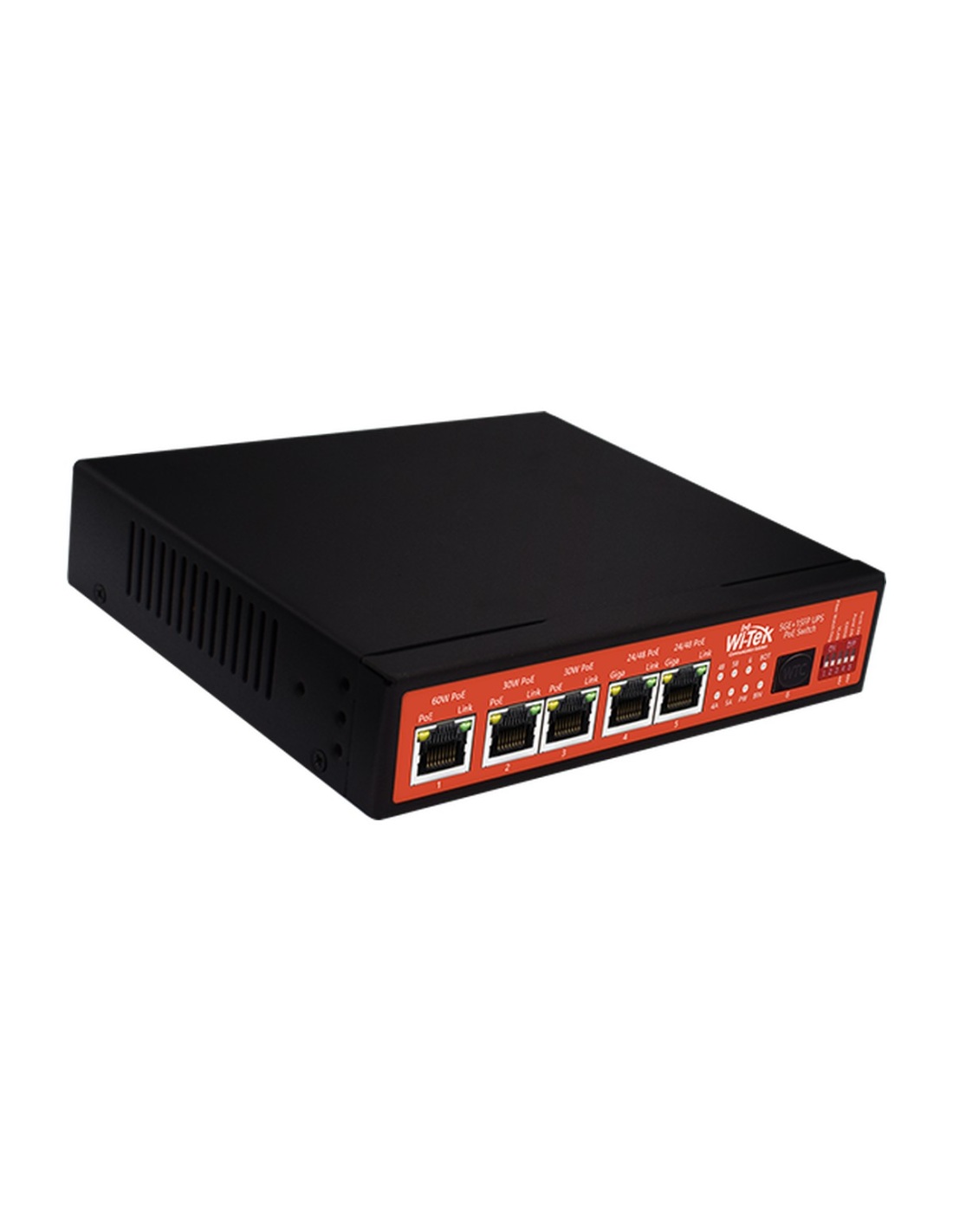
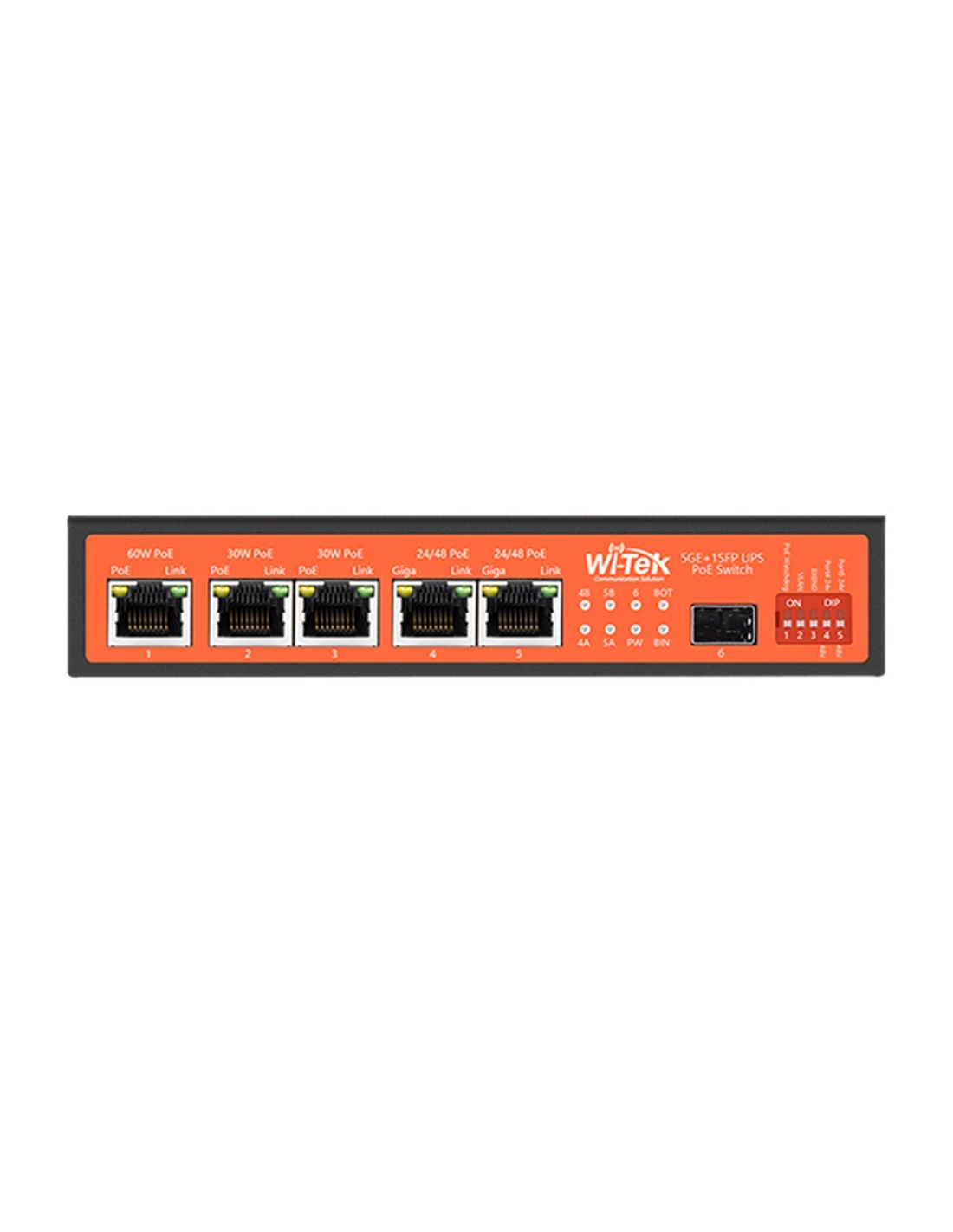


A 5-port gigabit PoE switch with a 15A MPPT solar charger built in. Connect a panel and a 12V or 24V battery and it runs cameras off-grid, day and night.
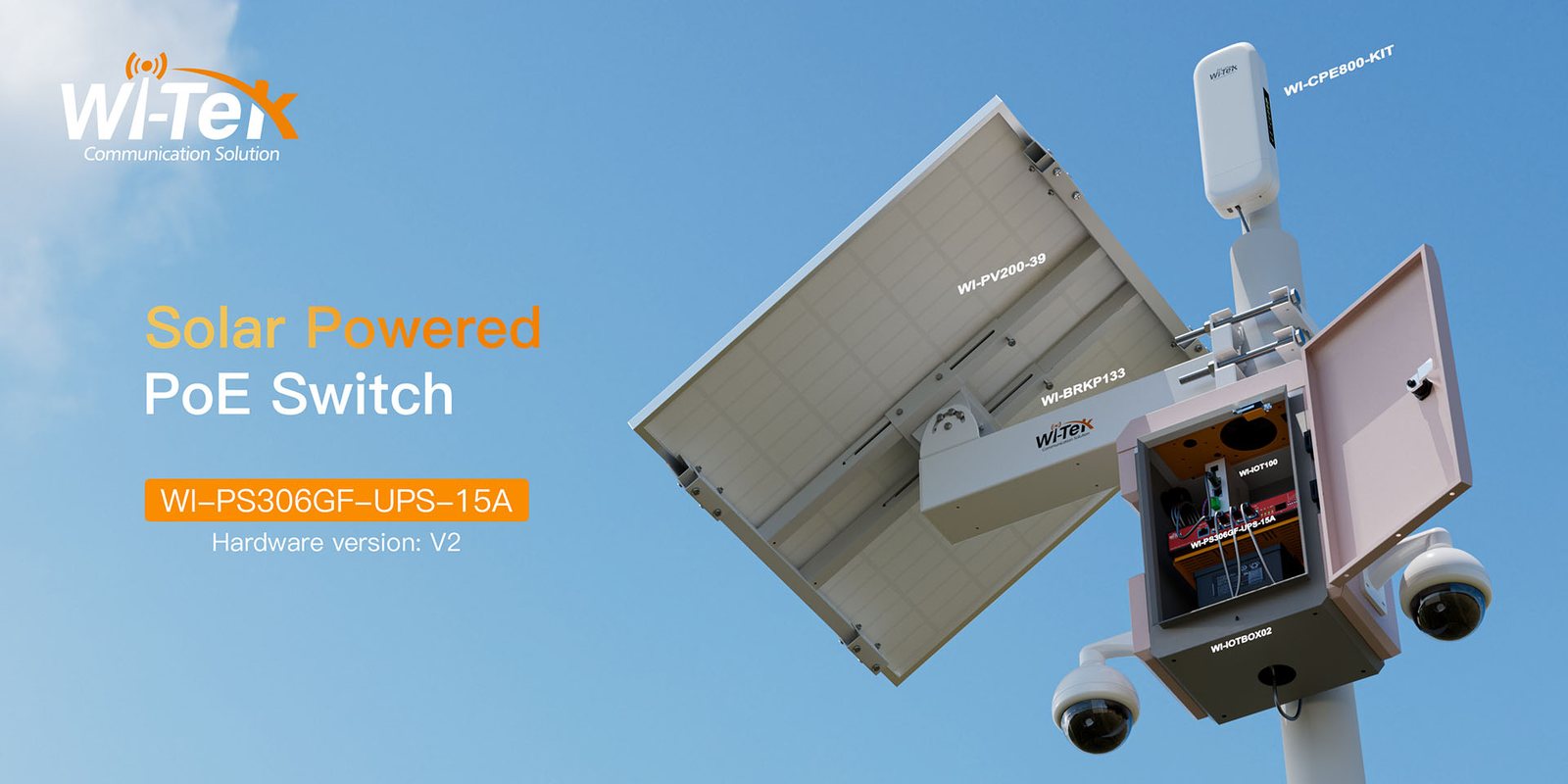
This is the Wi-Tek WI-PS306GF-UPS-15A, a gigabit PoE switch with a solar charge controller built in. Wire a panel and a battery straight to it and it powers up to five PoE cameras, access points or 4G routers where there is no mains power.
In one sentence: the WI-PS306GF-UPS-15A charges the battery by day, runs the cameras from it at night, and switches between the two with no break in power.
The switch and charge controller in one box. Panel and battery are your choice.
It works with 12V or 24V batteries and the matching panel, so you can size the system for the cameras and the weather where it is going.
Remote sites normally need a solar regulator, a battery, a DC-DC converter and a PoE switch wired together. Here the MPPT charger, the battery backup and five PoE ports are one fanless metal unit, so there is less to wire and less to fail.
Why people buy it
Tracks the panel's best operating point to get more charge out of each day than a basic PWM regulator, up to 15A into the battery.
Solar runs the load and charges the battery; when the panel drops off, the battery takes over without the cameras rebooting.
Port 1 is 802.3bt at up to 60W for PTZ or heated cameras. Ports 2 and 3 give 30W and ports 4 and 5 switch between 48V PoE and 24V passive for wireless links.
A DIP switch turns on PoE watchdog, which restarts a frozen camera by itself, or extend mode for runs up to 250m.
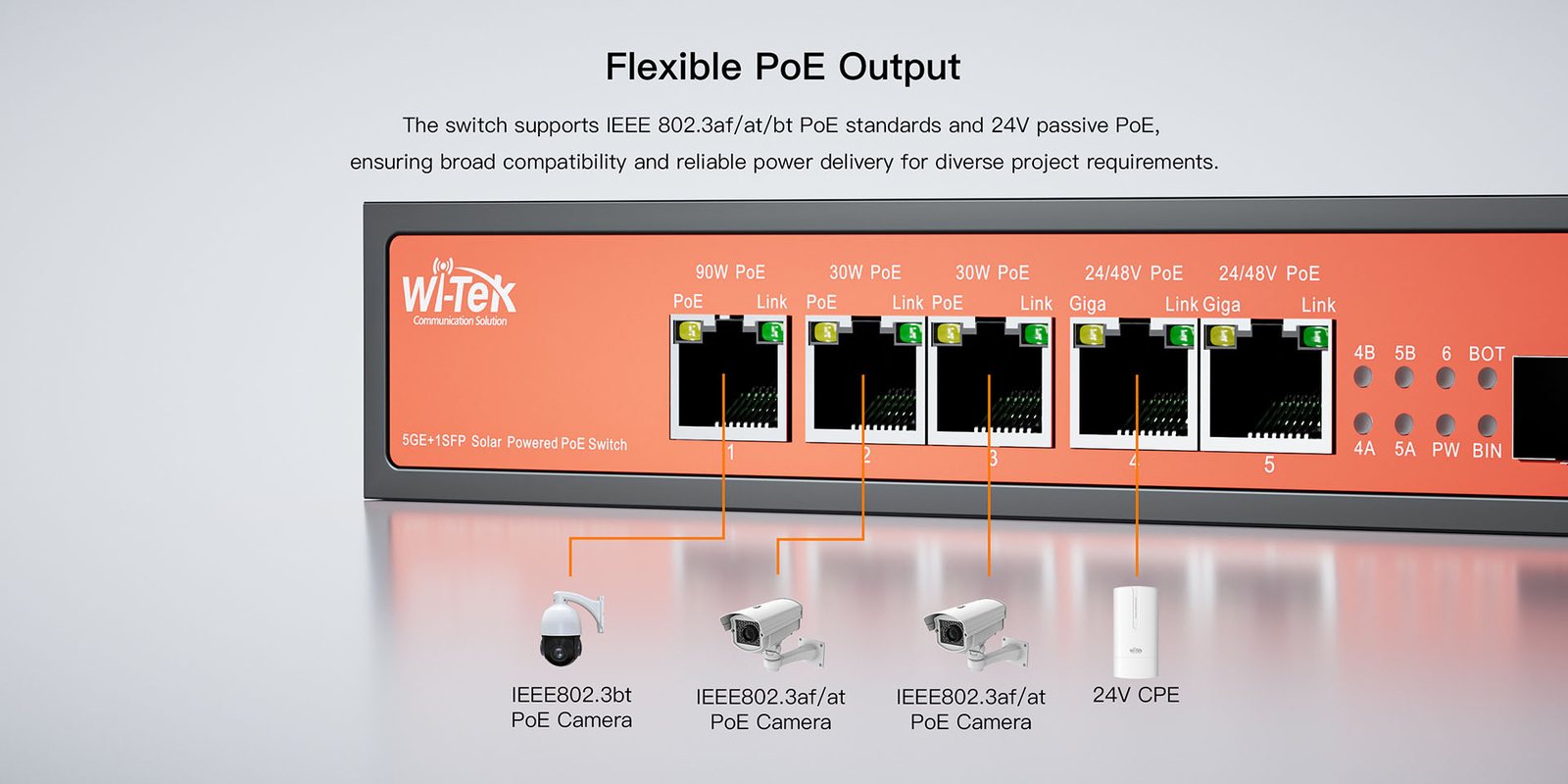
Front panel
Port 1 gives up to 60W (802.3bt), ports 2 and 3 up to 30W (802.3af/at), and ports 4 and 5 switch between 48V 802.3af/at and 24V passive PoE for wireless bridges. The whole switch can supply 120W of PoE. The SFP slot takes a fibre or copper module for the uplink.
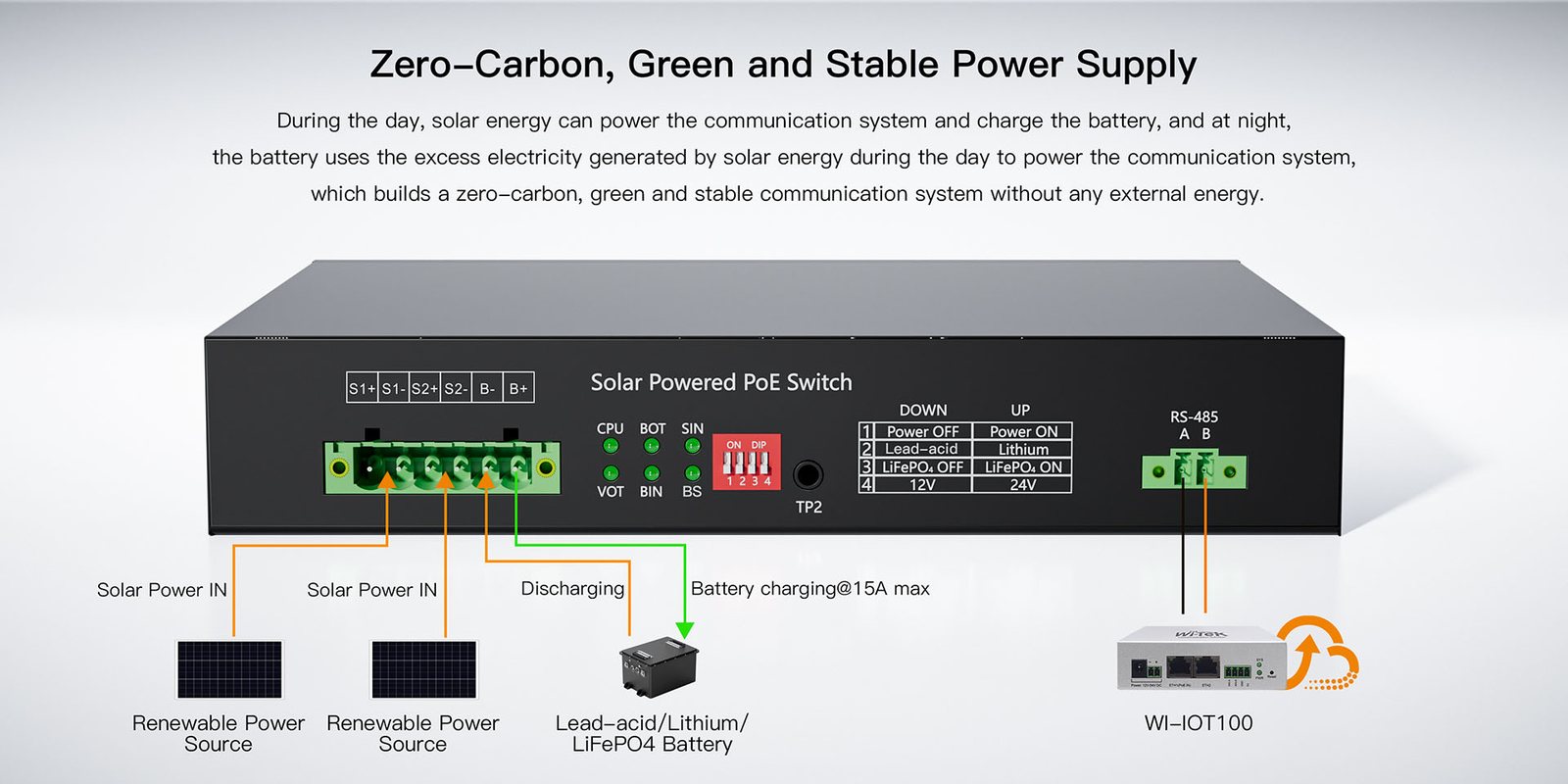
Rear panel
The 6-pin terminal takes two solar inputs in parallel and the battery. DIP switches set the battery type (lead-acid, lithium or LiFePO4) and 12V or 24V. Solar input is up to 32V on a 12V battery and up to 57V on a 24V battery. A DC supply can be used instead of solar, but never both at once.
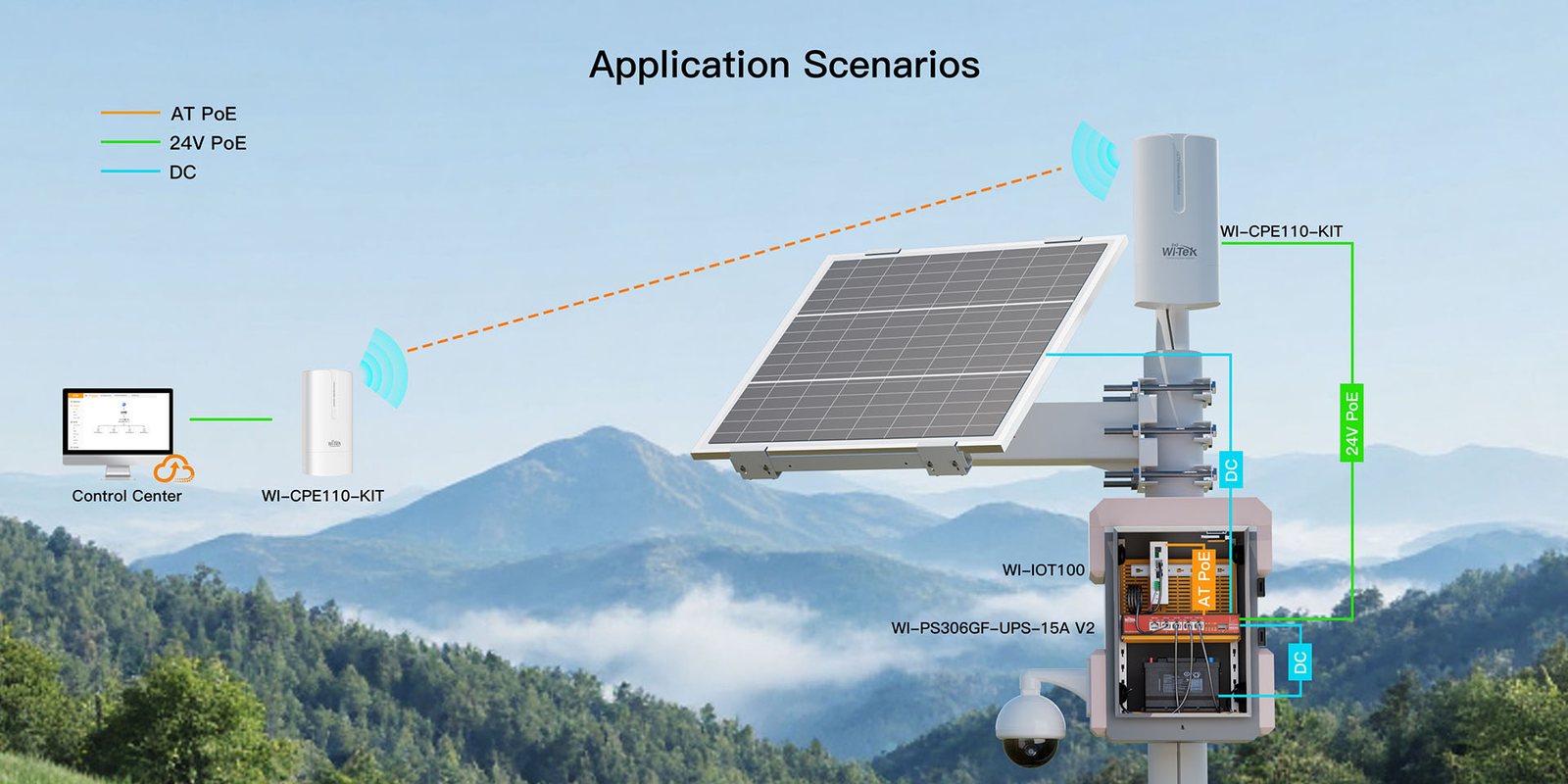
On site
Building sites, farms, gates, car parks and boat ramps: put the switch and battery in a weatherproof box on the pole, mount the panel above, and link back with 4G or a wireless bridge.
How it goes in
01
With the power switch off, set the rear DIP switches for lead-acid, lithium or LiFePO4 and for 12V or 24V.
02
Wire the battery to B+ and B-, then the solar panel to the solar input. Check polarity before switching on.
03
Run Cat6 to each PoE port and set ports 4 and 5 to 48V or 24V to suit the device.
04
Connect the uplink or SFP port to your 4G router, wireless bridge or NVR network and switch on.
At a glance
Show specs
PoE ports
5 × gigabit RJ45 (port 1: 802.3bt 60W; ports 2–3: 802.3af/at 30W; ports 4–5: 48V af/at or 24V passive)
Uplink
1 × 1000Mbps SFP slot
PoE budget
120W total
Solar controller
MPPT, 15A max charge current
Battery
12V or 24V lead-acid (AGM/gel), lithium or LiFePO4 with BMS, up to 500Ah
Solar input
Up to 32V (12V battery) / 57V (24V battery)
DC input (instead of solar)
15–32V DC, 240W (12V battery) / 30–57V DC, 480W (24V battery)
Switching
12Gbps, 8.94Mpps, 2k MAC table, 10240-byte jumbo frames
Modes
PoE watchdog, VLAN port isolation, extend mode up to 250m
Monitoring
Optional cloud monitoring of battery and solar with the Wi-Tek WI-IOT100 (RS-485)
Protection
Over-current, short circuit, reverse polarity, over-charge, over-discharge, 6kV surge
Housing
Fanless metal, desktop or wall mount
Size and weight
197 × 144 × 35mm, 0.83kg
Operating temperature
-20°C to 65°C, 10–90% RH non-condensing
Warranty
3 years
Figures from the Wi-Tek datasheet. The switch is not weatherproof; outdoors it needs a sealed, ventilated enclosure.
Pair it with
Enclosure
IP66, IK10 pole-mount box sized for the switch, a battery and a 4G router.
Battery
Lighter and longer-lived than lead-acid. Use one with a built-in BMS.
Panel
Match the open-circuit voltage to the battery: up to 32V on 12V, up to 57V on 24V.
Cameras
Every watt the cameras save is battery you don't need. Turn IR down where you can.
Where it is used
Temporary camera poles that move with the job, with no power run needed.
Watch a gate, shed or water tank kilometres from the house.
Council and strata sites where trenching power would cost more than the cameras.
Power a point-to-point link and cameras at the far end of a wireless bridge.
| WI-PS306GF-UPS-15A | Regulator + PoE switch | |
|---|---|---|
| Charge controller | MPPT, built in | Separate unit |
| Changeover to battery | No break | Depends on the wiring |
| PoE output | 5 ports, 120W, one at 60W | Needs a DC-DC converter for 48V |
| 24V passive PoE | Ports 4–5 | Usually not |
| Battery and solar monitoring | Optional, Wi-Tek cloud | Separate gear |
Figures for the WI-PS306GF-UPS-15A from the Wi-Tek datasheet.
No. You choose a 12V or 24V battery and a panel to suit the site. We can help size them; tell us the cameras and where it is going.
Add up the cameras' power and multiply by 24 for daily use. Two 6W cameras use about 300Wh a day. A 24V 100Ah LiFePO4 battery stores about 2.5kWh, so several days of cloud. A panel of around 200–300W suits that load in most of Australia. Allow more in the south over winter.
Yes. Connect a 15–32V DC supply (12V battery) or 30–57V DC supply (24V battery) to the solar input, and the battery becomes a UPS. Never connect solar and DC at the same time.
Lead-acid (including AGM and gel), lithium and LiFePO4, at 12V or 24V and up to 500Ah. Lithium batteries must have a BMS. The battery type is set on the rear DIP switches.
Yes, on port 1, which supplies up to 60W (802.3bt). Check the PTZ's maximum draw with heaters and IR on, and size the battery for it.
Many wireless bridges and CPEs run on 24V passive PoE. Ports 4 and 5 can be switched to 24V passive or standard 48V 802.3af/at.
Yes, with the Wi-Tek WI-IOT100 controller (sold separately) on the RS-485 port. It shows battery level, solar input and power use in the Wi-Tek cloud and app.
Not on its own. Mount it in a sealed, ventilated enclosure such as the Wi-Tek Smart IoT Box. It runs from -20°C to 65°C.
Wi-Tek 3-year warranty, handled in Australia through us. Contact us first and we will organise any claim.
Not sure what battery or panel you need? Tell us the cameras and the site and our team will size the system, then help you set it up.
Battery first. Connect the battery before the solar panel and disconnect the panel first. Check polarity on every terminal.
Solar or DC, never both. Connecting a DC supply and solar panels at once can damage the switch.
Electrical work. Any mains wiring must be done by a licensed electrician. Fuse the battery cable close to the battery.


Need help choosing?
Tell us about your property and we'll recommend the right cameras and recorder.
07 5609 4910Sydney 02 8814 6008
[email protected]
Mon–Fri, 9am–5pm AEST
20 related items