There are no more items in your cart
- New
In stock
Uniview Mounts & Accessories


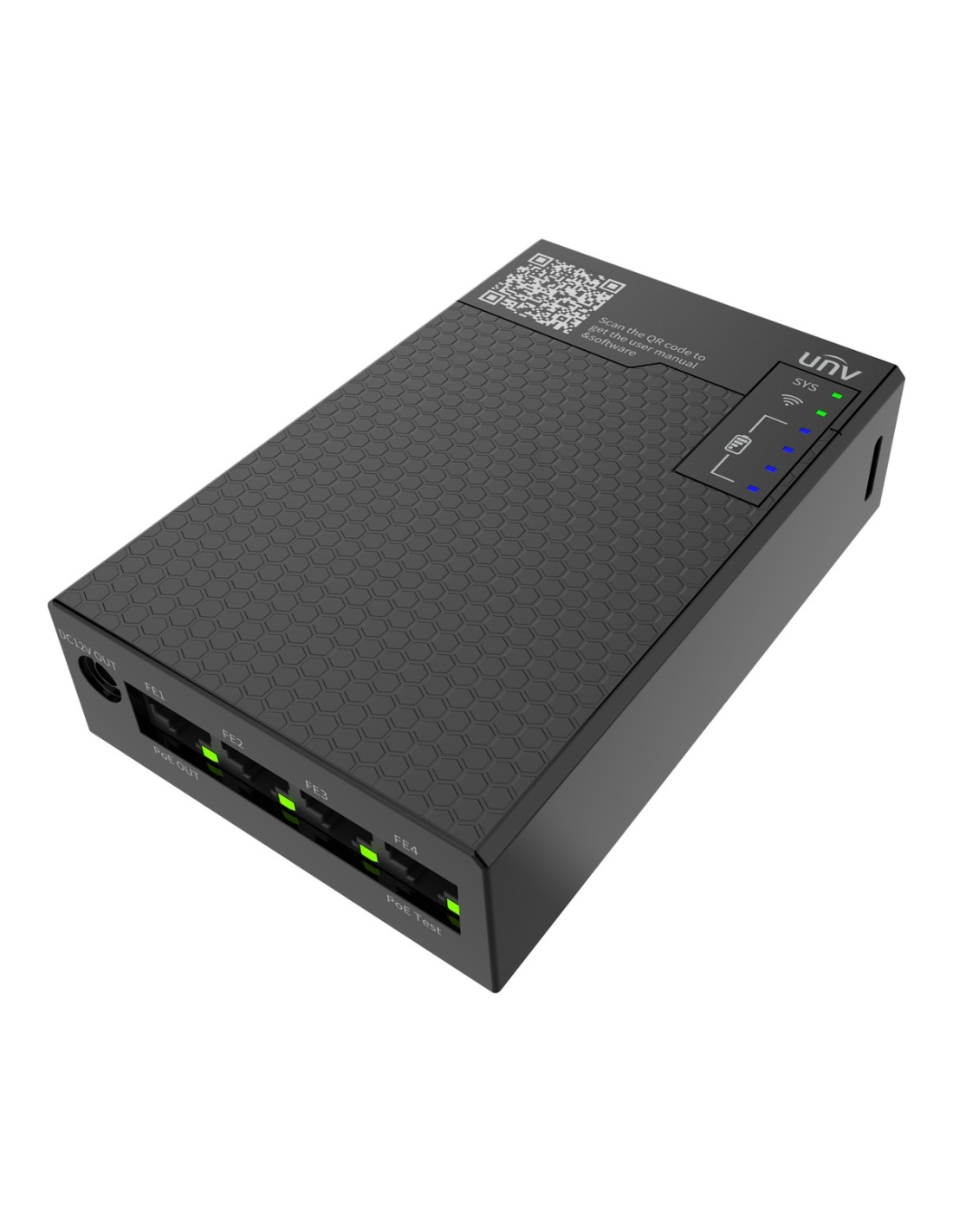
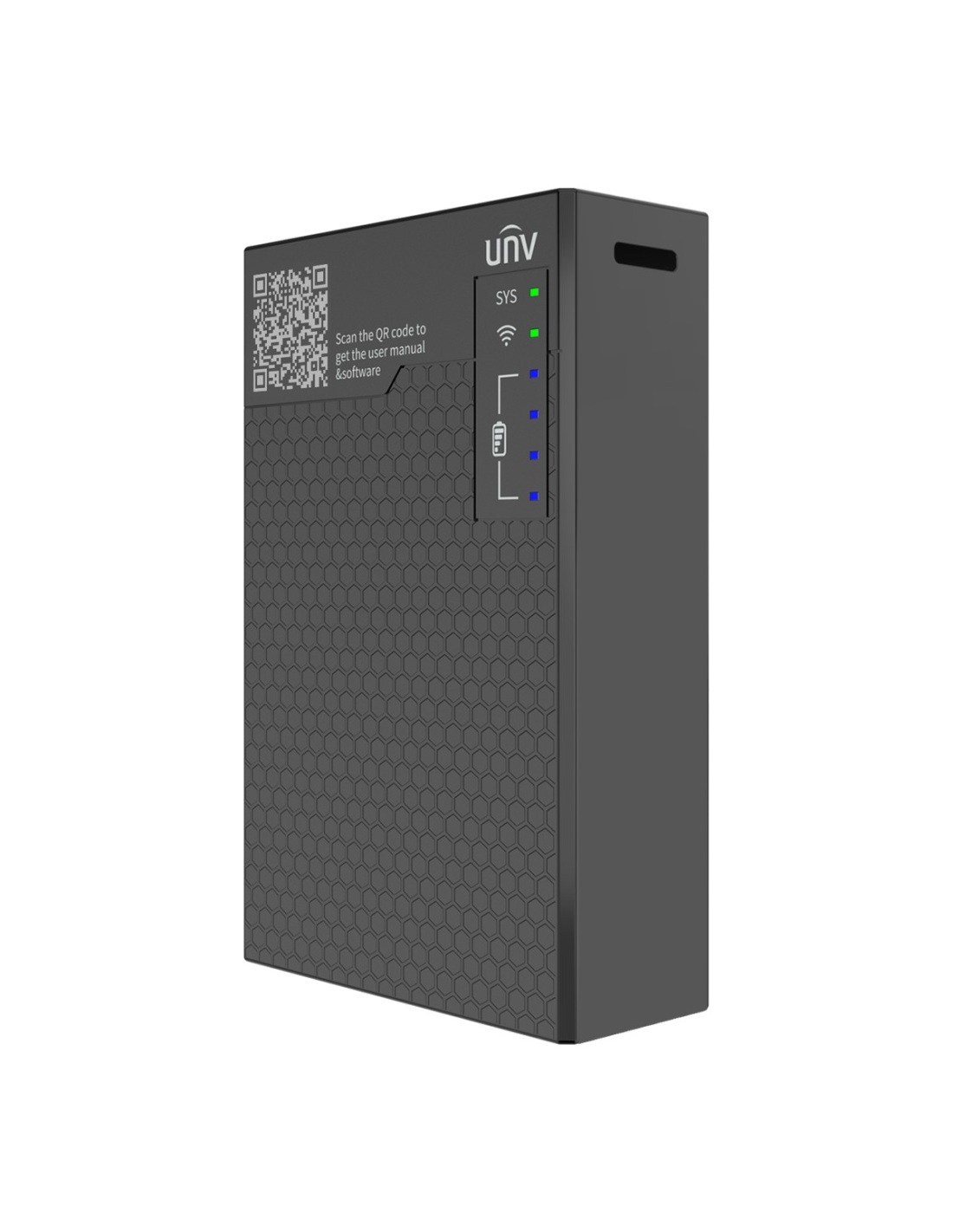
Uniview GCB01-B7 UNV-Link Pro connect box: power a camera by PoE or 12 V from its 7500 mAh battery, set it up from your phone, and test PoE and DC voltage on site.
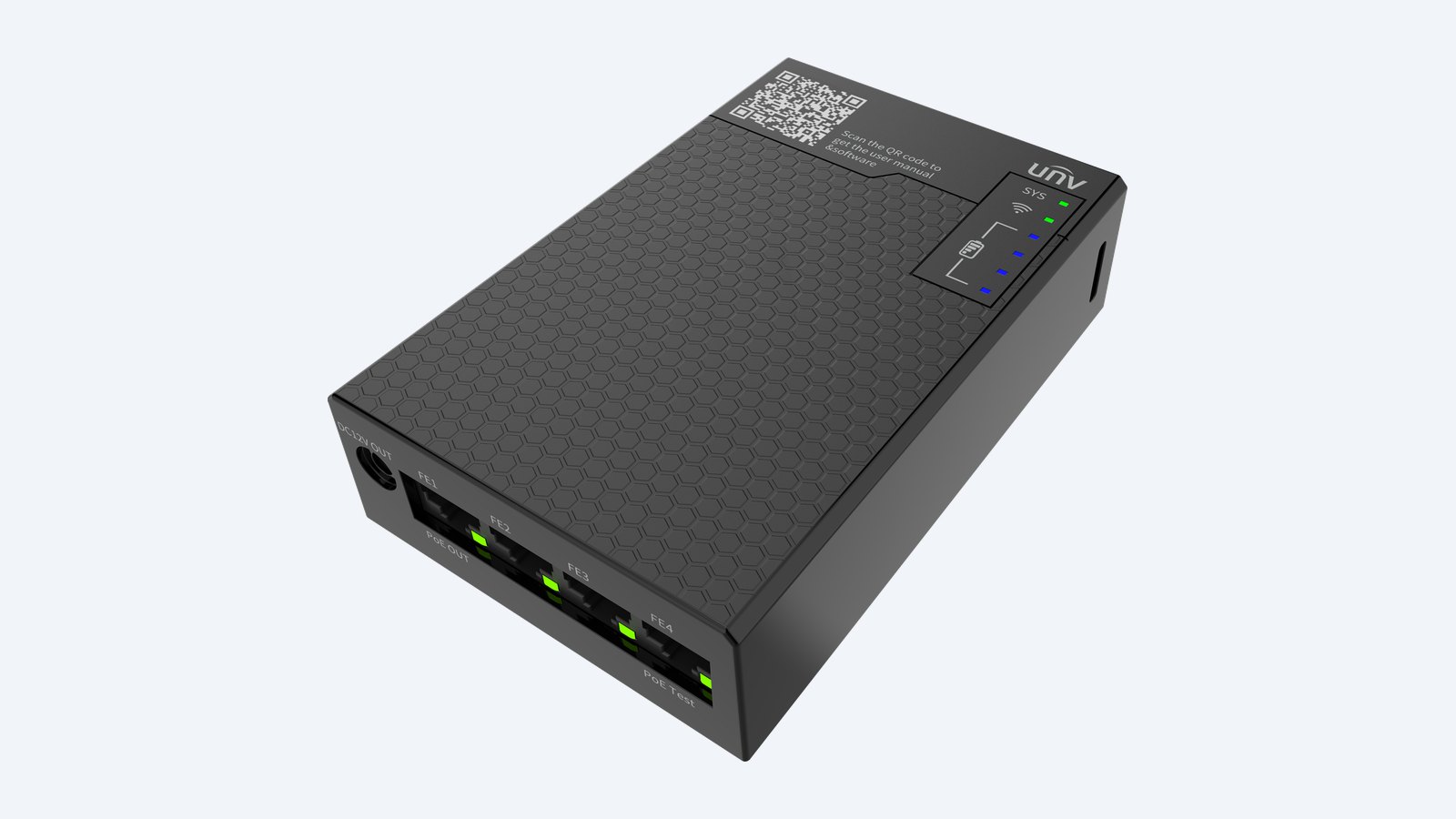
This is the Uniview GCB01-B7. A pocket installer tool for Uniview cameras. It powers the camera from its own battery, connects it to your phone over Wi-Fi, and tests PoE and DC voltage — so you can aim, focus and configure without a laptop or the recorder.
In one sentence: the GCB01-B7 is the Uniview UNV-Link Pro connect box: four RJ45 ports with 802.3af PoE output on port 1, PoE and DC voltage testing from 1 to 56 V, 12 V and 5 V outputs, 2.4 GHz Wi-Fi and a 7500 mAh battery charged by USB-C.
Everything for setting up cameras on site.
Charge it by USB-C, plug the camera into port 1, and open the UNV-Link Pro app on your phone. No PC is needed.
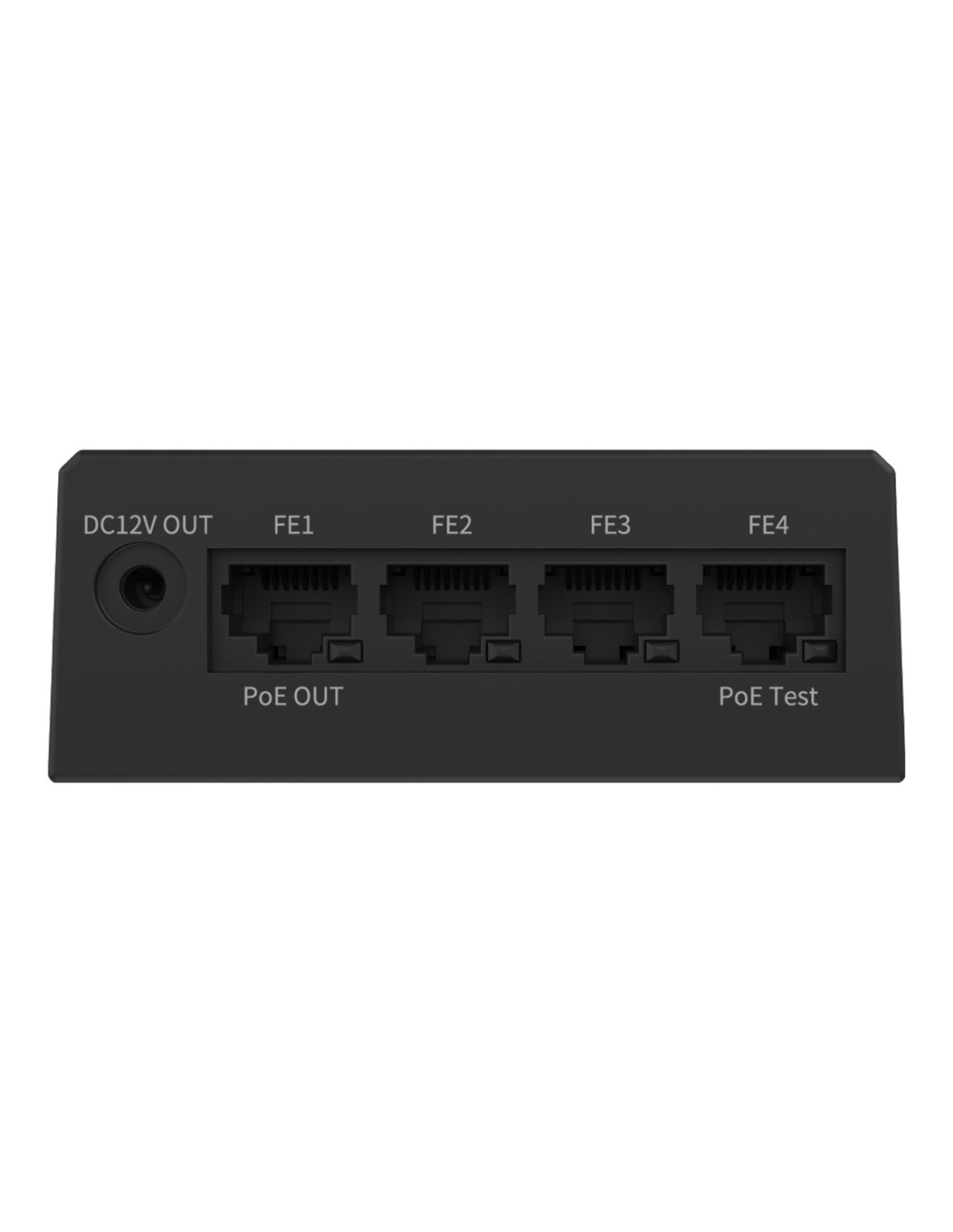
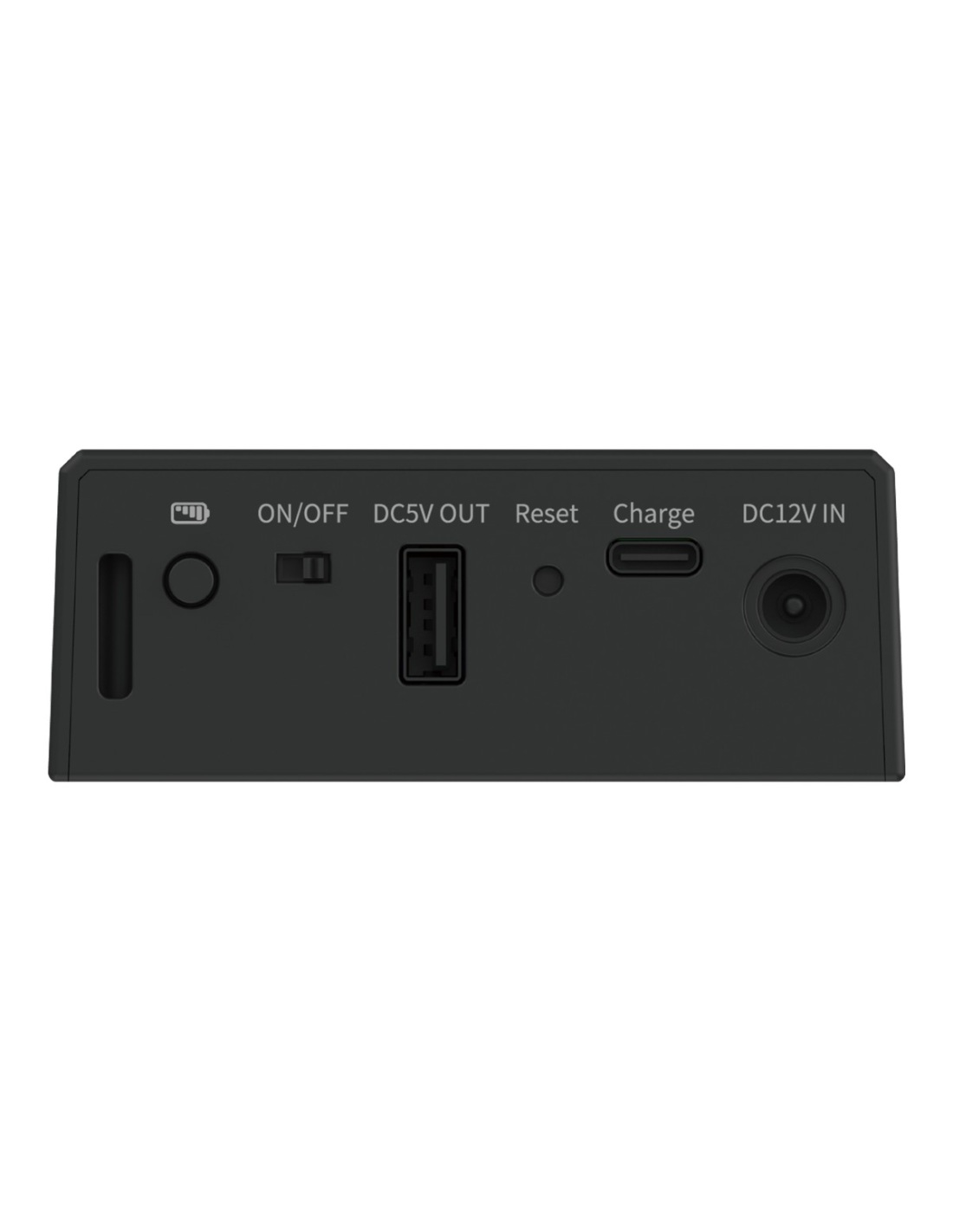
Port 1 supplies 802.3af PoE to run a camera from the battery. Port 4 checks the PoE voltage on a cable from the switch, and a DC test checks 1–56 V supplies. The 12 V 1 A output runs a 12 V camera, and a 5 V USB-A output can top up your phone.
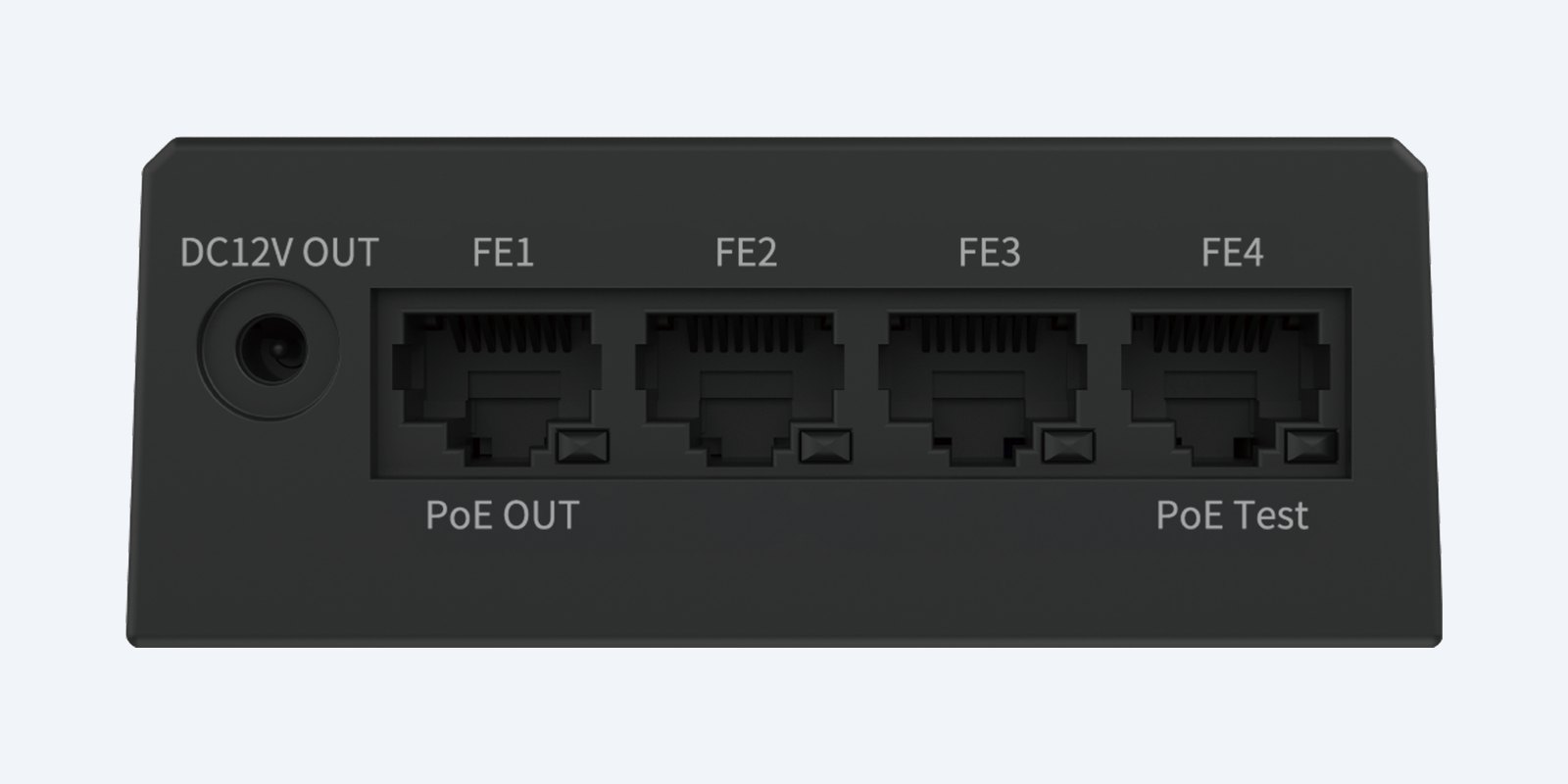
Ports
Port 1 gives PoE out to a camera; port 4 tests PoE (802.3af/at/bt) from a switch or injector. Note that the 12 V output and the PoE output cannot be used at the same time.
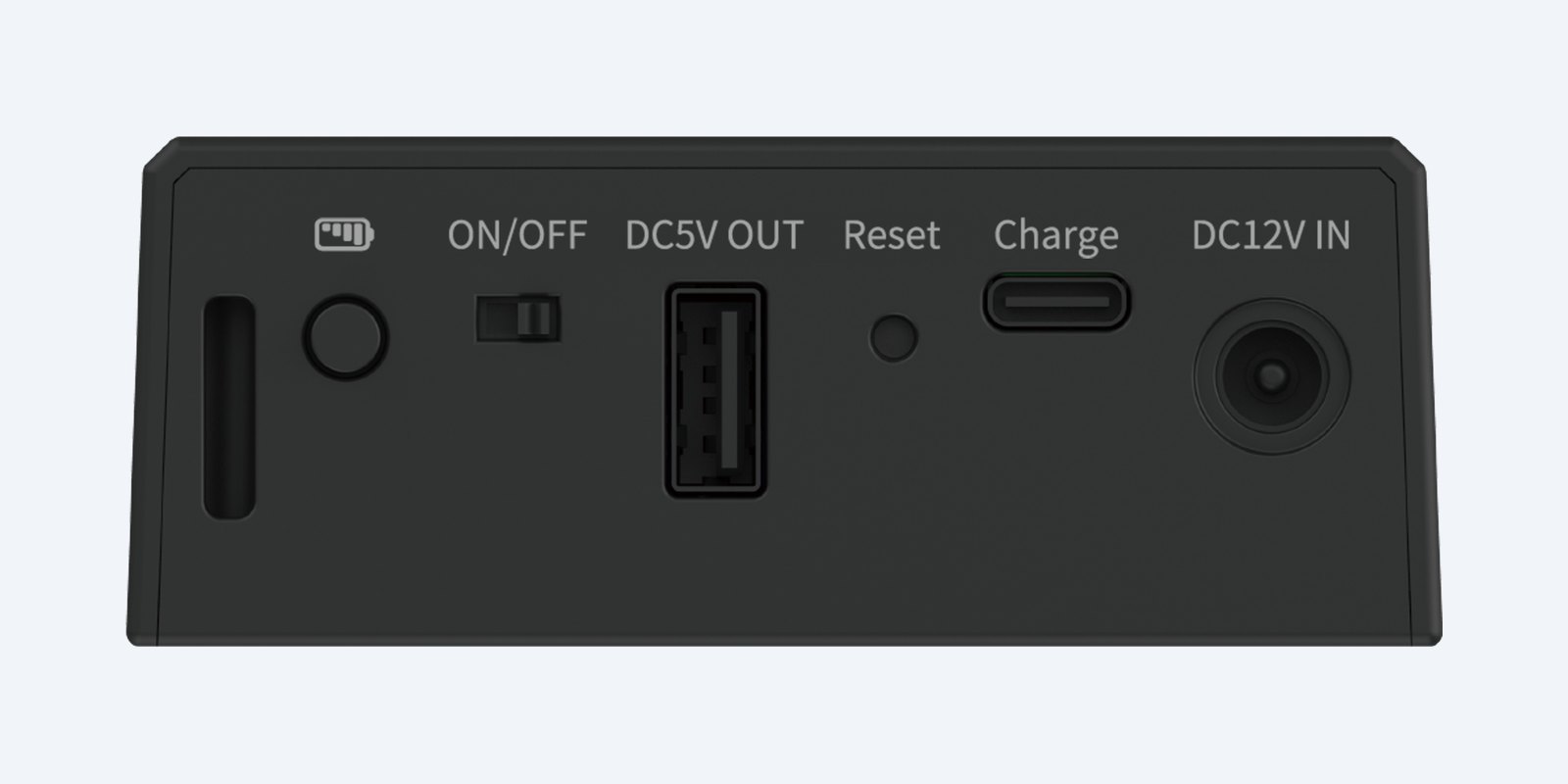
Power
A 7500 mAh 18650 battery runs it on site. Charge it from USB-C at 5 V 2 A; the 12 V 1 A and 5 V 1 A USB-A outputs power a camera or phone.
How it goes in
01
Charge the 7500 mAh battery from a USB-C 5 V 2 A charger.
02
Patch the camera into port 1 for PoE, or use the 12 V output for a 12 V camera.
03
Connect your phone to the box over Wi-Fi and open UNV-Link Pro to see the live picture.
04
Set the view, focus and settings, then move the camera onto its switch or NVR.
At a glance
Show specs
Ports
4 × RJ45; port 1 PoE out (802.3af), port 4 PoE voltage test
PoE test
1–56 V, 802.3af/at/bt
DC test
1–56 V
Outputs
12 V 1 A DC; 5 V 1 A USB-A
Battery
7500 mAh 18650
Charging
USB-C, 5 V 2 A
Wireless
Wi-Fi 2.4 GHz
App
UNV-Link Pro
Note
12 V output and PoE output cannot be used at the same time
Size
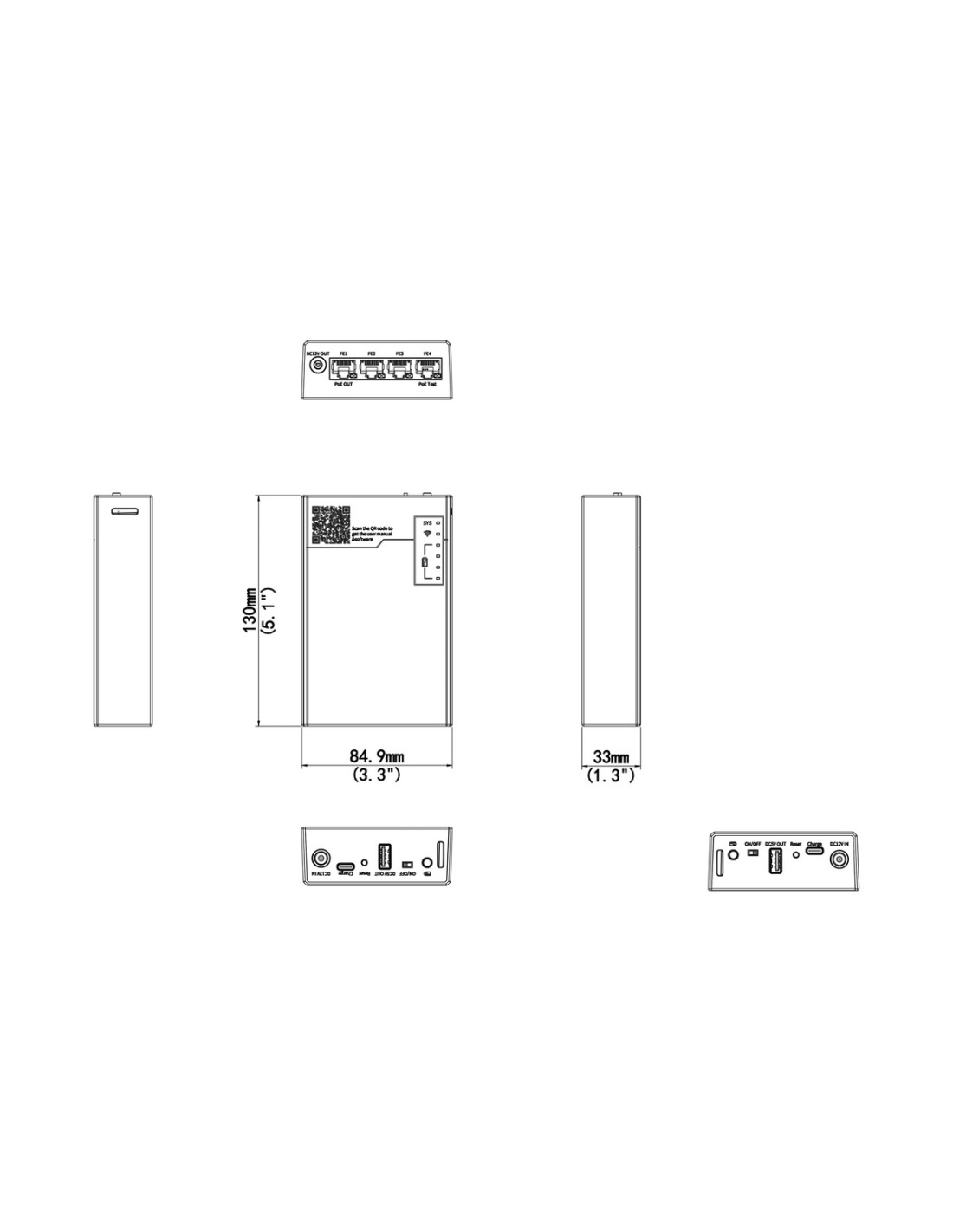
130 × 85 × 33 mm
Operating
−20 °C to 60 °C
Pair it with
Cameras
Power and set up a Uniview camera before it is connected to the recorder.
Recording
Once aimed, the camera moves to the NVR’s PoE port or switch.
Cabling
A short lead between the box and the camera on the ladder.
Charger
Any 5 V 2 A USB-C charger tops up the battery in the van.
Where it is used
Aim and focus cameras on the ladder with no laptop.
Check PoE and DC voltage on site before blaming the camera.
Diagnose a dead camera: is it the cable, the switch or the camera?
Test cameras before the recorder or switch is in place.
| What it does | Rating | |
|---|---|---|
| RJ45 port 1 | Powers a camera (PoE out) | IEEE 802.3af |
| RJ45 port 4 | Tests PoE voltage from a switch or injector | 1–56 V, 802.3af/at/bt |
| DC test | Checks a DC supply | 1–56 V |
| 12 V output | Powers a 12 V camera | 12 V, 1 A |
| USB-A output | Charges a phone | 5 V, 1 A |
| USB-C input | Charges the battery | 5 V, 2 A |
The 12 V output and the PoE output cannot be used at the same time. Figures from the Uniview datasheet.
It powers a camera from its own battery, links it to the UNV-Link Pro app on your phone over Wi-Fi so you can see and configure it, and tests PoE and DC voltages.
No. Setup runs from the UNV-Link Pro app on your phone.
Yes. Port 1 supplies 802.3af PoE, which covers typical fixed cameras.
Yes. Plug the cable from the switch or injector into port 4 and it reads the PoE voltage (1–56 V, 802.3af/at/bt).
Yes, from the 12 V 1 A output with the supplied cable. The 12 V and PoE outputs cannot be used at the same time.
It has a 7500 mAh 18650 battery. Run time depends on the camera’s power draw; Uniview does not publish a figure.
From USB-C at 5 V 2 A.
The connect box, a 12 V power cable, an anti-drop protective case and a lanyard.
It is rated for −20 °C to 60 °C.
The PoE output and voltage tests work with any cable or supply. App setup is designed for Uniview cameras.
130 × 85 × 33 mm, small enough for a tool pouch, with a lanyard to keep it on the ladder.
Uniview 3-year manufacturer warranty, handled in Australia through InFront. Contact us first and we will organise any claim.
Questions about setting up Uniview cameras? Call 1300 736 970 or email [email protected] and our team will help.
Power. Charge from a 5 V 2 A USB-C supply. Do not use the 12 V output and PoE output together, and stay within the 1–56 V test range.
Placement. Use between −20 °C and 60 °C. Keep it in its protective case and on the lanyard when working at height.
Figures. From the Uniview GCB01-B7 datasheet. Uniview 3-year manufacturer warranty, handled in Australia through InFront.


Need help choosing?
Tell us about your property and we'll recommend the right cameras and recorder.
07 5609 4910Sydney 02 8814 6008
[email protected]
Mon–Fri, 9am–5pm AEST
20 related items