1 / 4

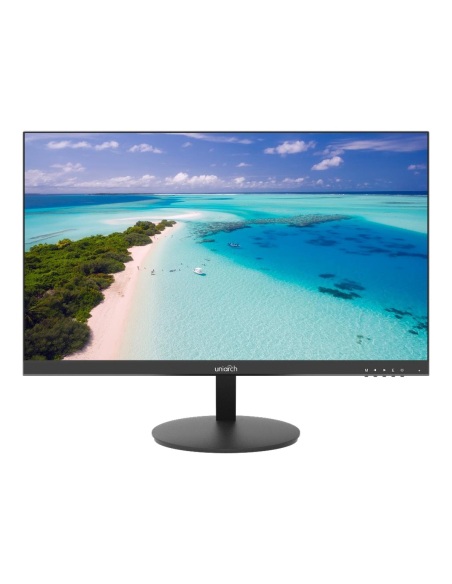
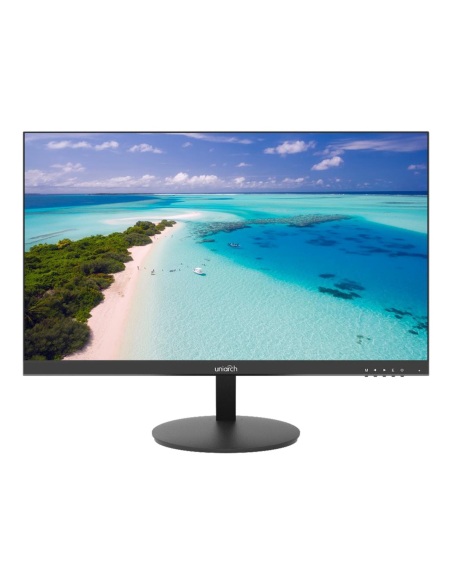
Uniarch 24" Full HD CCTV Monitor with Speakers, HDMI/VGA - MT-24-V

SKU MT-24-V In stock
$197.00 inc GST

Uniarch MT-24-V 24-inch Full HD surveillance monitor rated for 24/7 use, with flicker-free dimming, HDMI, VGA and audio inputs and built-in speakers.

  • ✓24" 1920 × 1080 LED panel
  • ✓Rated for 24/7 operation
  • ✓Flicker-free, low blue light
  • ✓HDMI, VGA and audio in
  • ✓2 × 1.5 W speakers built in
  • ✓VESA 100, HDMI cable included

 
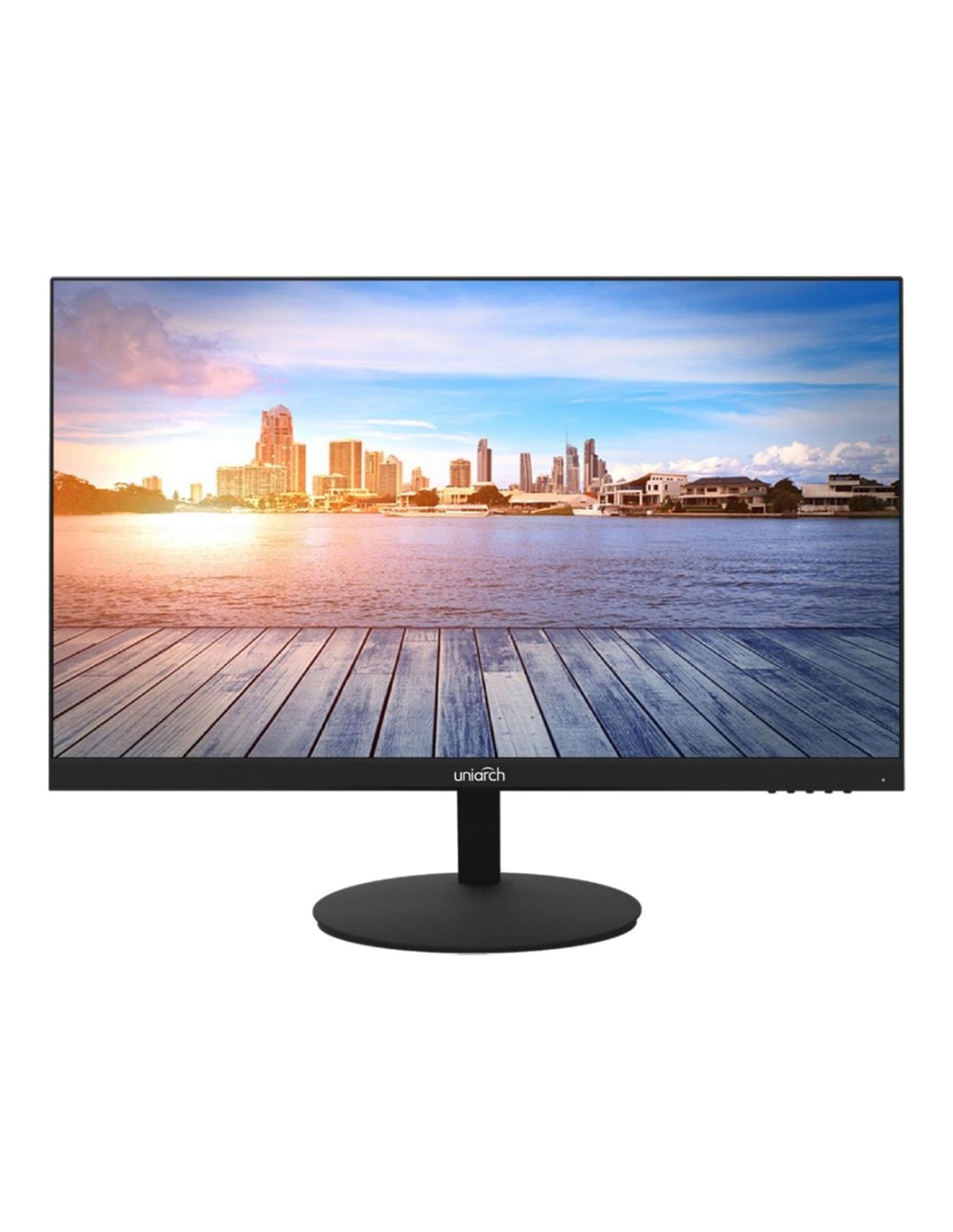
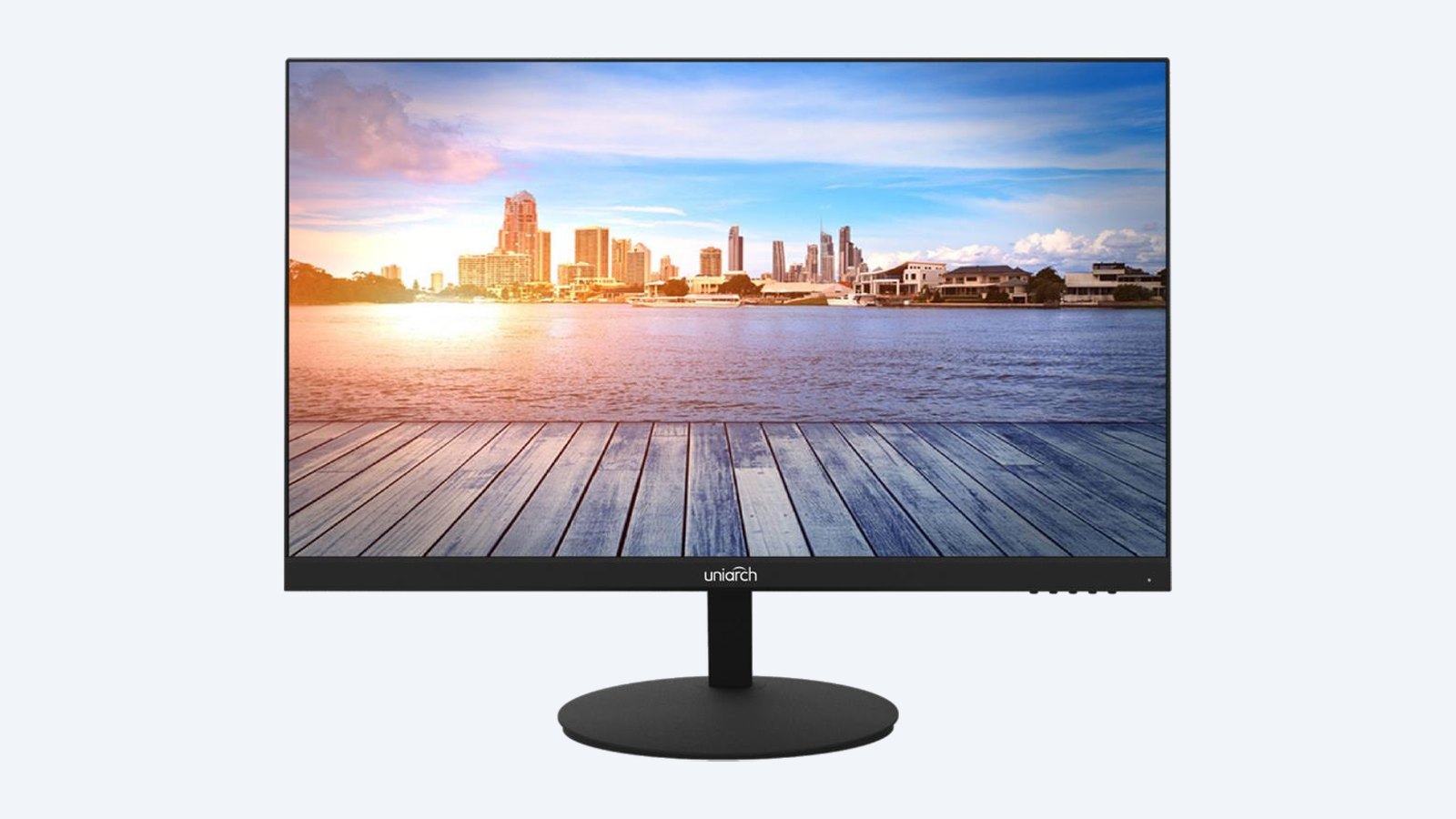
Uniarch MT-24-V 24 inch Full HD surveillance monitor on its stand
Uniarch · 24" · Full HD · 24/7

A bigger view of every camera,
on all day and night.

This is the Uniarch MT-24-V. A 24-inch Full HD monitor rated for 24/7 operation, with slim bezels on three sides, flicker-free dimming, HDMI and VGA inputs and built-in speakers.

In one sentence: the MT-24-V is a 24" 1920 × 1080 LED monitor with HDMI, VGA and audio inputs, 2 × 1.5 W speakers, flicker-free low-blue-light panel and VESA 100 mounting, rated for 24/7 use.

Ready to plug in. HDMI cable included.

Everything to put it on a desk and connect a recorder is in the box. Wall mounting needs a VESA 100 bracket.

In the box
  • MT-24-V monitor
  • Stand (pedestal)
  • HDMI cable
  • 12 V DC power adapter
  • Quick guide
You also need
  • A recorder, DVR or PC with HDMI or VGA
  • A power point
  • A VESA 100 bracket, if wall mounting

Easier on the eyes over a long shift.

DC dimming removes screen flicker and the panel reduces blue light, which matters when someone watches the cameras for hours. Bezels are as thin as 2.8 mm on three sides.

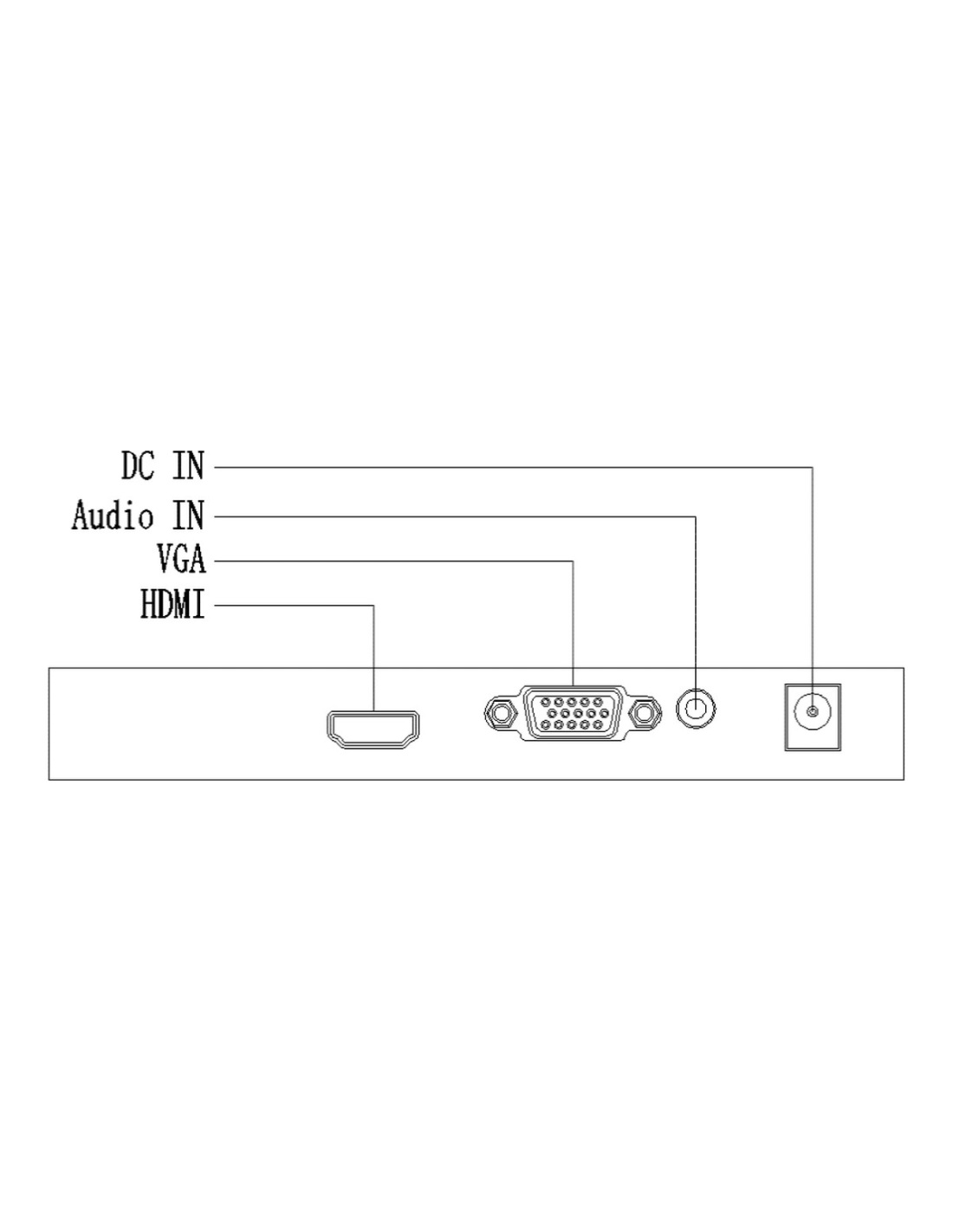
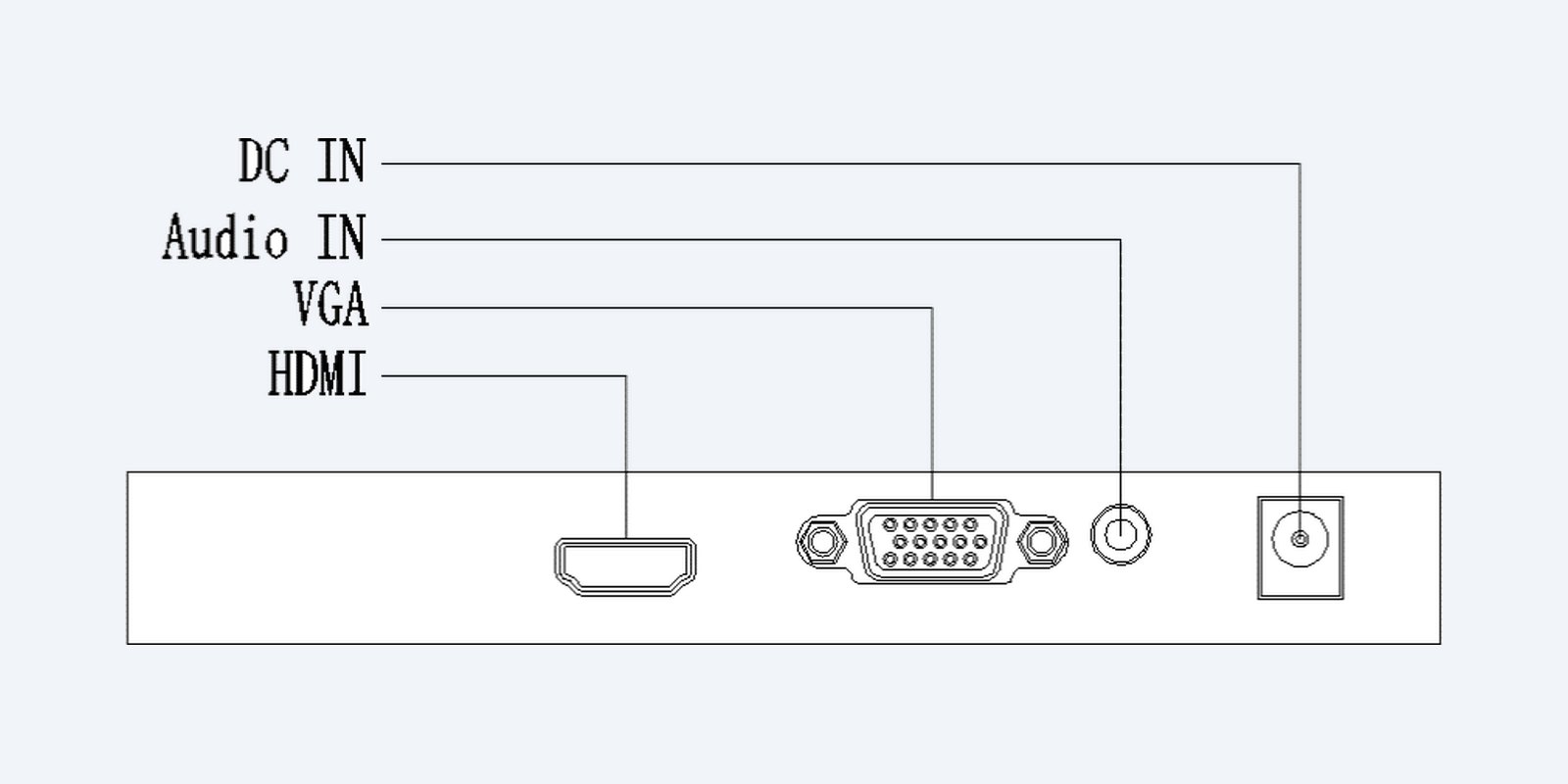
Uniarch MT-24-V HDMI, VGA, audio in and DC inputs

Inputs

HDMI, VGA and audio in.

One HDMI, one VGA, a 3.5 mm audio input and the 12 V DC socket. The signal is detected automatically when the recorder is connected.

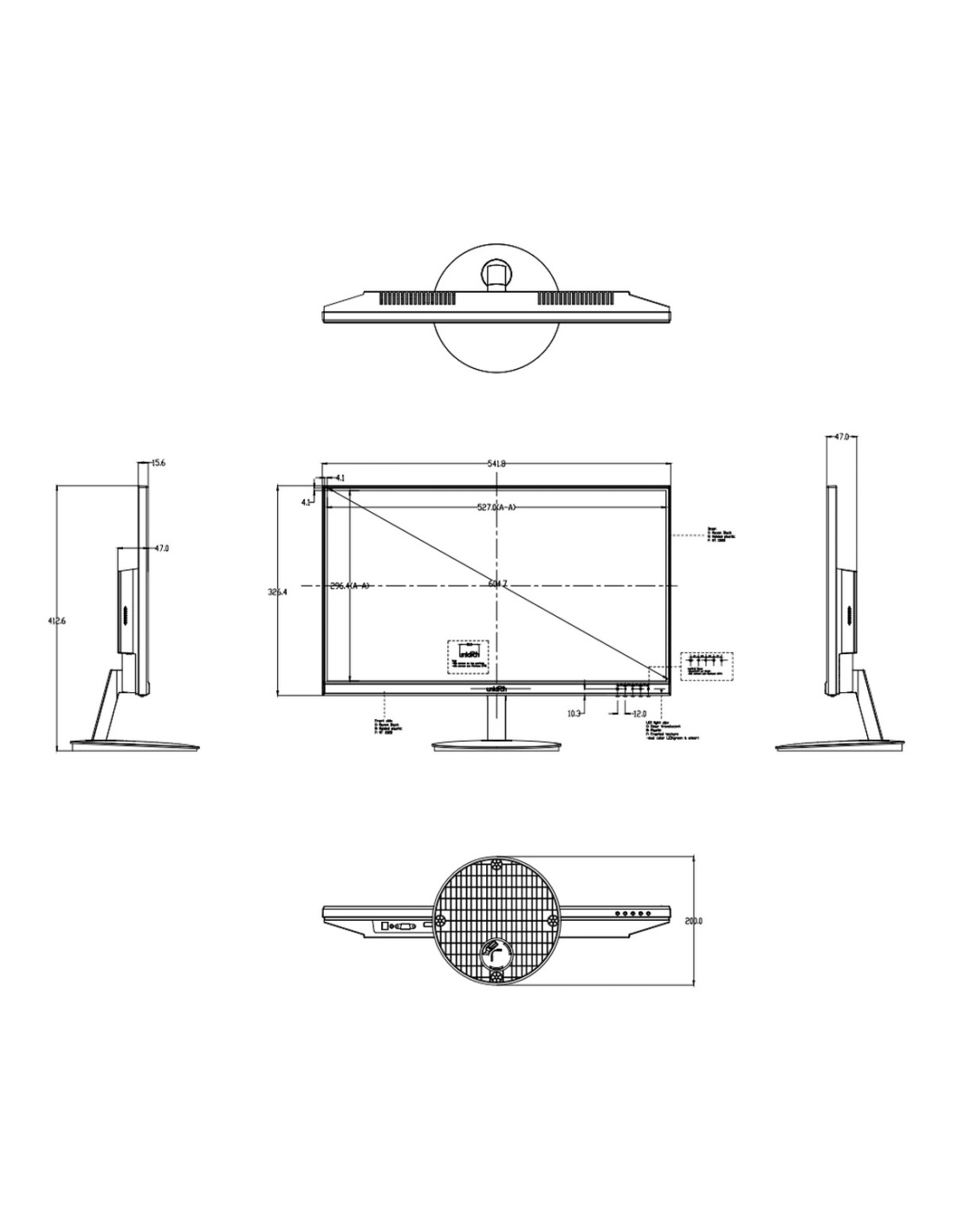
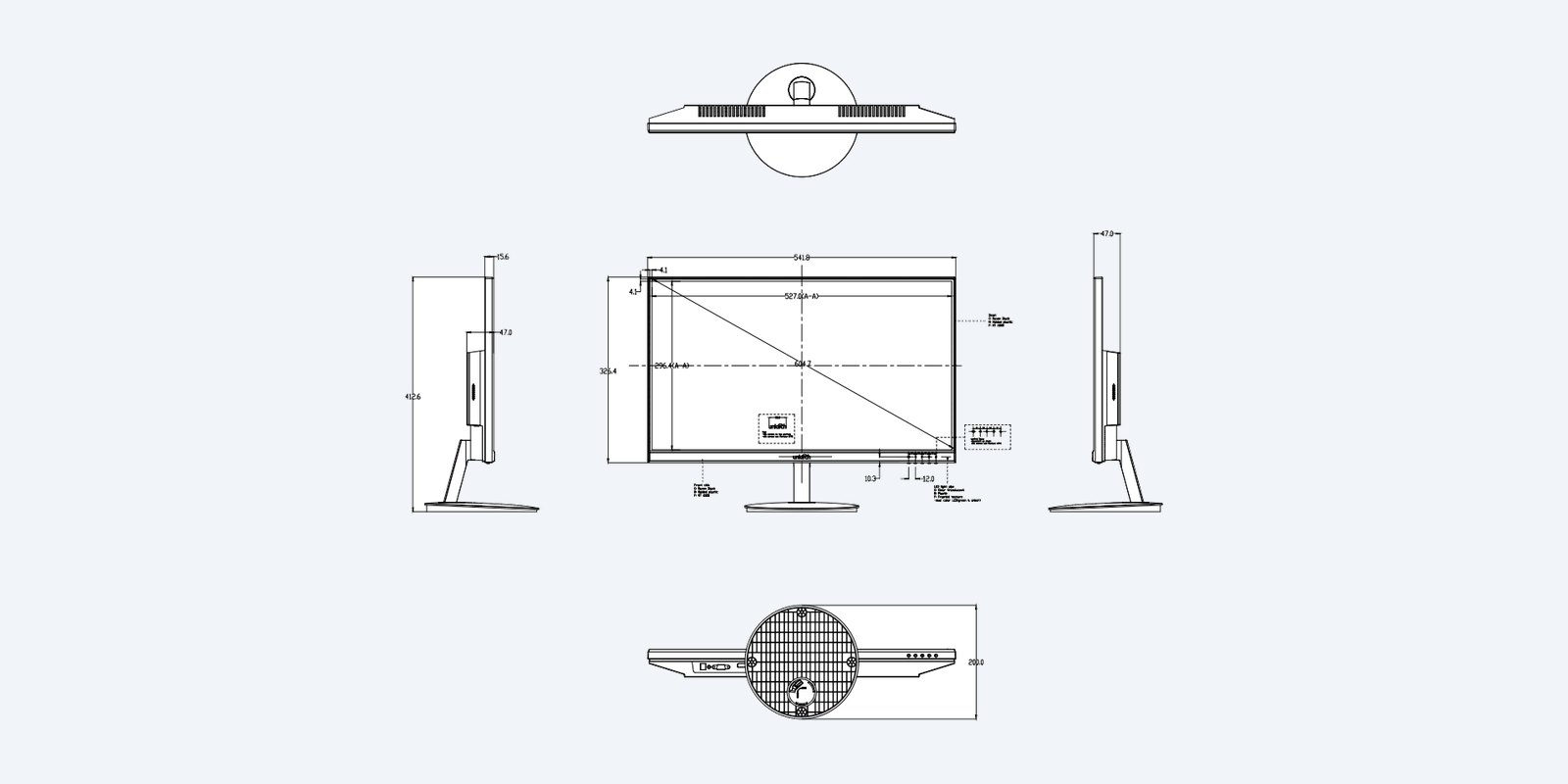
Uniarch MT-24-V dimension drawing

Size

542 × 413 × 200 mm on its stand.

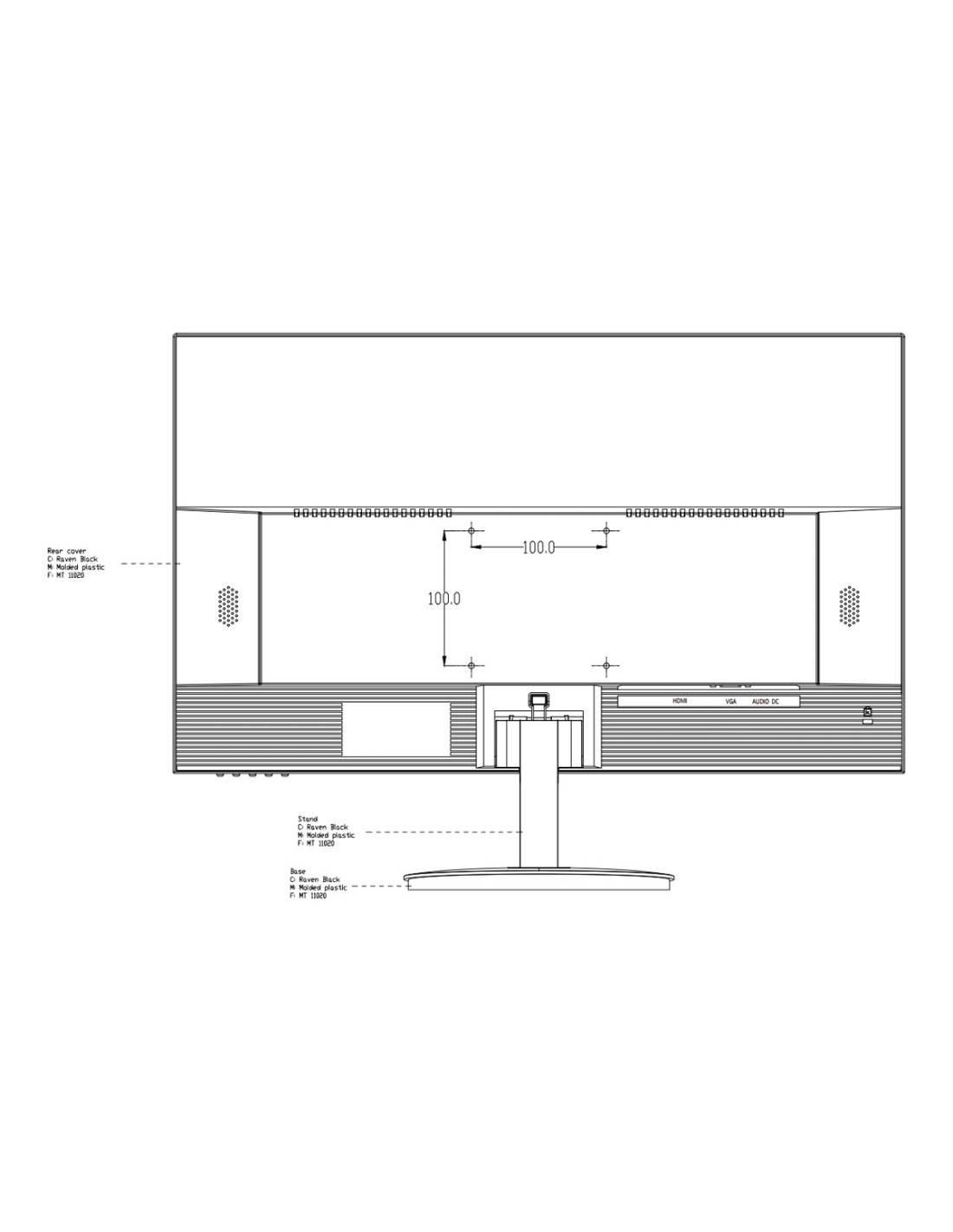
It weighs 3.3 kg. Remove the stand and the 100 × 100 mm VESA holes take a wall bracket or monitor arm.

How it goes in

From the box to live view.

01

Fit the stand

Clip the pedestal on, or fit a VESA 100 bracket for the wall.

02

Connect the recorder

HDMI from the NVR or DVR, or VGA plus the audio lead.

03

Power on

Plug in the 12 V adapter. The input is detected automatically.

04

Set the picture

Use the buttons on the bezel to set brightness, volume and menu language.

Pair it with

What goes with it

Recorder

Uniarch NVR

4, 8, 16 and 32-channel recorders with HDMI output.

Cameras

Uniarch IP cameras

6MP and 8MP turrets, bullets and domes.

Mounting

VESA 100 bracket

Any VESA 100 wall bracket or arm fits.

Smaller screen

MT-22-V 22" monitor

The same inputs and speakers in a smaller size.

Where it is used

Where it is used

Security desks

A larger 16-camera split that is easy to read.

Shops and venues

A visible public-view screen near the entry.

Offices

Reception or manager’s office monitoring.

Homes

A permanent camera screen in the kitchen or study.

Uniarch monitors side by side

MT-22-VMT-22-V(P)MT-24-V
Screen21.5" Full HD22" Full HD24" Full HD
Refresh rate60 Hz100 Hz60 Hz
InputsHDMI, VGA, audioHDMI, VGA, audioHDMI, VGA, audio
Speakers2 × 1.5 W2 × 1.5 W2 × 1.5 W
Rated for 24/7Yes—Yes
VESA100 × 100—100 × 100

— means Uniarch has not published the figure. MT-22-V and MT-24-V figures from the Uniarch datasheets; MT-22-V(P) from Uniarch’s product description.

Common questions

Can it run all day and night?

Yes. Uniarch designs it for 7 × 24 operation, with a thermal design to extend its life, and it draws 24 W or less when on.

Is it easy on the eyes?

Yes. It uses DC dimming to remove flicker and the panel reduces blue light.

Can I mount it on the wall?

Yes. It has 100 × 100 mm VESA holes for a wall bracket or monitor arm.

How many cameras can I see at once?

That depends on the recorder’s split screen. On 24 inches a 16-camera layout is comfortable to read.

Does it work with a 4K recorder?

Yes. Set the recorder’s HDMI output to 1920 × 1080, which is this screen’s native resolution.

How thin are the bezels?

As thin as 2.8 mm on three sides.

What languages does the menu use?

Eight, including English.

How much power does it use?

24 W or less on, 0.5 W or less in standby, from the 12 V 2 A adapter.

Will it work with any NVR or DVR?

Yes. Any recorder, DVR or PC with HDMI or VGA output connects directly. Uniarch, Uniview, Hikvision and Dahua recorders all work.

Do I need separate speakers?

No. Two 1.5 W speakers are built in. Sound comes over HDMI, or from the 3.5 mm audio input when you use VGA.

Is an HDMI cable included?

Yes, with the power adapter, the stand and a quick guide.

What is the warranty?

Uniarch 3-year manufacturer warranty, handled in Australia through us. Contact us first and we will organise any claim.

Supported by Infront Technologies.

Not sure which screen suits your recorder? Call 1300 736 970 or email [email protected].

Installation and safety

Power. Use the supplied 12 V DC 2 A adapter.

Placement. Indoors only, 0 °C to 40 °C, 20–85% humidity with no condensation. Keep the vents clear.

Figures. From the Uniarch MT-24-V datasheet. Uniarch 3-year manufacturer warranty, handled in Australia through us.

Dimensions
541.8 × 412.6 × 200 mm with stand
Power Supply
12 V DC, 2 A adapter
Weight
3.3 kg net
Power Consumption
≤24 W on, ≤0.5 W standby
Resolution
1920 × 1080 Full HD
Brand
Uniarch
Brightness
250 cd/m²
Contrast Ratio
3000:1
Response Time
7 ms
Screen Size
24"
VESA Mount
100 × 100 mm
Refresh Rate
60 Hz
Operation
24/7
Speakers
2 × 1.5 W
Warranty
3 years
Product Type
CCTV Monitor
Model
MT-24-V
In The Box
Monitor, stand, HDMI cable, adapter, quick guide
Inputs
1 × HDMI, 1 × VGA, 1 × audio in
Pixel Pitch
0.2745 mm
Viewing Angle
178° (H) / 178° (V)
Panel
LED backlit
Eye Care
Flicker-free DC dimming, low blue light
INFRONTTECH Promotional Banner INFRONTTECH Promotional Banner INFRONTTECH Promotional Banner

Need help choosing?

Tell us about your property and we'll recommend the right cameras and recorder.

07 5609 4910

Sydney 02 8814 6008
[email protected]

Mon–Fri, 9am–5pm AEST

Product added to wishlist